

Vehicles
What it is
The list of school buses, with their documents and servicing.
Why it matters
Keeps every bus legal, serviced and ready to run.
When to use it
Transport staff record each vehicle and track its documents and repairs.
Who uses it
Administrator
How to get here
Section titled “How to get here”- Sign in as Administrator (see Signing in).
- In the left menu, click Transport to open it.
- Click Vehicles.
What you see
Section titled “What you see”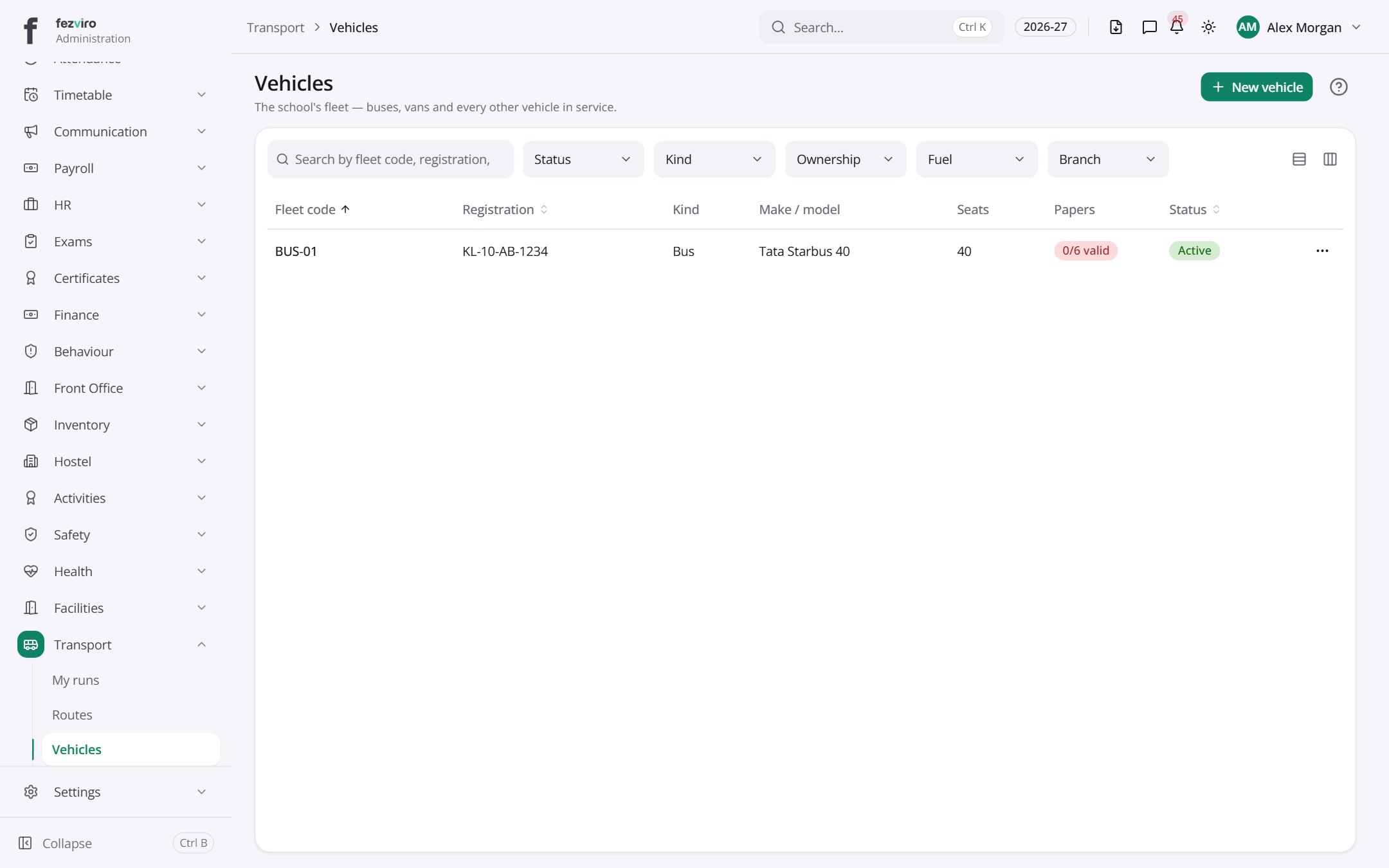
- The list has these columns: Fleet code, Registration, Kind, Make / model, Seats, Papers, Status, Actions. Click a column name to sort by it.
Buttons on this screen
Section titled “Buttons on this screen”- New vehicle — opens a form to add a new one. See Filling in the form below.
Filling in the form
Section titled “Filling in the form”- Click the New vehicle button at the top right.
- Fill in the boxes. Boxes marked with a red * must be filled in (7 on this form).
- Click Save at the bottom. If something is missing, the box turns red and tells you what to fix.
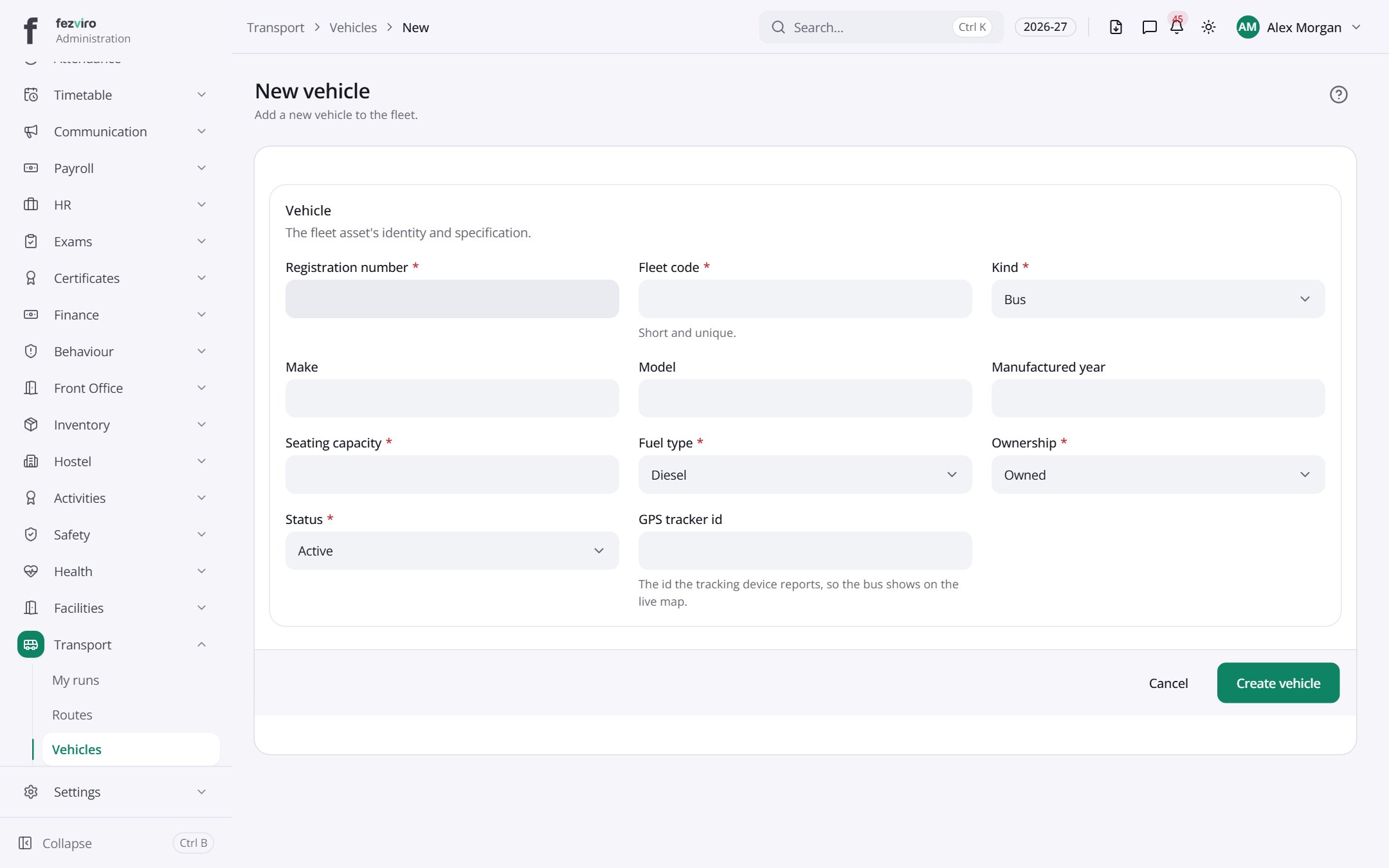
The fields
Section titled “The fields”| Field | Type | What to enter, and why |
|---|---|---|
| Registration number * | text | The vehicle's number plate, exactly as shown on it. |
| Fleet code * | text | A short code for this vehicle, unique to it, such as BUS-03. |
| Kind * | choose | Choose the type of vehicle, such as a bus or a van. |
| Make | text | The company that made the vehicle, such as Ford. |
| Model | text | The model name of the vehicle, as shown on its papers. |
| Manufactured year | number | The year the vehicle was built. |
| Seating capacity * | number | How many passengers it can seat. |
| Fuel type * | choose | Choose what fuel it uses, such as diesel or petrol. |
| Ownership * | choose | Choose whether the school owns the vehicle or rents it. |
| Status * | choose | Choose whether it is in service, in the workshop or retired. |
| GPS tracker id | text | The number of the tracking device, so the bus shows on the live map. |
Types: text — type it in · number — digits only · date — click and pick from the calendar · choose — click and pick one from the list · pick one — click one of the options · switch / tick box — click to turn on or off · long text — type as much as you need · file — click to attach a file from your computer.
← Back to Transport overview