

Behaviour reference
What it is
The behaviour setup: categories, points, locations and escalation rules.
Why it matters
Keeps every record using the same categories and rules.
When to use it
Administrators set the rules once; staff choose from them when logging.
Who uses it
Administrator
How to get here
Section titled “How to get here”- Sign in as Administrator (see Signing in).
- In the left menu, click Behaviour to open it.
- Click Reference data.
What you see
Section titled “What you see”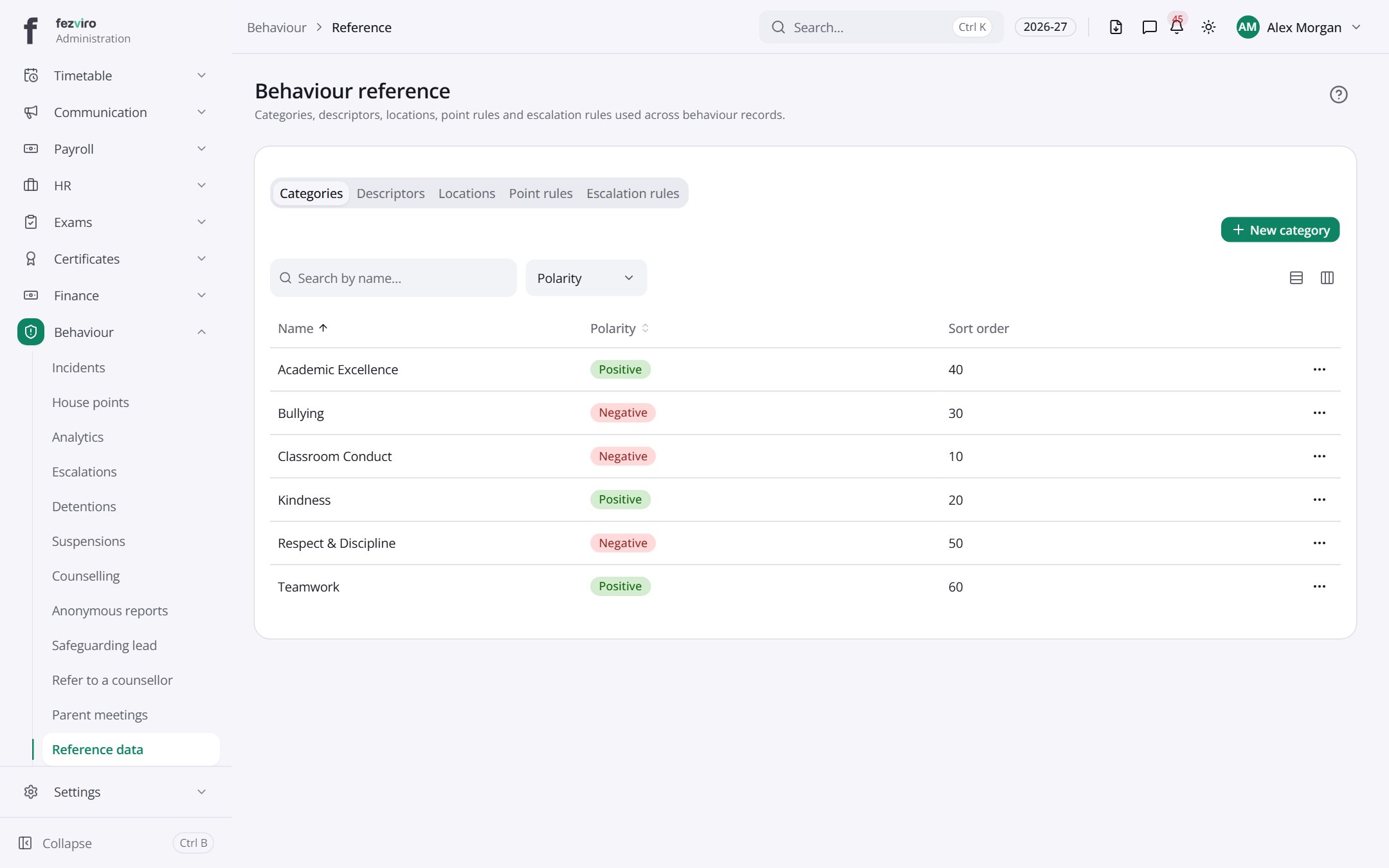
- Tabs along the top switch between views: Categories, Descriptors, Locations, Point rules, Escalation rules. Click one to change what you see.
- The list has these columns: Name, Polarity, Sort order, Actions. Click a column name to sort by it.
← Back to Behaviour overview