

New: Issue fee certificate
What it is
States the fees the school received for a student in a period you choose, from the fee records. It never calculates tax.
Who uses it
Administrator
How to get here
Section titled “How to get here”- Sign in as Administrator (see Signing in).
- In the left menu, click Certificates to open it.
- Click Standard certificates.
What you see
Section titled “What you see”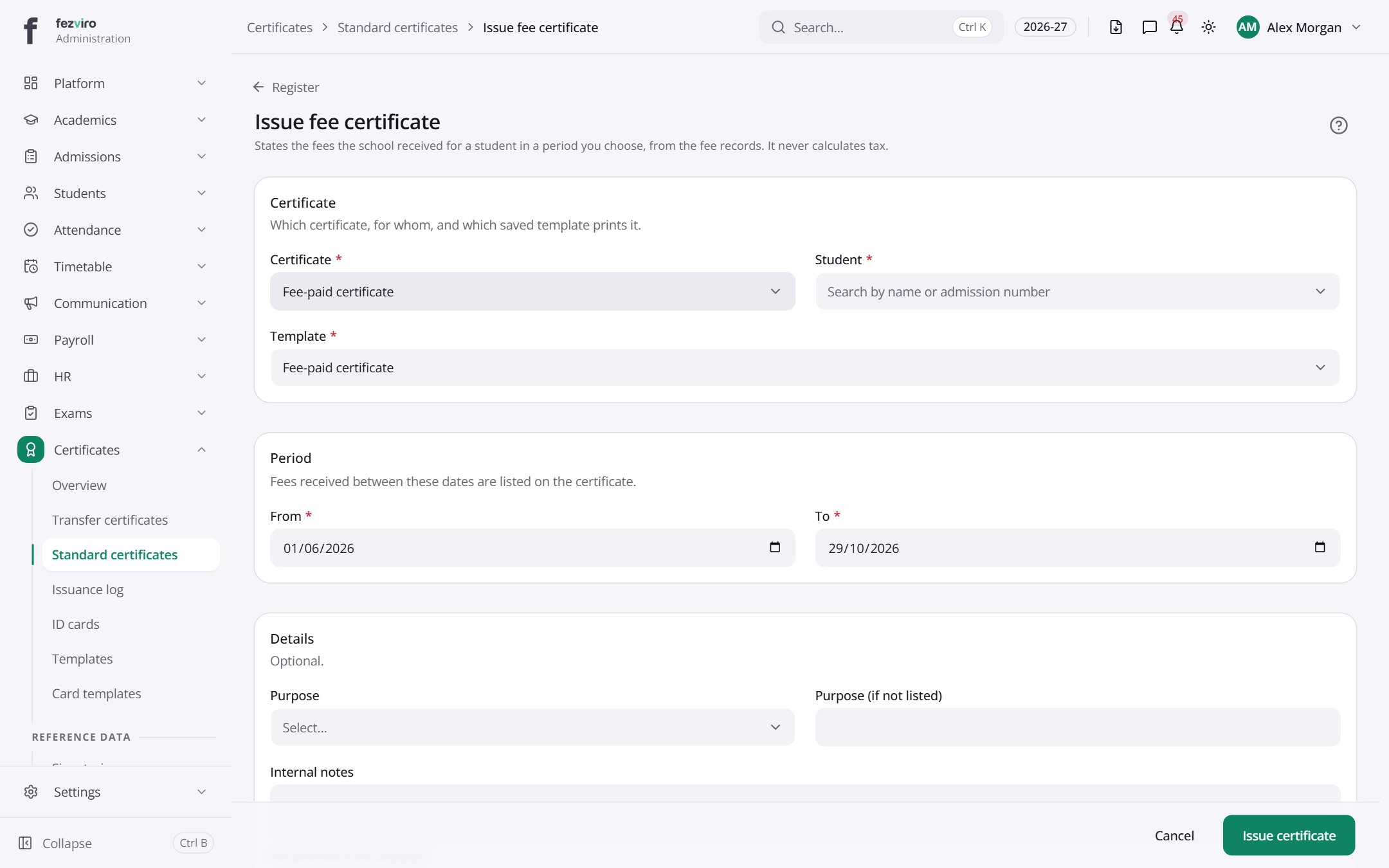
- Sections on the page: Certificate, Period, Details.
Buttons on this screen
Section titled “Buttons on this screen”- Register — opens a form to add a new one. See Filling in the form below.
Filling in the form
Section titled “Filling in the form”- Click the Register button at the top right.
- Fill in the boxes. Boxes marked with a red * must be filled in (5 on this form).
- Click Save at the bottom. If something is missing, the box turns red and tells you what to fix.
The fields
Section titled “The fields”| Field | Type | What to enter, and why |
|---|---|---|
| Certificate * | choose | Choose the fee certificate type, such as a fee receipt summary. |
| Student * | choose | Choose the student this certificate is for. |
| Template * | choose | Choose the saved design that prints this certificate. |
| From * | date | The first day of the period to report fees. Pick it from the calendar. |
| To * | date | The last day of the period to report fees. Pick it from the calendar. |
| Purpose | choose | Choose why the certificate is needed, from the list. |
| Purpose (if not listed) | text | Only if the reason is missing. Type the ending, such as bank loan. |
| Internal notes | long text | Optional. For the office only. This is not printed on the certificate. |
| Issue despite outstanding dues | long text | Only if the student owes fees and the certificate must still be issued. The reason is kept with the certificate. |
Types: text — type it in · number — digits only · date — click and pick from the calendar · choose — click and pick one from the list · pick one — click one of the options · switch / tick box — click to turn on or off · long text — type as much as you need · file — click to attach a file from your computer.
← Back to Certificates & ID Cards overview