

Leave types
What it is
The kinds of leave staff can take, and who each one is for.
Why it matters
Stops leave being given to the wrong staff or outside its rules.
When to use it
HR sets leave types up; staff see which ones they can apply for.
Who uses it
Administrator
How to get here
Section titled “How to get here”- Sign in as Administrator (see Signing in).
- In the left menu, click HR to open it.
- Click Leave types.
What you see
Section titled “What you see”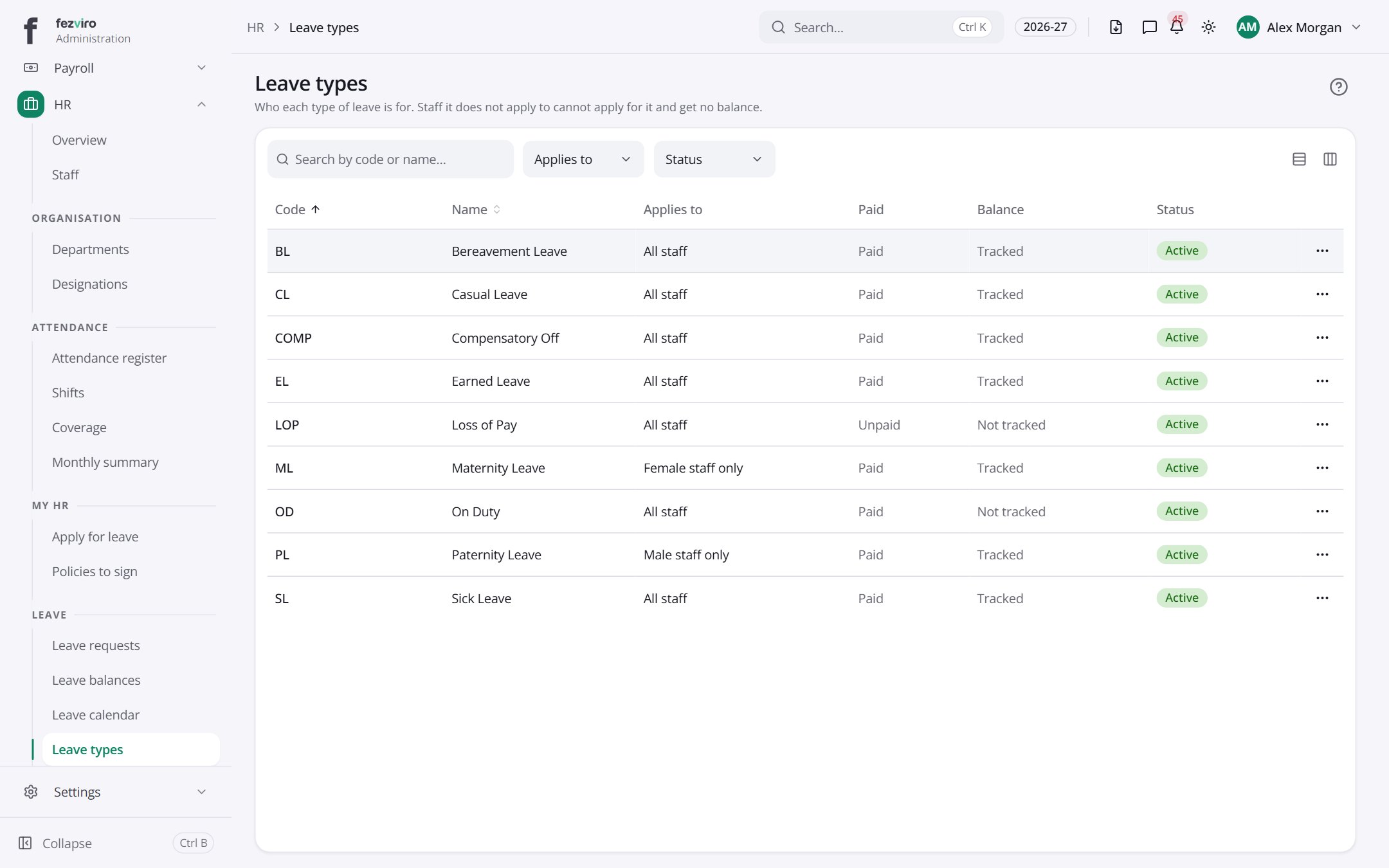
- The list has these columns: Code, Name, Applies to, Paid, Balance, Status, Actions. Click a column name to sort by it.
← Back to HR & Staff overview