

Titles
What it is
The list of every book and item the library holds.
Why it matters
Gives one searchable record for every title the school owns.
When to use it
Librarians add titles and copies and keep the details accurate.
Who uses it
Administrator
How to get here
Section titled “How to get here”- Sign in as Administrator (see Signing in).
- In the left menu, click Library.
What you see
Section titled “What you see”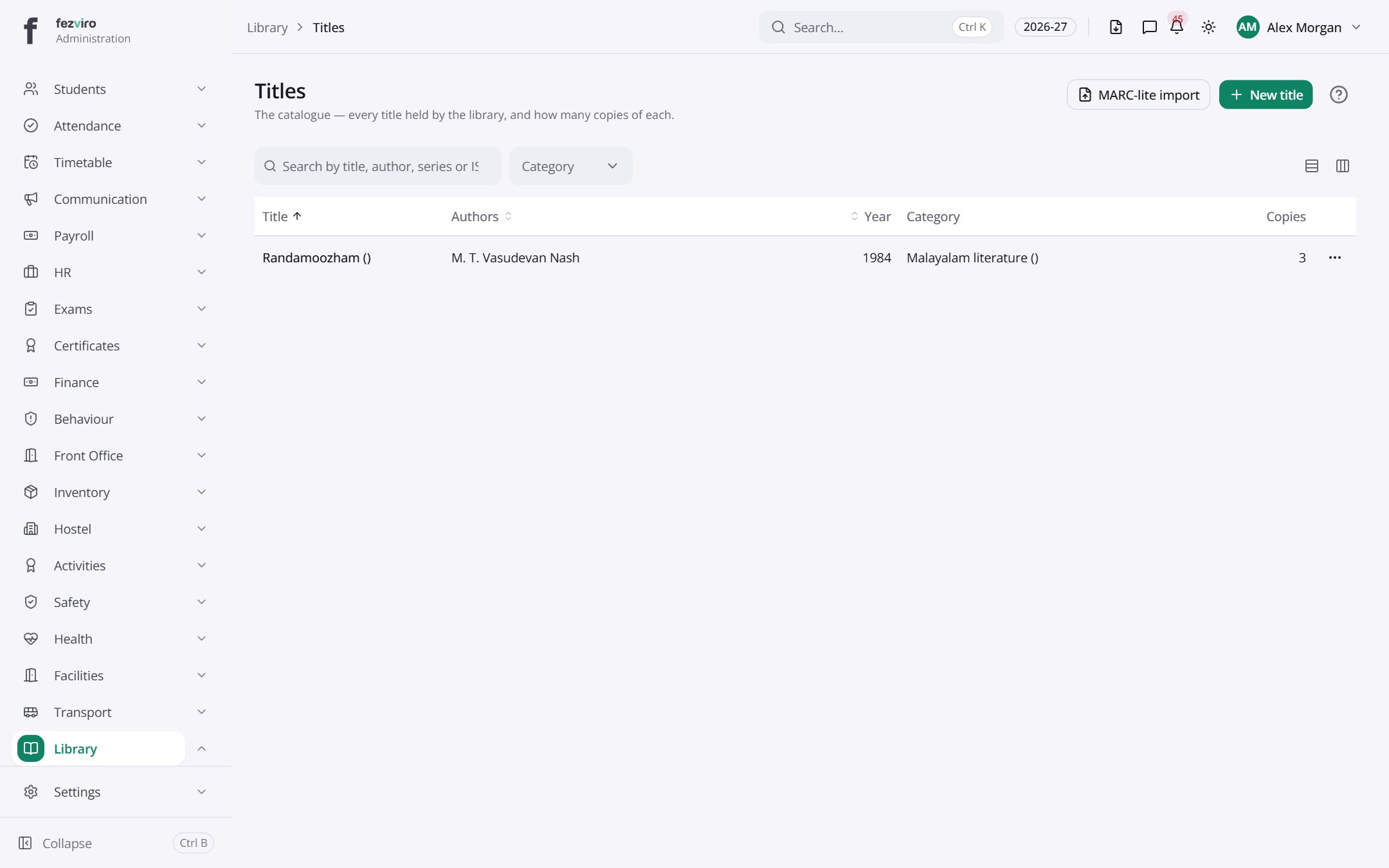
- The list has these columns: Title, Authors, Year, Category, Copies, Actions. Click a column name to sort by it.
Buttons on this screen
Section titled “Buttons on this screen”- MARC-lite import — adds many records at once from a spreadsheet.
- New title — opens a form to add a new one. See Filling in the form below.
Filling in the form
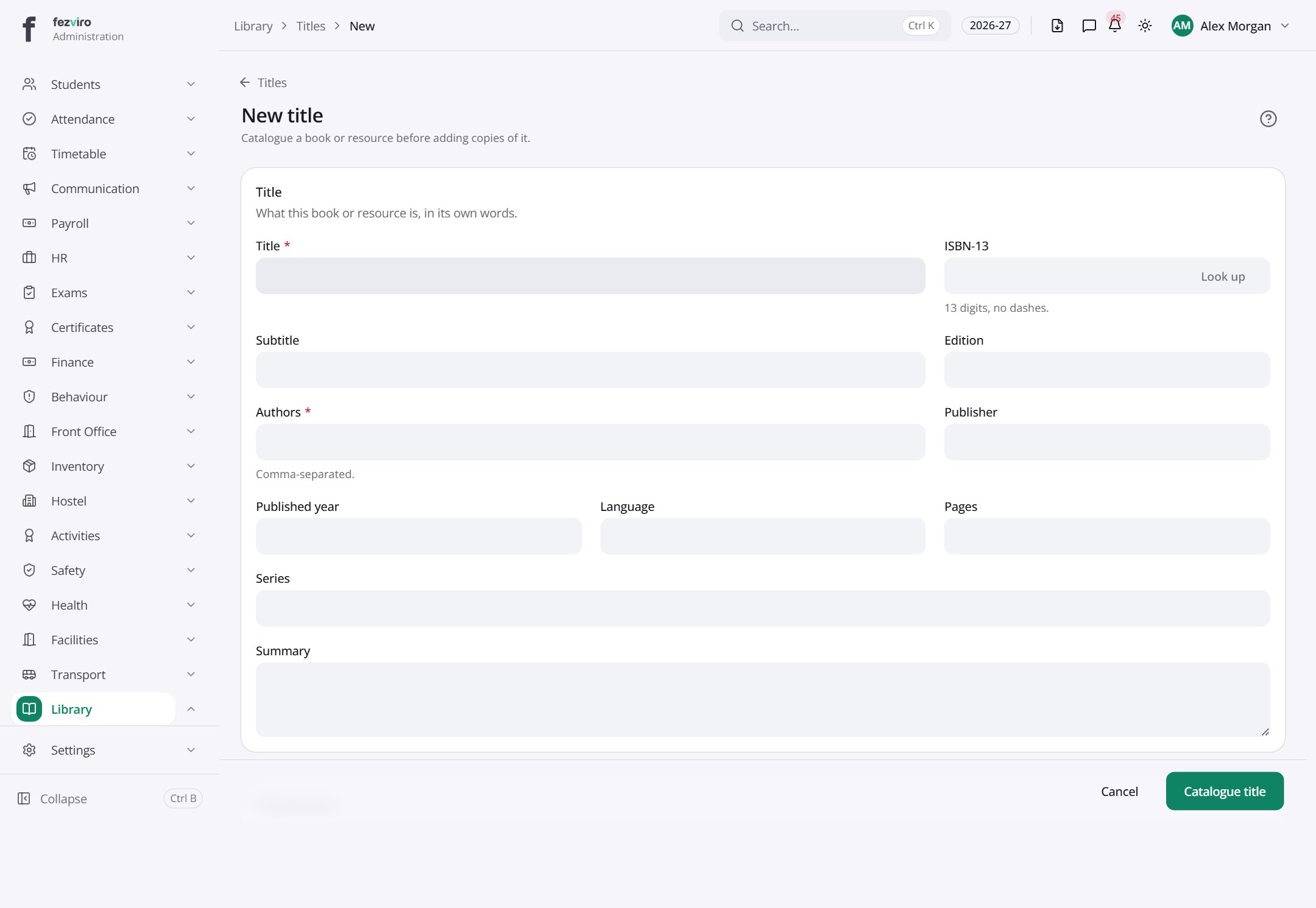
Section titled “Filling in the form”- Click the New title button at the top right.
- Fill in the boxes. Boxes marked with a red * must be filled in (3 on this form).
- Click Save at the bottom. If something is missing, the box turns red and tells you what to fix.
The fields
Section titled “The fields”| Field | Type | What to enter, and why |
|---|---|---|
| Title * | text | The full name of the book or resource, as printed on its cover. |
| ISBN-13 | text | The 13-digit ISBN number, with no dashes. Found on the back cover. |
| Subtitle | text | The second part of the title, if the book has one. |
| Edition | text | Which edition this is, such as Second edition. Leave empty if unknown. |
| Authors * | text | The author names, separated by commas. |
| Publisher | text | The company that published the book. |
| Published year | number | The year the book was published. |
| Language | text | The language the book is written in. |
| Pages | number | How many pages the book has. |
| Series | text | The name of the series this book belongs to, if any. |
| Summary | long text | A short description of what the book is about. |
| Category | choose | Pick the group this book belongs to, or leave it as none. |
| Item type * | choose | Choose what kind of item this is, such as a book, DVD or magazine. |
| Dewey classification | text | The subject code used to shelve the book, if your library uses it. |
| Call number | text | The code on the book's spine that shows its place on the shelf. |
Types: text — type it in · number — digits only · date — click and pick from the calendar · choose — click and pick one from the list · pick one — click one of the options · switch / tick box — click to turn on or off · long text — type as much as you need · file — click to attach a file from your computer.
← Back to Library overview