

Exams
What it is
The list of exams the school runs, such as terms and unit tests.
Why it matters
Keeps every exam in one list so timetables and marks link to it.
When to use it
Staff create or edit an exam before scheduling papers and marks.
Who uses it
Administrator
How to get here
Section titled “How to get here”- Sign in as Administrator (see Signing in).
- In the left menu, click Exams to open it.
- Click Exams.
What you see
Section titled “What you see”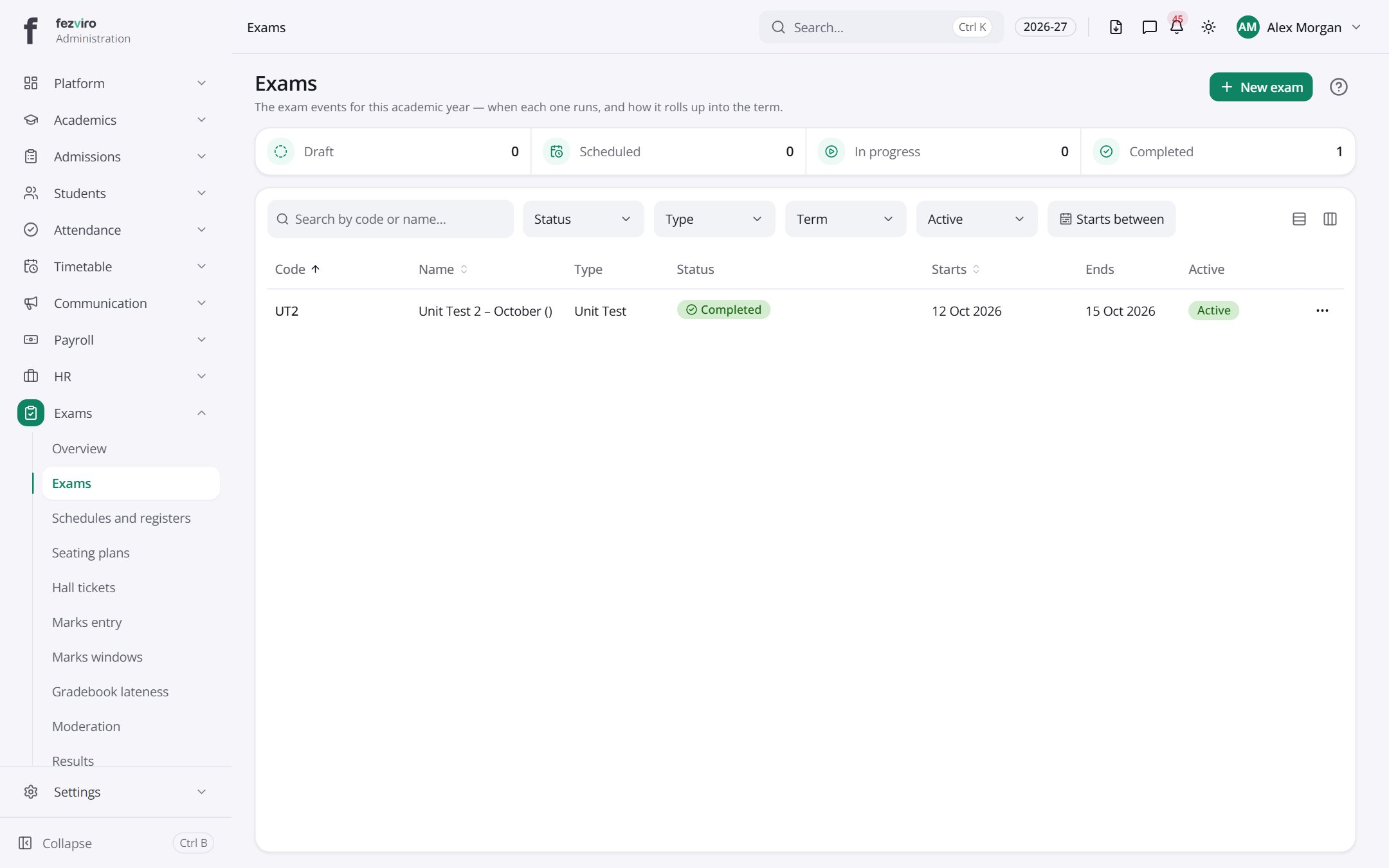
- The list has these columns: Code, Name, Type, Status, Starts, Ends, Active, Actions. Click a column name to sort by it.
Buttons on this screen
Section titled “Buttons on this screen”- New exam — opens a form to add a new one. See Filling in the form below.
Filling in the form
Section titled “Filling in the form”- Click the New exam button at the top right.
- Fill in the boxes. Boxes marked with a red * must be filled in (5 on this form).
- Click Save at the bottom. If something is missing, the box turns red and tells you what to fix.
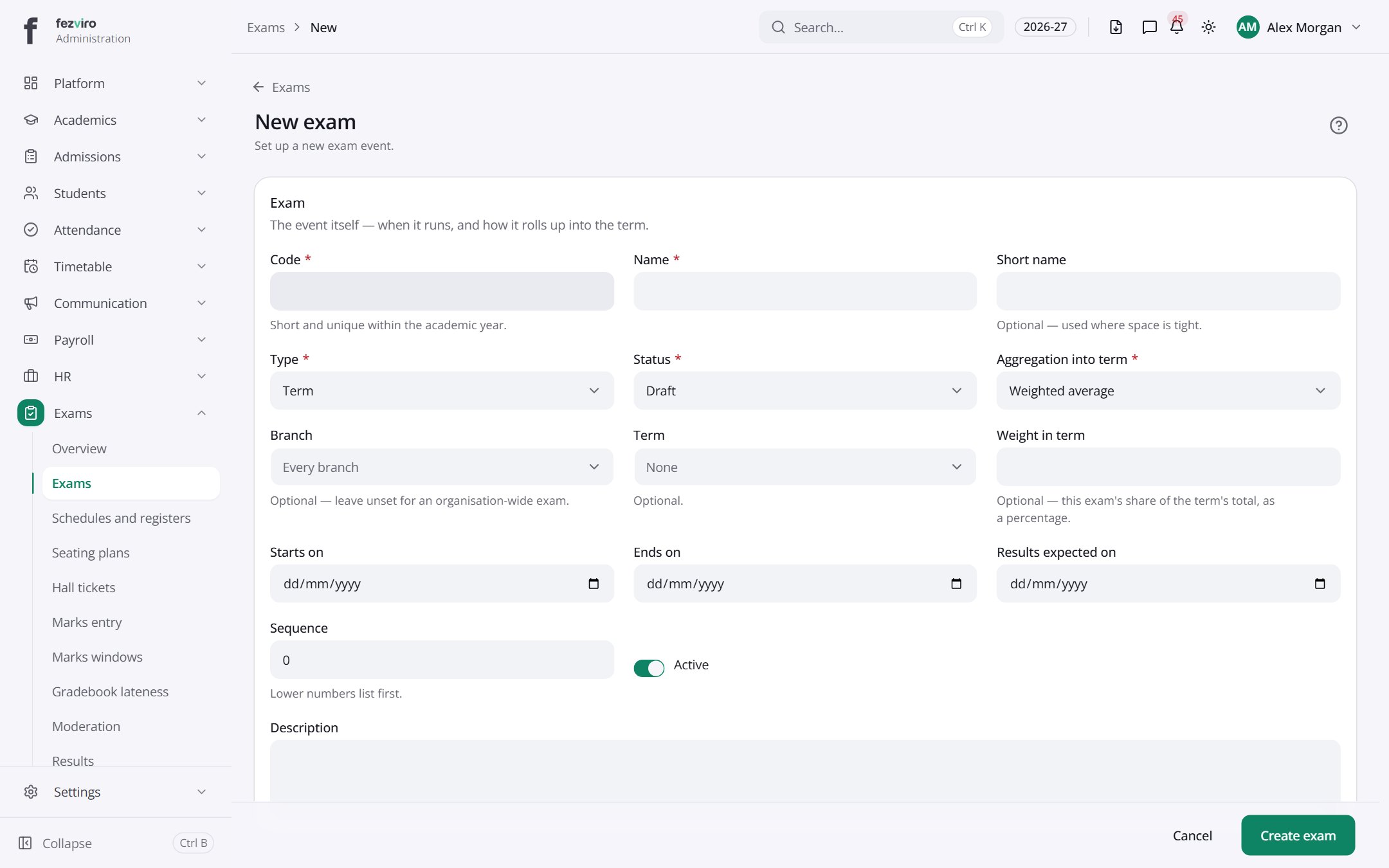
The fields
Section titled “The fields”| Field | Type | What to enter, and why |
|---|---|---|
| Code * | text | A short code for this exam, such as MID-T1. Unique within the school year. |
| Name * | text | The full name of the exam, such as Mid-Term Examination. |
| Short name | text | An optional shorter name for lists and tight spaces, such as Mid-Term. |
| Type * | choose | Choose what kind of exam it is, such as Term, Unit test or Project. |
| Status * | choose | Where the exam is now, such as Draft, Scheduled or Completed. |
| Aggregation into term * | choose | Choose how marks combine into the term result, such as Sum or Average. |
| Branch | choose | Pick the branch this exam is for, or leave it for every branch. |
| Term | choose | Pick the term this exam belongs to, or leave it empty. |
| Weight in term | number | This exam's share of the term total, as a percentage. Optional. |
| Starts on | date | The first day of the exam period. |
| Ends on | date | The last day of the exam period. |
| Results expected on | date | The date by which teachers should have marks entered. |
| Sequence | number | A number for the order this exam appears in lists. Lower numbers come first. |
| Active | switch | Turn on to let staff use this exam. Turn off to hide it. |
| Description | long text | Any extra details about the exam that staff should know. |
Types: text — type it in · number — digits only · date — click and pick from the calendar · choose — click and pick one from the list · pick one — click one of the options · switch / tick box — click to turn on or off · long text — type as much as you need · file — click to attach a file from your computer.
← Back to Exams & Grading overview