

Mark attendance by period
What it is
A register for each lesson in the school day, not just the morning.
Why it matters
Tracks attendance lesson by lesson, so gaps show up where they happen.
When to use it
Subject teachers mark their own lessons as each period runs.
Who uses it
Administrator
How to get here
Section titled “How to get here”- Sign in as Administrator (see Signing in).
- In the left menu, click Attendance to open it.
- Click Mark attendance (periods).
What you see
Section titled “What you see”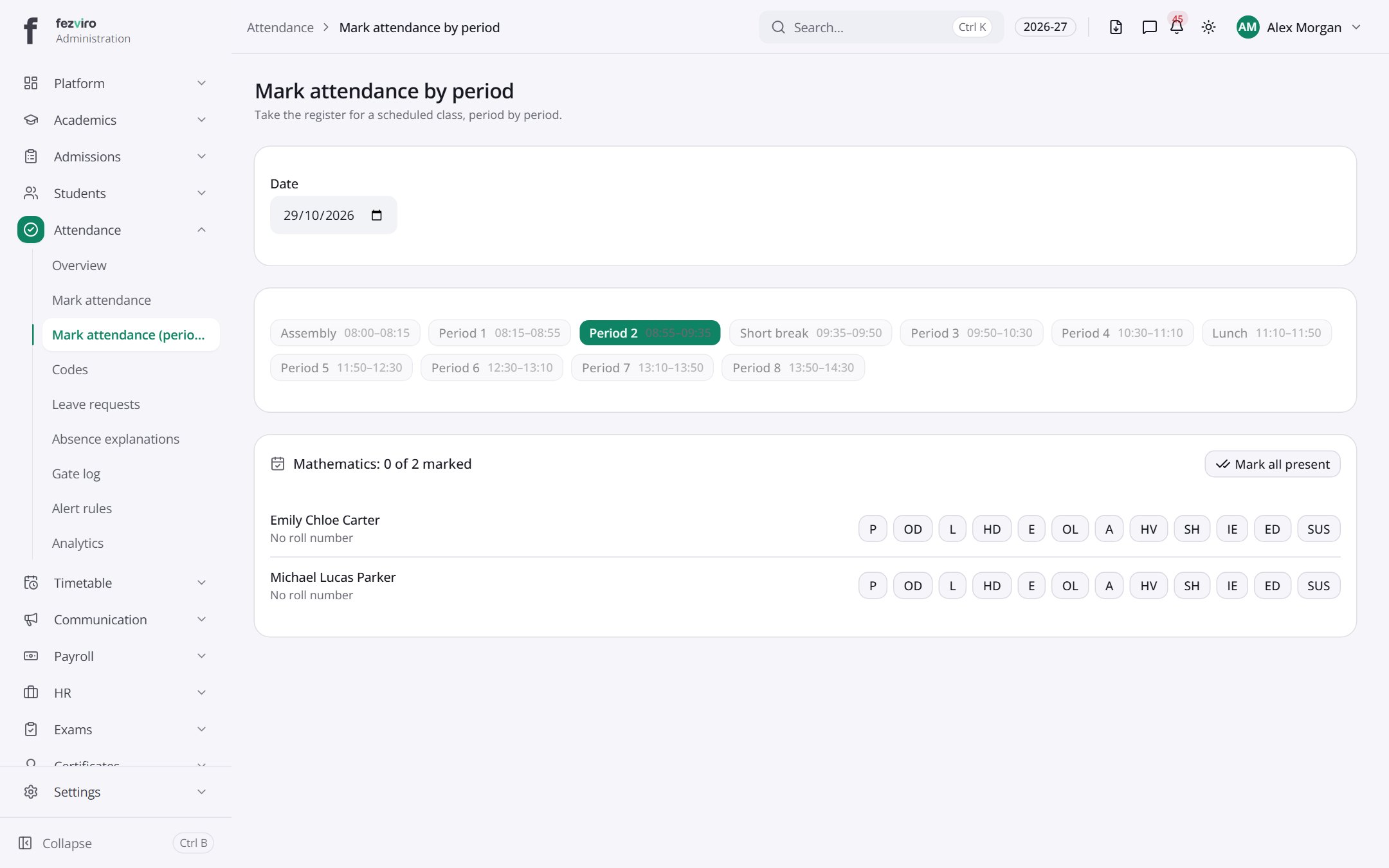
- Tabs along the top switch between views: Assembly08:00–08:15, Period 108:15–08:55, Period 208:55–09:35, Short break09:35–09:50, Period 309:50–10:30, Period 410:30–11:10, Lunch11:10–11:50, Period 511:50–12:30, Period 612:30–13:10, Period 713:10–13:50. Click one to change what you see.
- Sections on the page: Mathematics: 0 of 2 marked.
← Back to Attendance overview