

New: New behaviour descriptor
What it is
Add a specific behaviour a school can record against a category.
Who uses it
Administrator
How to get here
Section titled “How to get here”- Sign in as Administrator (see Signing in).
- In the left menu, click Behaviour to open it.
- Click Reference data.
What you see
Section titled “What you see”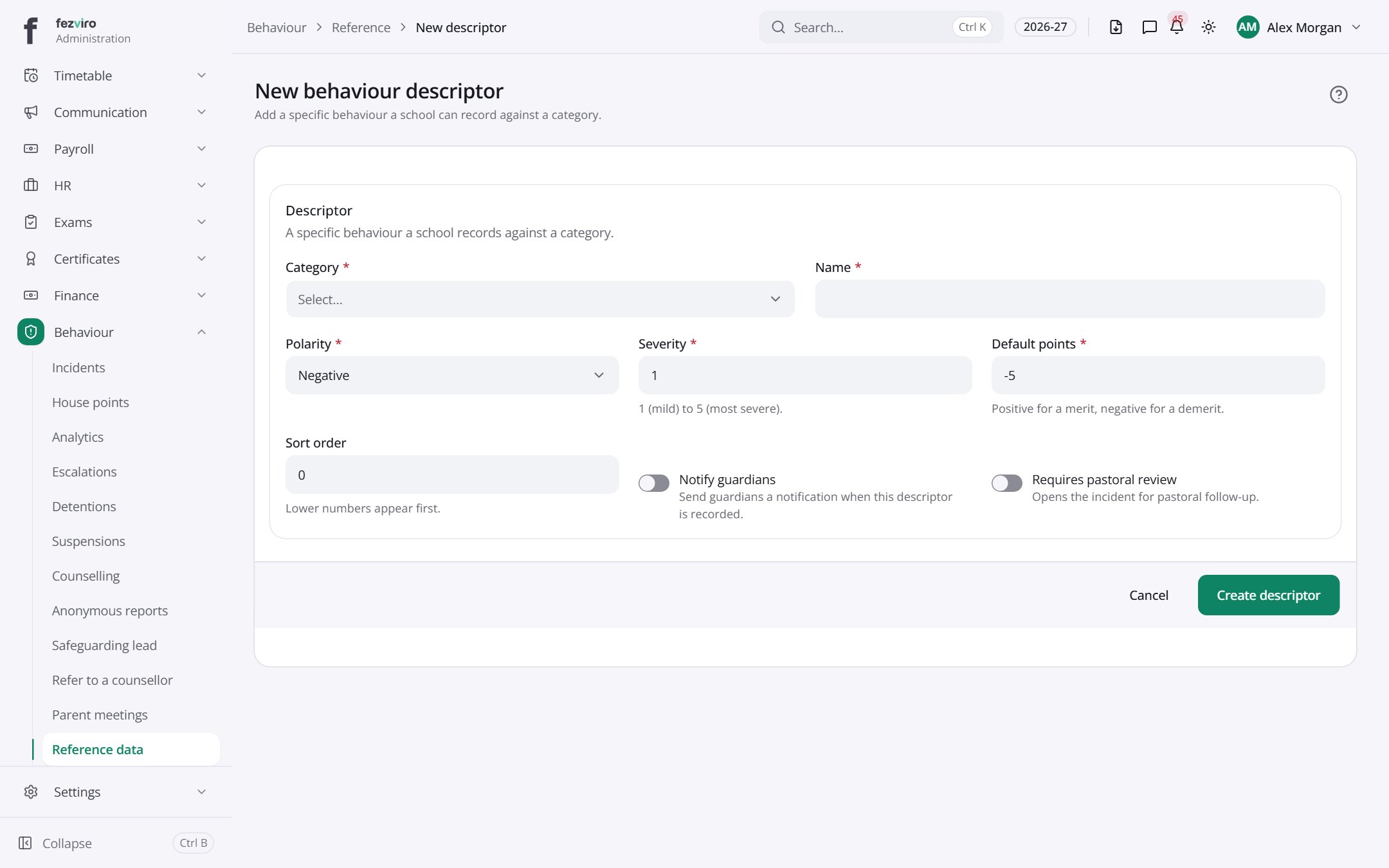
- Sections on the page: Descriptor.
Filling in the form
Section titled “Filling in the form”- Click the New button at the top right.
- Fill in the boxes. Boxes marked with a red * must be filled in (5 on this form).
- Click Save at the bottom. If something is missing, the box turns red and tells you what to fix.
The fields
Section titled “The fields”| Field | Type | What to enter, and why |
|---|---|---|
| Category * | choose | Pick the group this behaviour belongs to. |
| Name * | text | The short name of the behaviour, such as Helped a classmate. |
| Polarity * | choose | Choose Positive for praise, or Negative for a concern. |
| Severity * | number | Always 0 for positive ones. For negative ones, 1 (mild) to 5 (most severe). |
| Default points * | number | Points for this behaviour: plus for praise, minus for a concern. |
| Sort order | number | A number for the list order. Lower numbers appear first. |
| Notify guardians | switch | Turn on to message parents or guardians when this is recorded. |
| Requires pastoral review | switch | Turn on to send this to the student welfare team for follow-up. |
Types: text — type it in · number — digits only · date — click and pick from the calendar · choose — click and pick one from the list · pick one — click one of the options · switch / tick box — click to turn on or off · long text — type as much as you need · file — click to attach a file from your computer.
← Back to Behaviour overview