

Email settings
What it is
The school's email settings, showing how messages are sent.
Why it matters
Makes sure school emails go out from the right address.
When to use it
Office and IT staff check and update the sending details.
Who uses it
Administrator
How to get here
Section titled “How to get here”- Sign in as Administrator (see Signing in).
- In the left menu, click Platform to open it.
- Click Settings.
What you see
Section titled “What you see”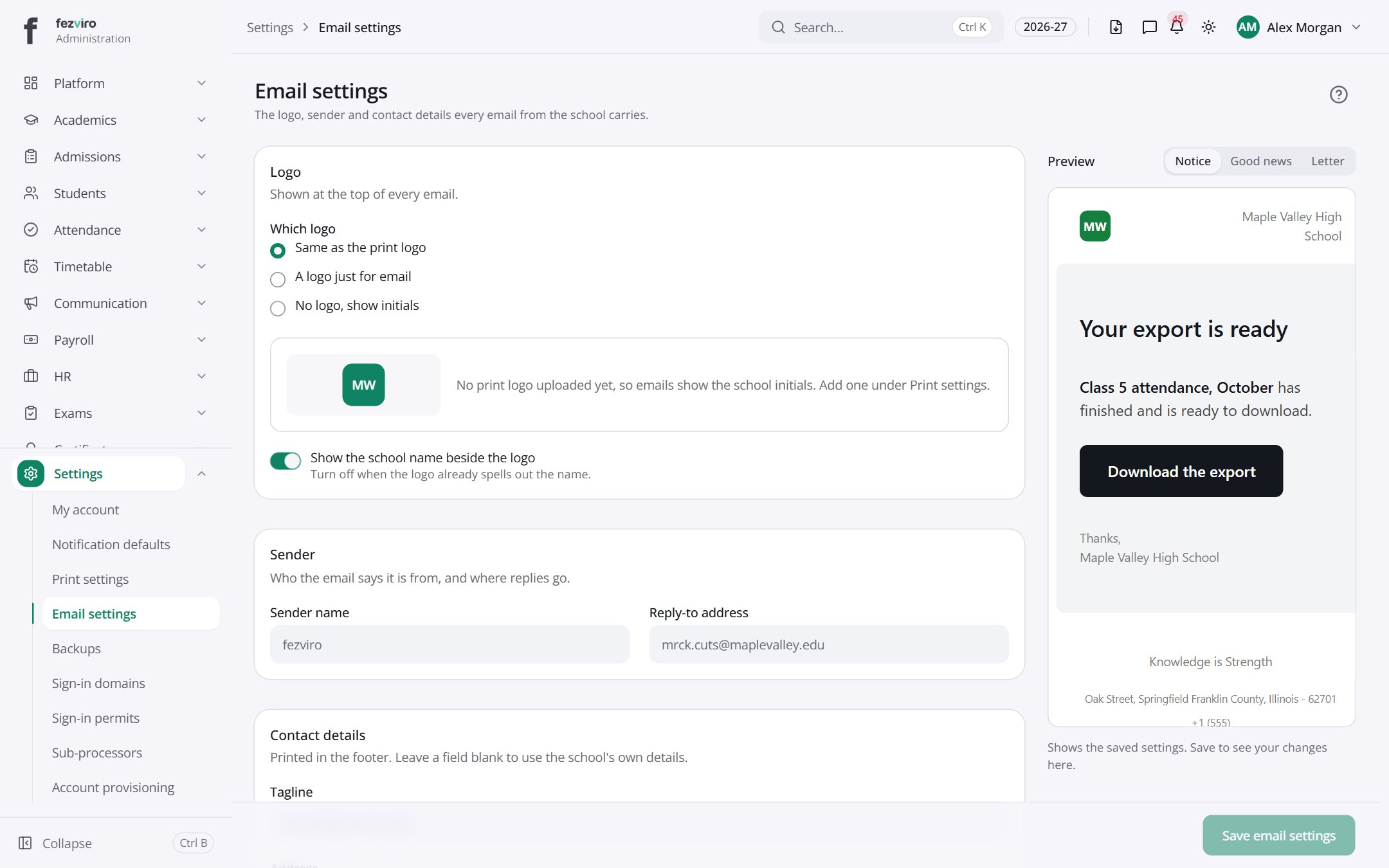
- Tabs along the top switch between views: Notice, Good news, Letter. Click one to change what you see.
- Sections on the page: Logo, Sender, Contact details, Preview.
← Back to Platform & Security overview