

Stock movements
What it is
A full history of every stock movement across all stores.
Why it matters
Gives an unchangeable trail, so any shortfall can be traced.
When to use it
Store staff look up movements; a mistake is reversed, never edited.
Who uses it
Administrator
How to get here
Section titled “How to get here”- Sign in as Administrator (see Signing in).
- In the left menu, click Inventory to open it.
- Click Stock movements.
What you see
Section titled “What you see”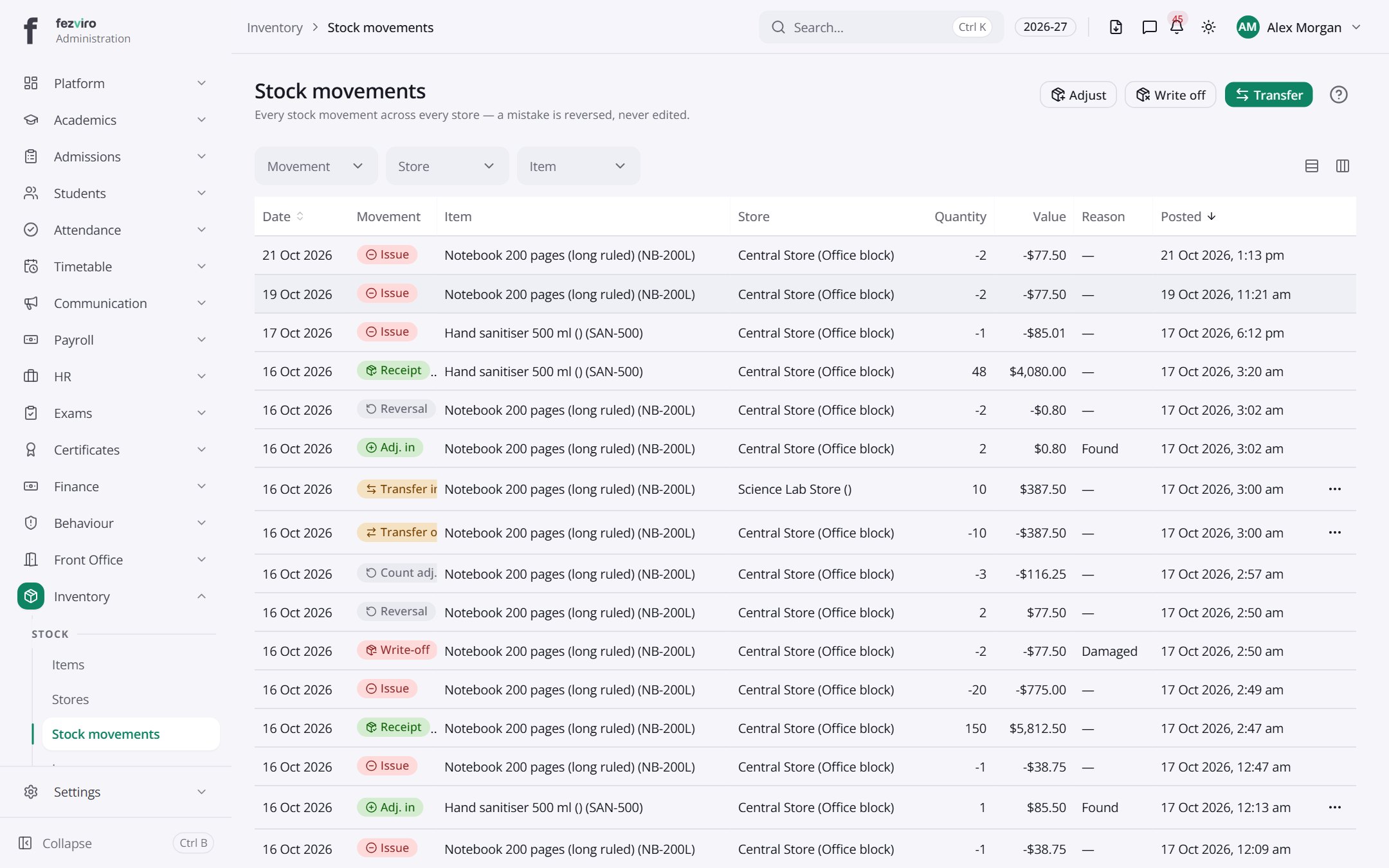
- The list has these columns: Date, Movement, Item, Store, Quantity, Value, Reason, Posted, Actions. Click a column name to sort by it.
Buttons on this screen
Section titled “Buttons on this screen”- Adjust — does what it says on the button.
- Write off — does what it says on the button.
- Transfer — does what it says on the button.
← Back to Inventory & Assets overview