

Monthly summary
What it is
Each staff member's attendance totals for a chosen month.
Why it matters
Makes pay, leave and performance checks quick and accurate.
When to use it
HR reviews the month's totals before payroll or appraisal.
Who uses it
Administrator
How to get here
Section titled “How to get here”- Sign in as Administrator (see Signing in).
- In the left menu, click HR to open it.
- Click Monthly summary.
What you see
Section titled “What you see”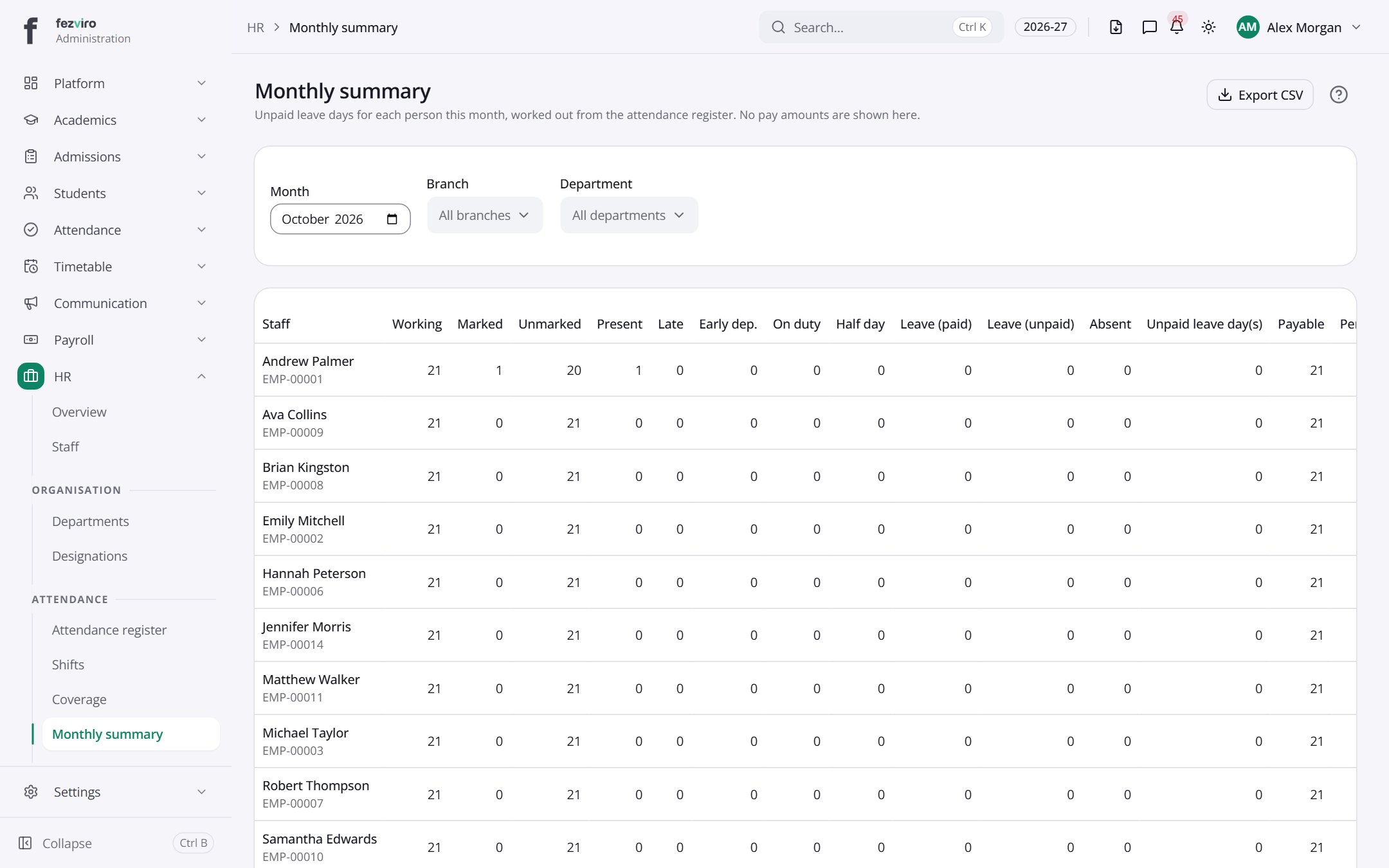
- The list has these columns: Staff, Working, Marked, Unmarked, Present, Late, Early dep., On duty, Half day, Leave (paid), Leave (unpaid), Absent. Click a column name to sort by it.
Buttons on this screen
Section titled “Buttons on this screen”- Export CSV — saves this list to a file on your computer (Excel or CSV).
← Back to HR & Staff overview