

Consent ledger
What it is
Every permission the school holds for a pupil, such as photo use.
Why it matters
Shows exactly what each family has agreed to, and when.
When to use it
Staff check consent before sharing a pupil's photo or details.
Who uses it
Administrator
How to get here
Section titled “How to get here”- Sign in as Administrator (see Signing in).
- In the left menu, click Platform to open it.
- Click Consent ledger.
What you see
Section titled “What you see”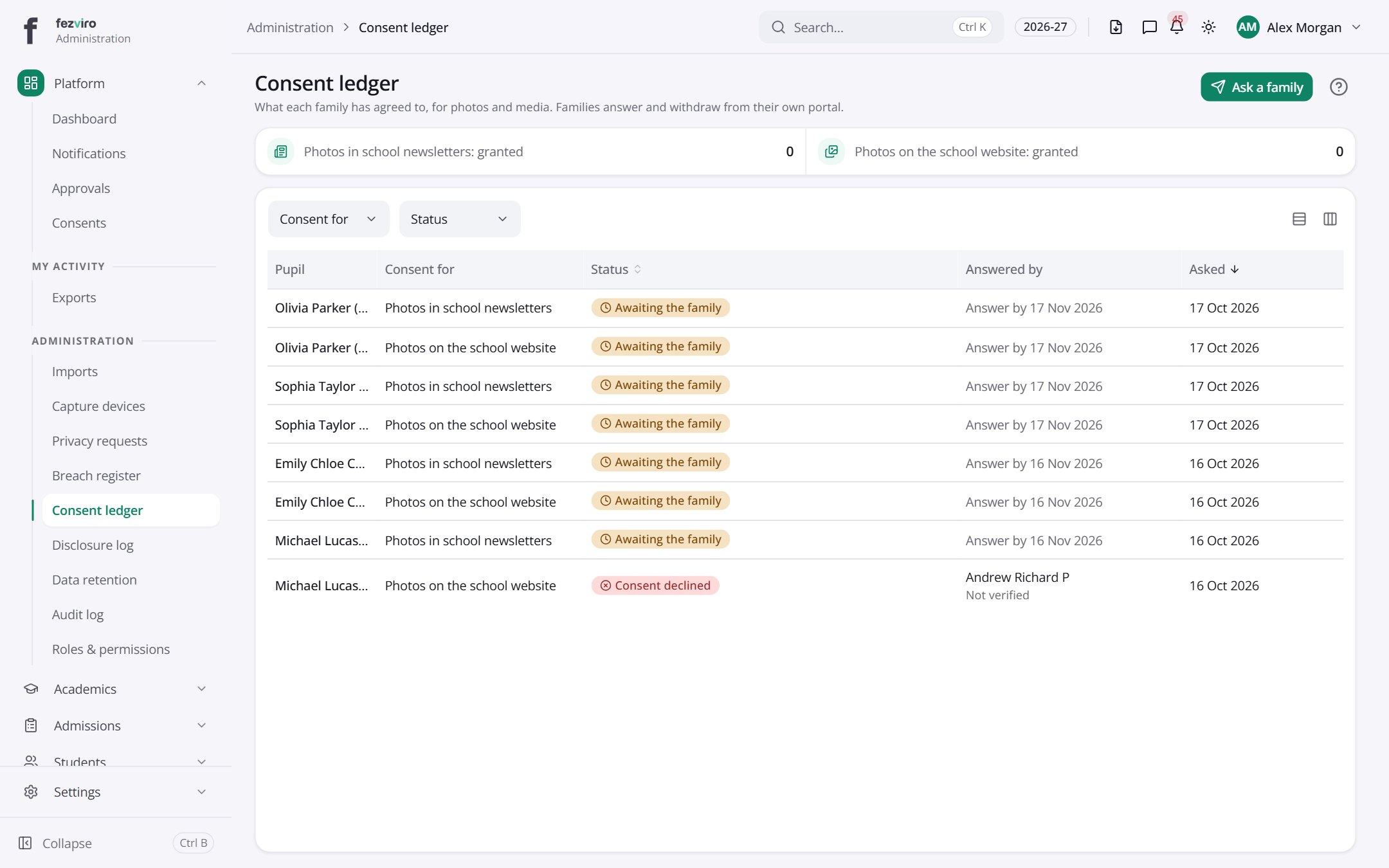
- The list has these columns: Pupil, Consent for, Status, Answered by, Asked. Click a column name to sort by it.
Buttons on this screen
Section titled “Buttons on this screen”- Ask a family — does what it says on the button.
← Back to Platform & Security overview