

Campaigns
What it is
Fundraising drives, each with its own goal and appeals.
Why it matters
Keeps every drive's target and progress visible in one place.
When to use it
Fundraising staff set up each campaign and track results against its goal.
Who uses it
Administrator
How to get here
Section titled “How to get here”- Sign in as Administrator (see Signing in).
- In the left menu, click Fundraising to open it.
- Click Campaigns.
What you see
Section titled “What you see”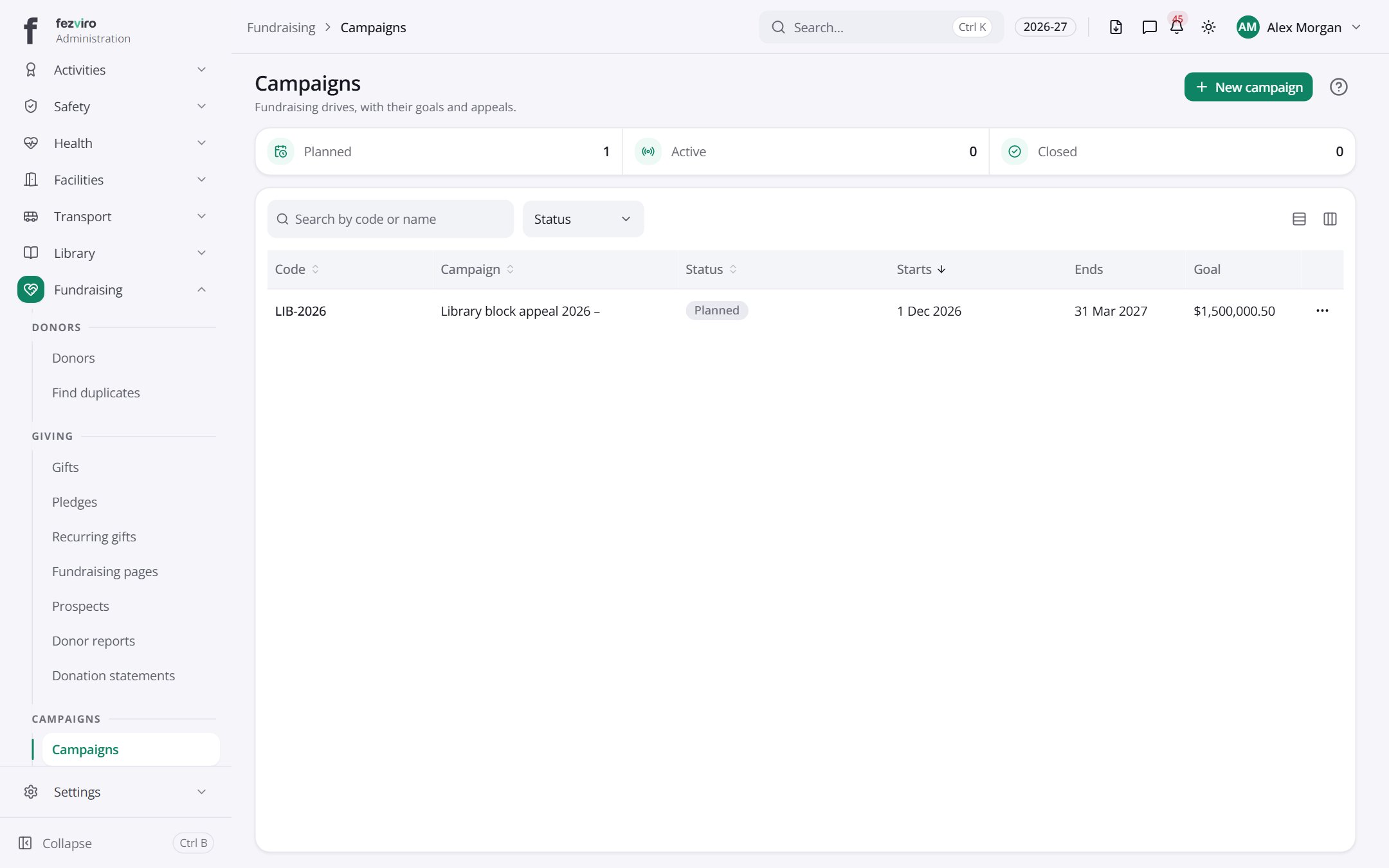
- The list has these columns: Code, Campaign, Status, Starts, Ends, Goal, Actions. Click a column name to sort by it.
Buttons on this screen
Section titled “Buttons on this screen”- New campaign — opens a form to add a new one. See Filling in the form below.
← Back to Fundraising overview