

Communicable disease tracking
What it is
Tracks cases of illness that may spread across the school.
Why it matters
Spots an outbreak early so the school can act quickly.
When to use it
The nurse watches case counts and flags any pattern to leaders.
Who uses it
Administrator
How to get here
Section titled “How to get here”- Sign in as Administrator (see Signing in).
- In the left menu, click Health to open it.
- Click Outbreak tracking.
What you see
Section titled “What you see”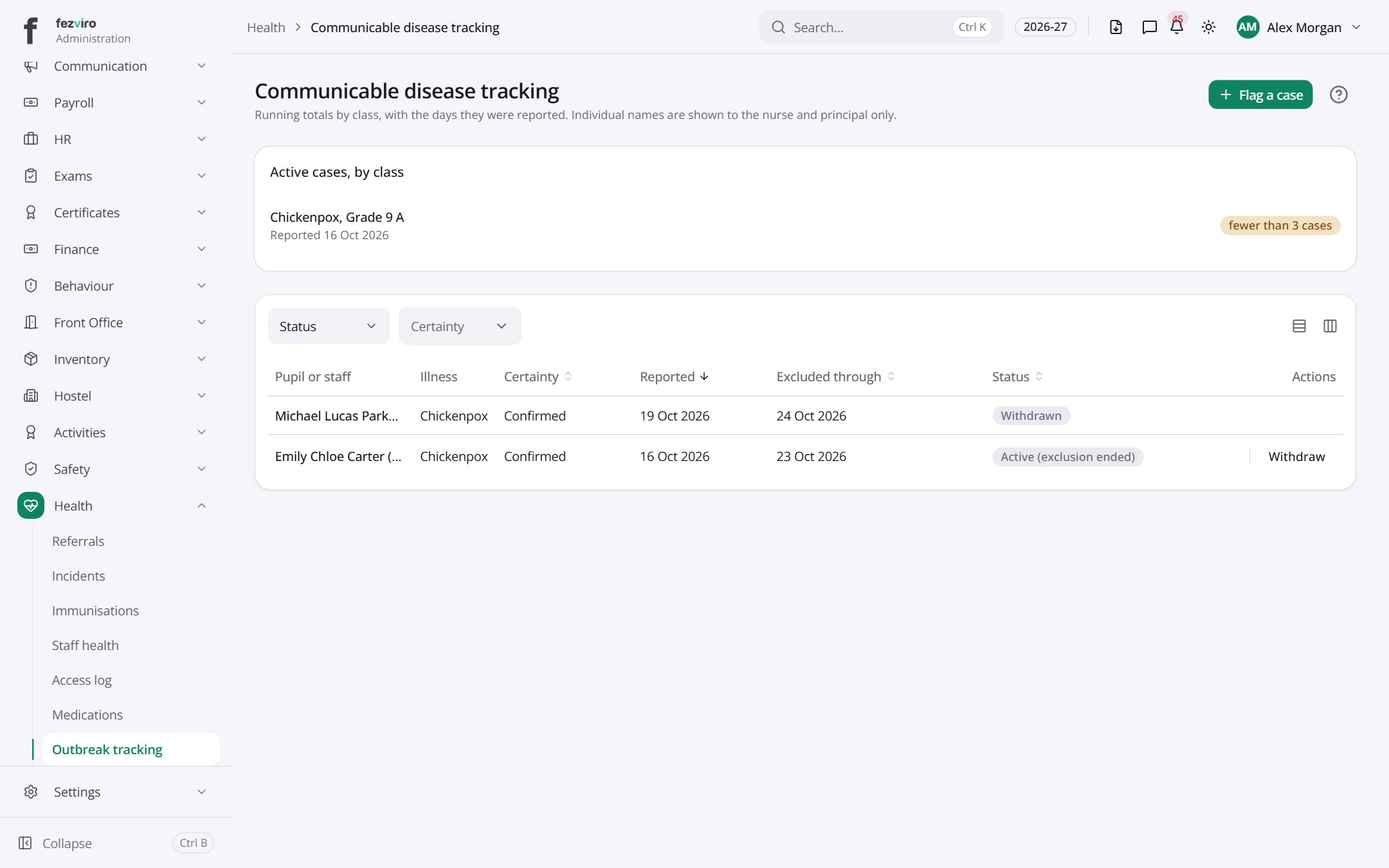
- Sections on the page: Active cases, by class.
- The list has these columns: Pupil or staff, Illness, Certainty, Reported, Excluded through, Status, Actions. Click a column name to sort by it.
Buttons on this screen
Section titled “Buttons on this screen”- Flag a case — does what it says on the button.
Filling in the form
Section titled “Filling in the form”- Click the New button at the top right.
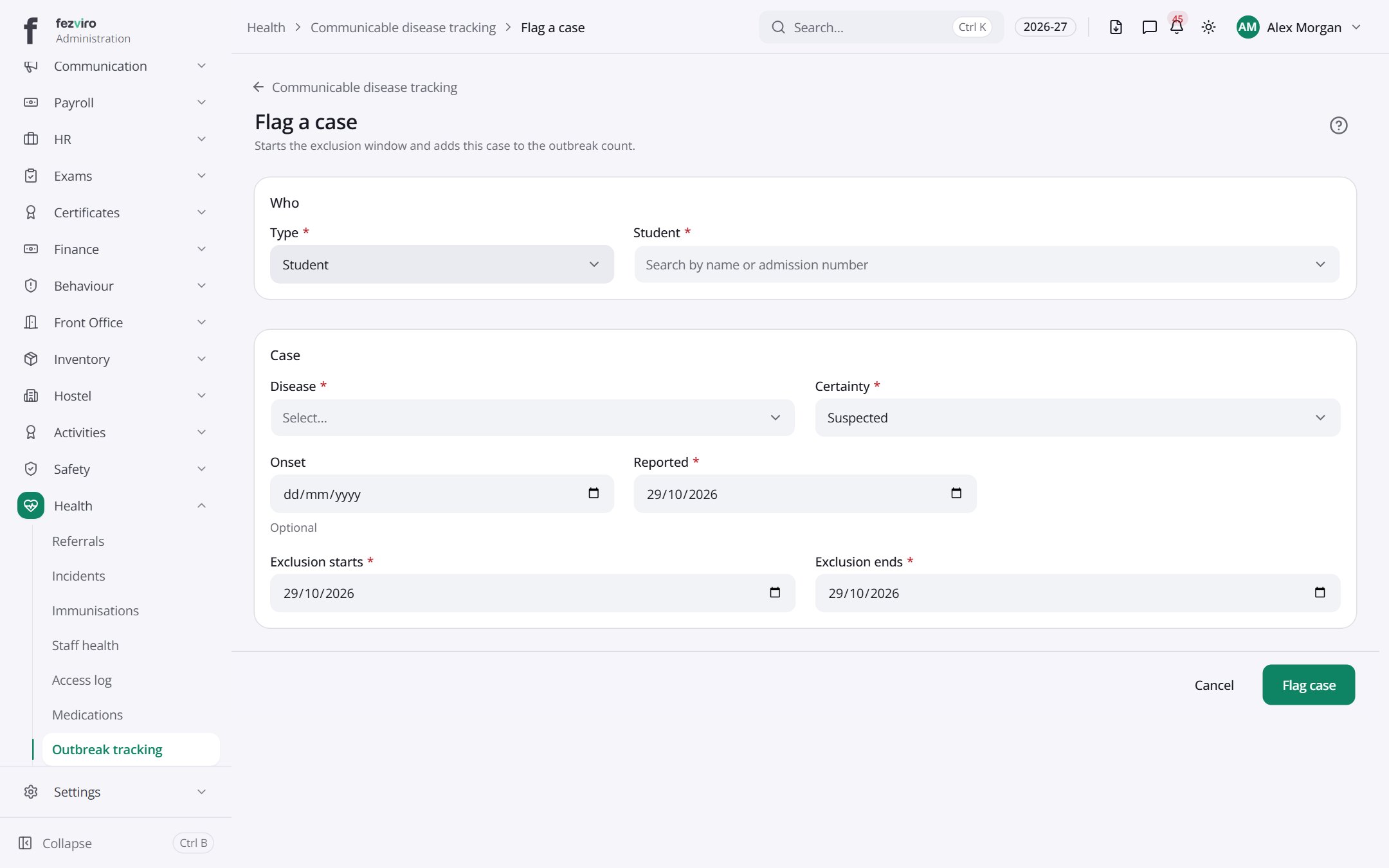
- Fill in the boxes. Boxes marked with a red * must be filled in (7 on this form).
- Click Save at the bottom. If something is missing, the box turns red and tells you what to fix.
The fields
Section titled “The fields”| Field | Type | What to enter, and why |
|---|---|---|
| Type * | choose | Choose the kind of case you are recording. |
| Student * | choose | Search for the student who has the illness. |
| Disease * | choose | The name of the illness, such as chickenpox. |
| Certainty * | choose | Choose how sure you are, such as suspected or confirmed. |
| Onset | date | The date the symptoms started. Optional. |
| Reported * | date | The date the case was reported to the school. |
| Exclusion starts * | date | The first day the student must stay away from school. |
| Exclusion ends * | date | The last day the student must stay away from school. |
Types: text — type it in · number — digits only · date — click and pick from the calendar · choose — click and pick one from the list · pick one — click one of the options · switch / tick box — click to turn on or off · long text — type as much as you need · file — click to attach a file from your computer.
← Back to Health overview