

Elective blocks
What it is
Blocks of optional subjects that pupils choose between.
Why it matters
Makes sure each pupil gets one subject from each choice group.
When to use it
Office staff set up choice blocks before pupils pick their subjects.
Who uses it
Administrator
How to get here
Section titled “How to get here”- Sign in as Administrator (see Signing in).
- In the left menu, click Academics to open it.
- Click Electives.
What you see
Section titled “What you see”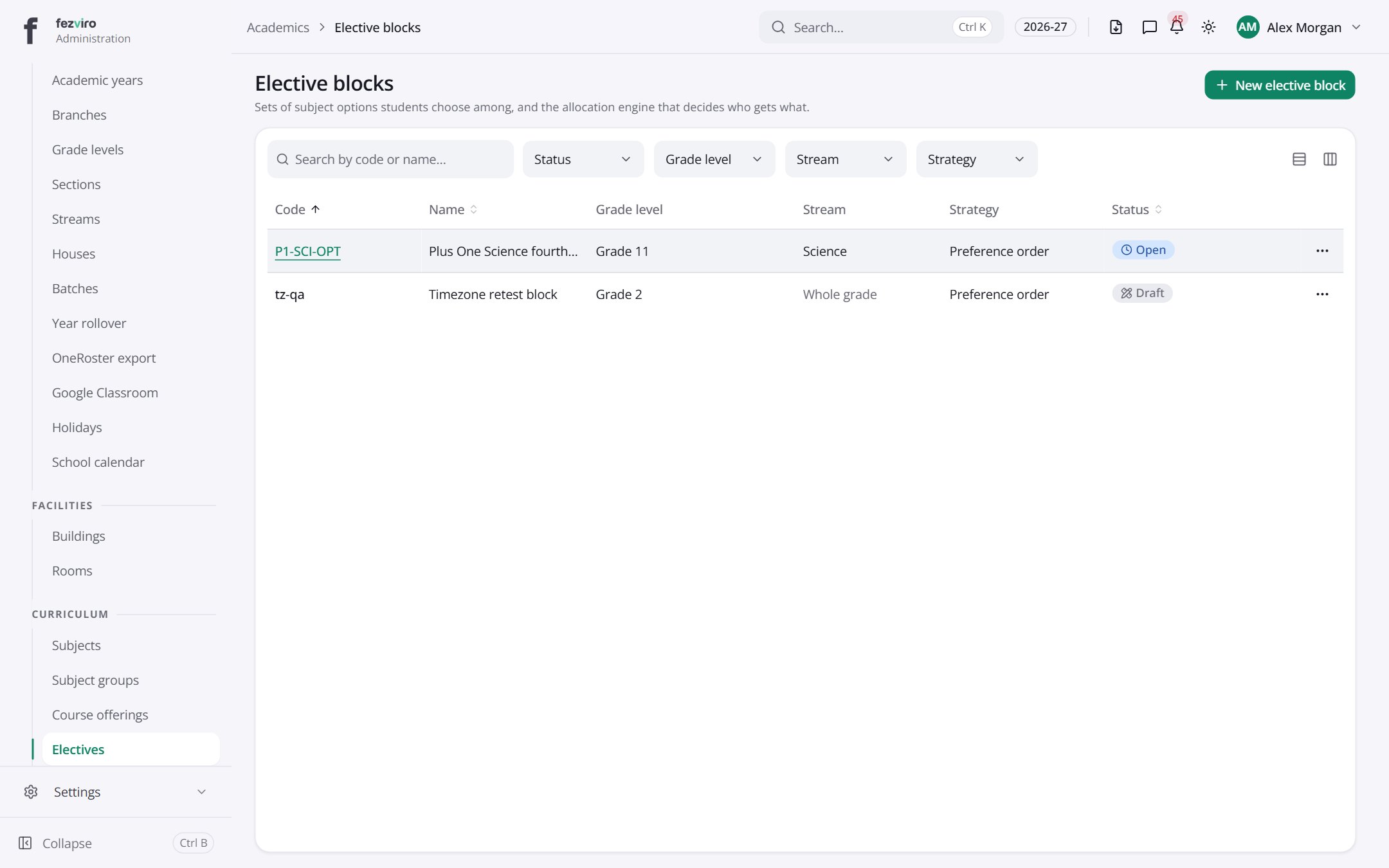
- The list has these columns: Code, Name, Grade level, Stream, Strategy, Status, Actions. Click a column name to sort by it.
Buttons on this screen
Section titled “Buttons on this screen”- New elective block — opens a form to add a new one. See Filling in the form below.
Opening a record
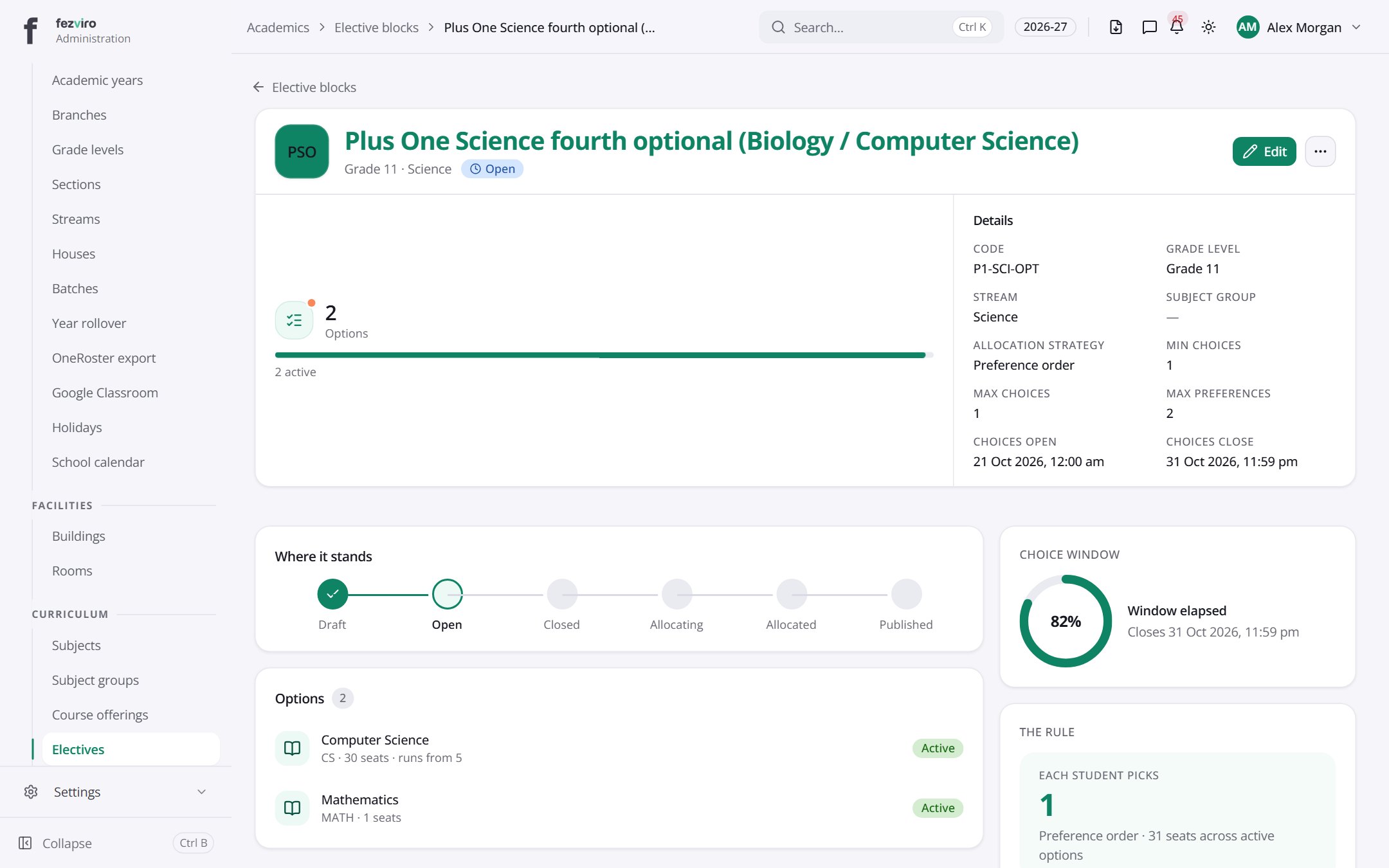
Section titled “Opening a record”Click any row in the list to see everything about it on one page.
Filling in the form
Section titled “Filling in the form”- Click the New elective block button at the top right.
- Fill in the boxes. Boxes marked with a red * must be filled in (5 on this form).
- Click Save at the bottom. If something is missing, the box turns red and tells you what to fix.
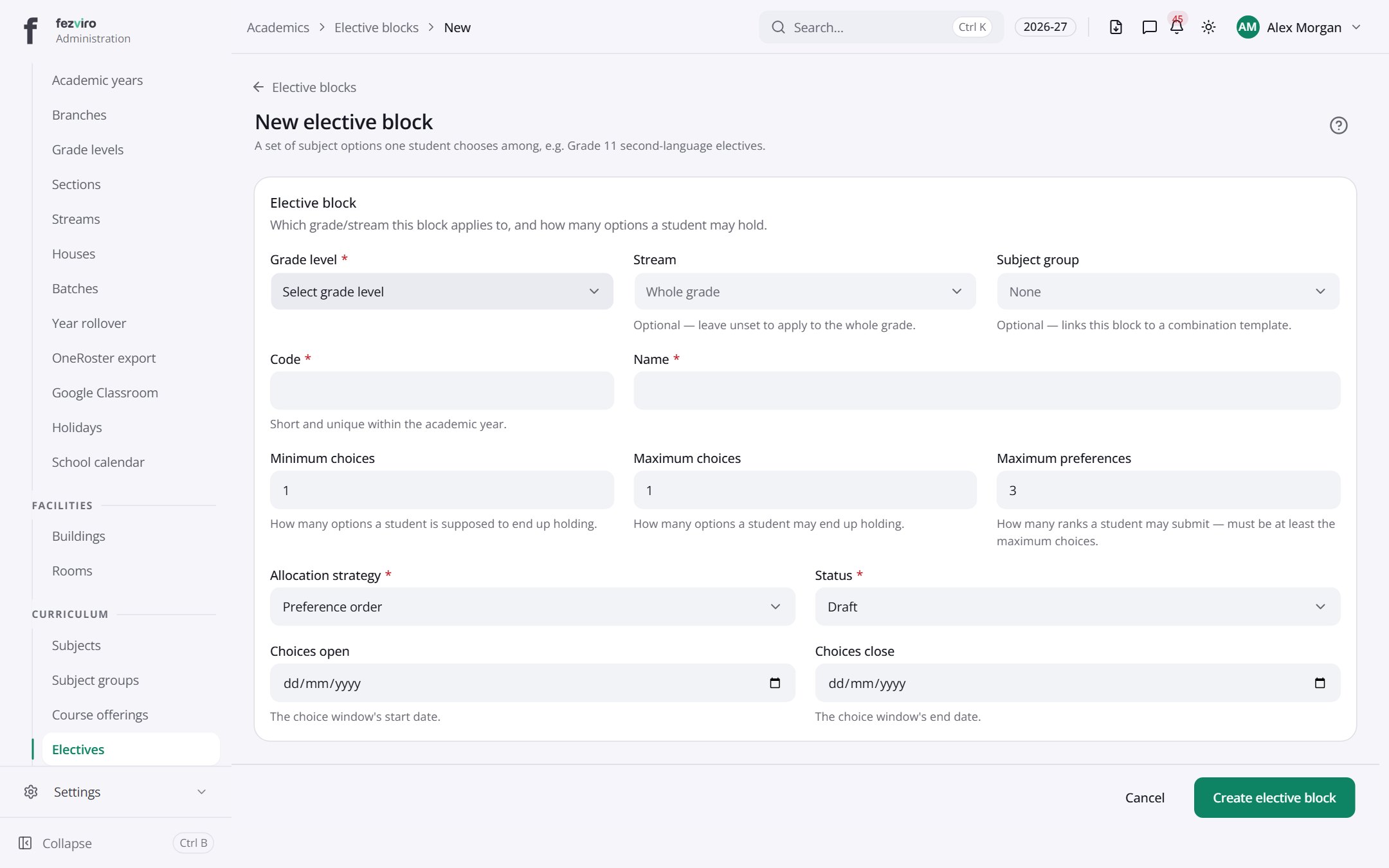
The fields
Section titled “The fields”| Field | Type | What to enter, and why |
|---|---|---|
| Grade level * | choose | Optional. Choose the grade this applies to, or leave empty for all. |
| Stream | choose | Optional. Choose the stream this block applies to. |
| Subject group | choose | Optional. Link this block to a saved group of subjects, if one exists. |
| Code * | text | A short code for this choice block, such as ELEC-G11. |
| Name * | text | The block's name, such as Second Language Options. |
| Minimum choices | number | The fewest options a student must end up with from this block. |
| Maximum choices | number | The most options a student may end up with from this block. |
| Maximum preferences | number | How many options a student may rank. Must be at least the maximum choices. |
| Allocation strategy * | choose | Choose how students are placed into their options, from the list. |
| Status * | choose | Choose whether this block is still being prepared or is open for choices. |
| Choices open | date | The first day students can make their choices. Pick from the calendar. |
| Choices close | date | The last day students can change their choices. Pick from the calendar. |
Types: text — type it in · number — digits only · date — click and pick from the calendar · choose — click and pick one from the list · pick one — click one of the options · switch / tick box — click to turn on or off · long text — type as much as you need · file — click to attach a file from your computer.
← Back to Academics overview