

Clinic visits
What it is
A log of each child who visits the school nurse.
Why it matters
Shows what was treated and when, and helps families stay informed.
When to use it
The nurse records each visit and notes any follow-up needed.
Who uses it
Administrator
How to get here
Section titled “How to get here”- Sign in as Administrator (see Signing in).
- In the left menu, click Health to open it.
- Click Clinic visits.
What you see
Section titled “What you see”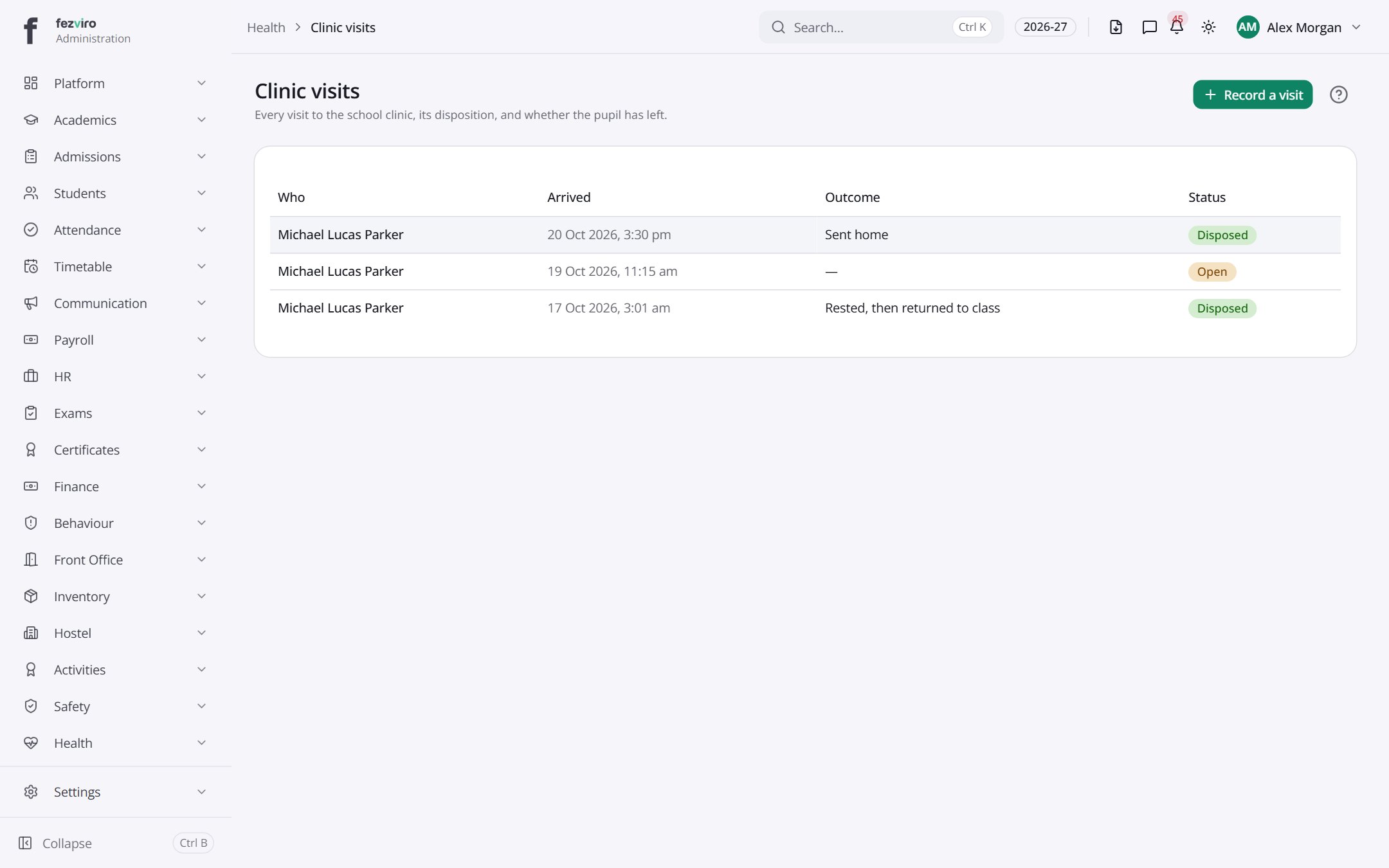
- The list has these columns: Who, Arrived, Outcome, Status. Click a column name to sort by it.
Buttons on this screen
Section titled “Buttons on this screen”- Record a visit — opens a form to add a new one. See Filling in the form below.
Filling in the form
Section titled “Filling in the form”- Click the Record a visit button at the top right.
- Fill in the boxes. Boxes marked with a red * must be filled in (5 on this form).
- Click Save at the bottom. If something is missing, the box turns red and tells you what to fix.
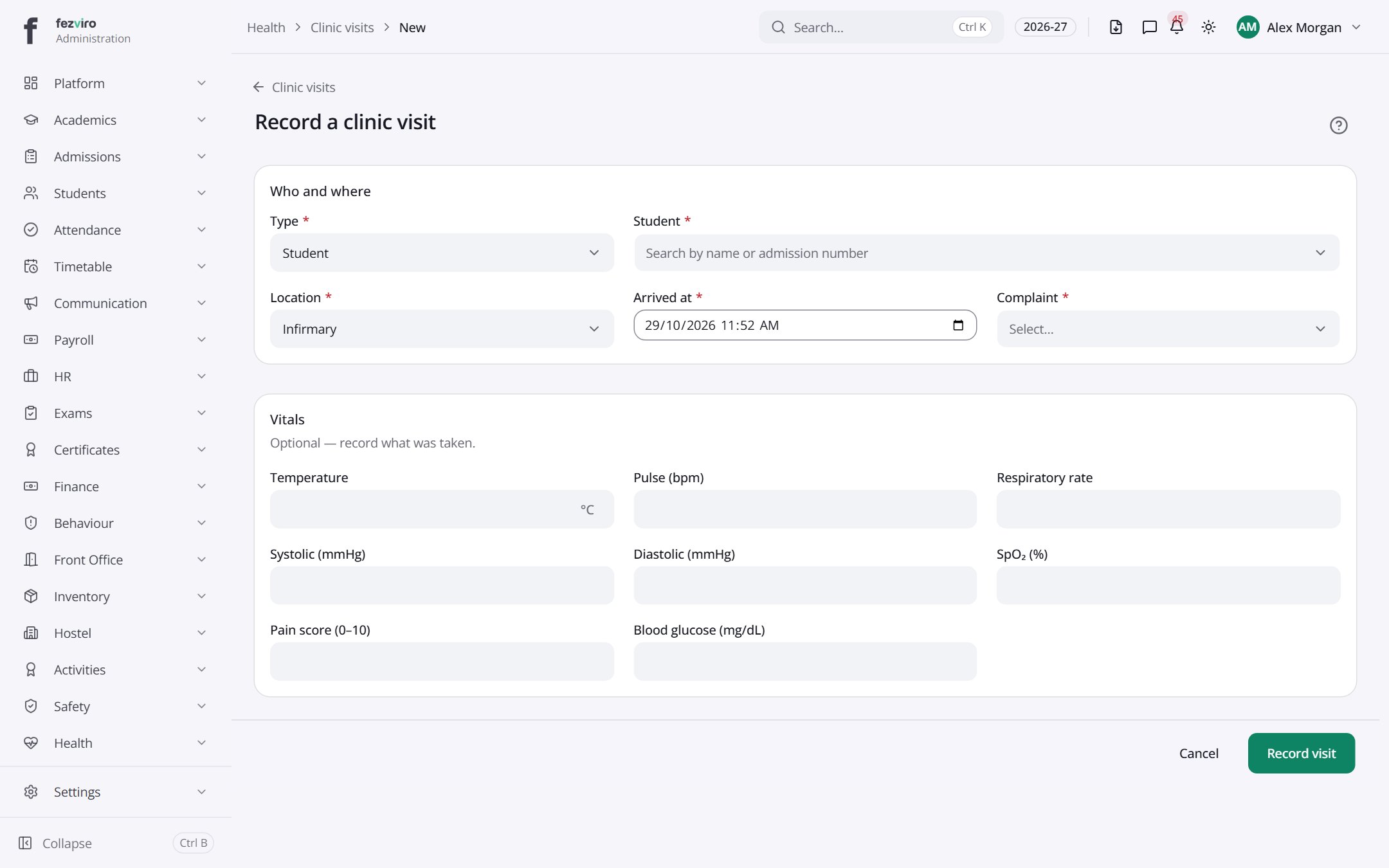
The fields
Section titled “The fields”| Field | Type | What to enter, and why |
|---|---|---|
| Type * | choose | Choose the kind of visit, such as sickness or injury. |
| Student * | choose | Search for the student by name or admission number. |
| Location * | choose | Where the student was seen, such as the classroom or sports field. |
| Arrived at * | text | The date and time the student came to the clinic. |
| Complaint * | choose | What the student says is wrong, in their own words. |
| Temperature | number | The body temperature reading, if you took one. |
| Pulse (bpm) | number | Heartbeats per minute, if you counted them. |
| Respiratory rate | number | Breaths per minute, if you counted them. |
| Systolic (mmHg) | number | The top number of a blood pressure reading, if taken. |
| Diastolic (mmHg) | number | The bottom number of a blood pressure reading, if taken. |
| SpO₂ (%) | number | The oxygen level in the blood, as a percentage, if measured. |
| Pain score (0–10) | number | How much pain the student reports, from 0 (none) to 10 (worst). |
| Blood glucose (mg/dL) | number | The blood sugar reading, if it was checked. |
Types: text — type it in · number — digits only · date — click and pick from the calendar · choose — click and pick one from the list · pick one — click one of the options · switch / tick box — click to turn on or off · long text — type as much as you need · file — click to attach a file from your computer.
← Back to Health overview