

Posting rules
What it is
Sets which account each fee, payment and payroll event goes to.
Why it matters
Lets the books record income and costs automatically and correctly.
When to use it
Finance staff set these once; new events then follow them without manual entry.
Who uses it
Administrator
How to get here
Section titled “How to get here”- Sign in as Administrator (see Signing in).
- In the left menu, click Accounting to open it.
- Click Posting rules.
What you see
Section titled “What you see”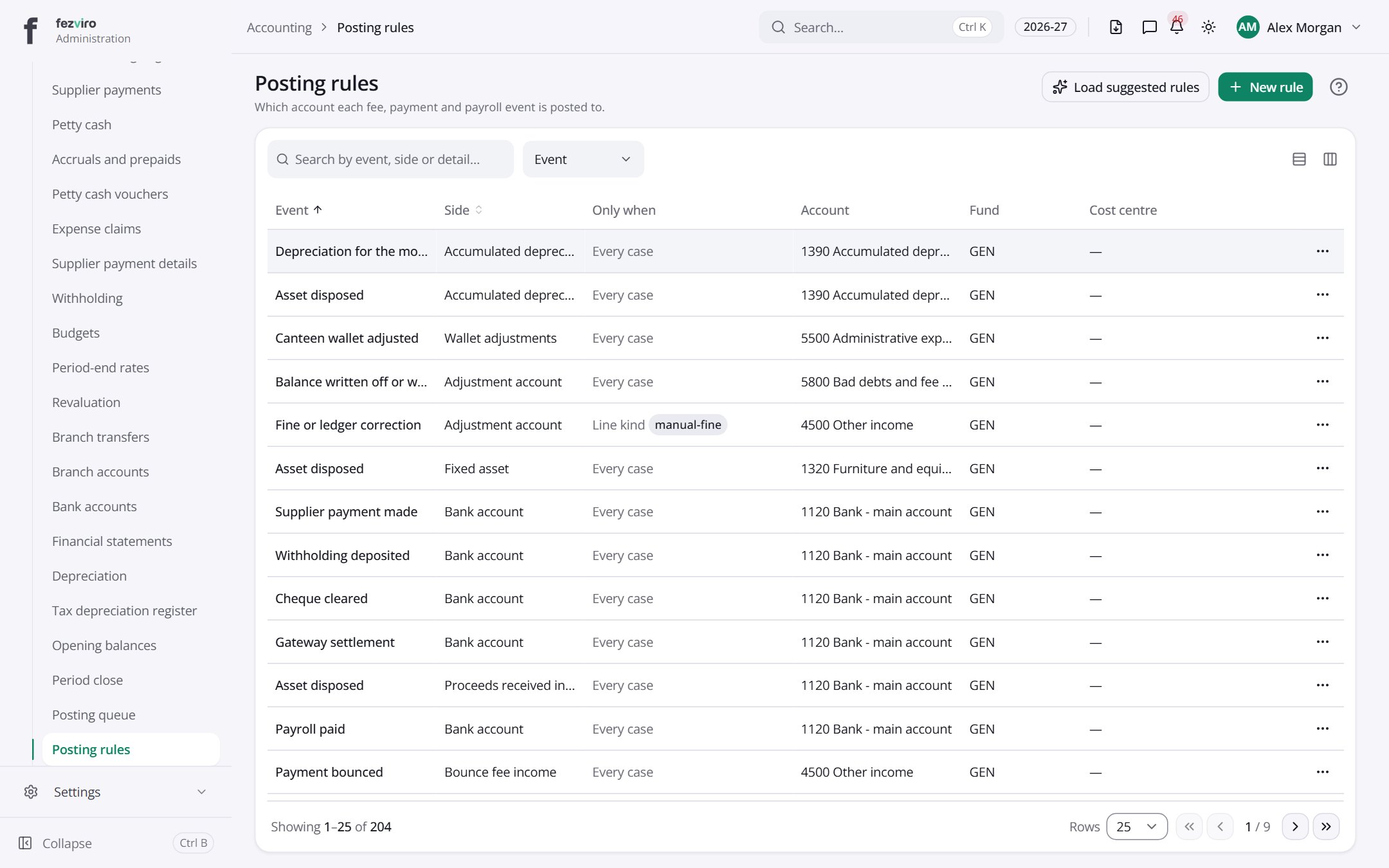
- The list has these columns: Event, Side, Only when, Account, Fund, Cost centre, Actions. Click a column name to sort by it.
Buttons on this screen
Section titled “Buttons on this screen”- Load suggested rules — does what it says on the button.
- New rule — opens a form to add a new one. See Filling in the form below.
← Back to Accounting overview