

Course offerings
What it is
The list of which subject is taught to which class.
Why it matters
This is what teachers are assigned to and what the timetable uses.
When to use it
Office staff set this up each year before assignments and timetables.
Who uses it
Administrator
How to get here
Section titled “How to get here”- Sign in as Administrator (see Signing in).
- In the left menu, click Academics to open it.
- Click Course offerings.
What you see
Section titled “What you see”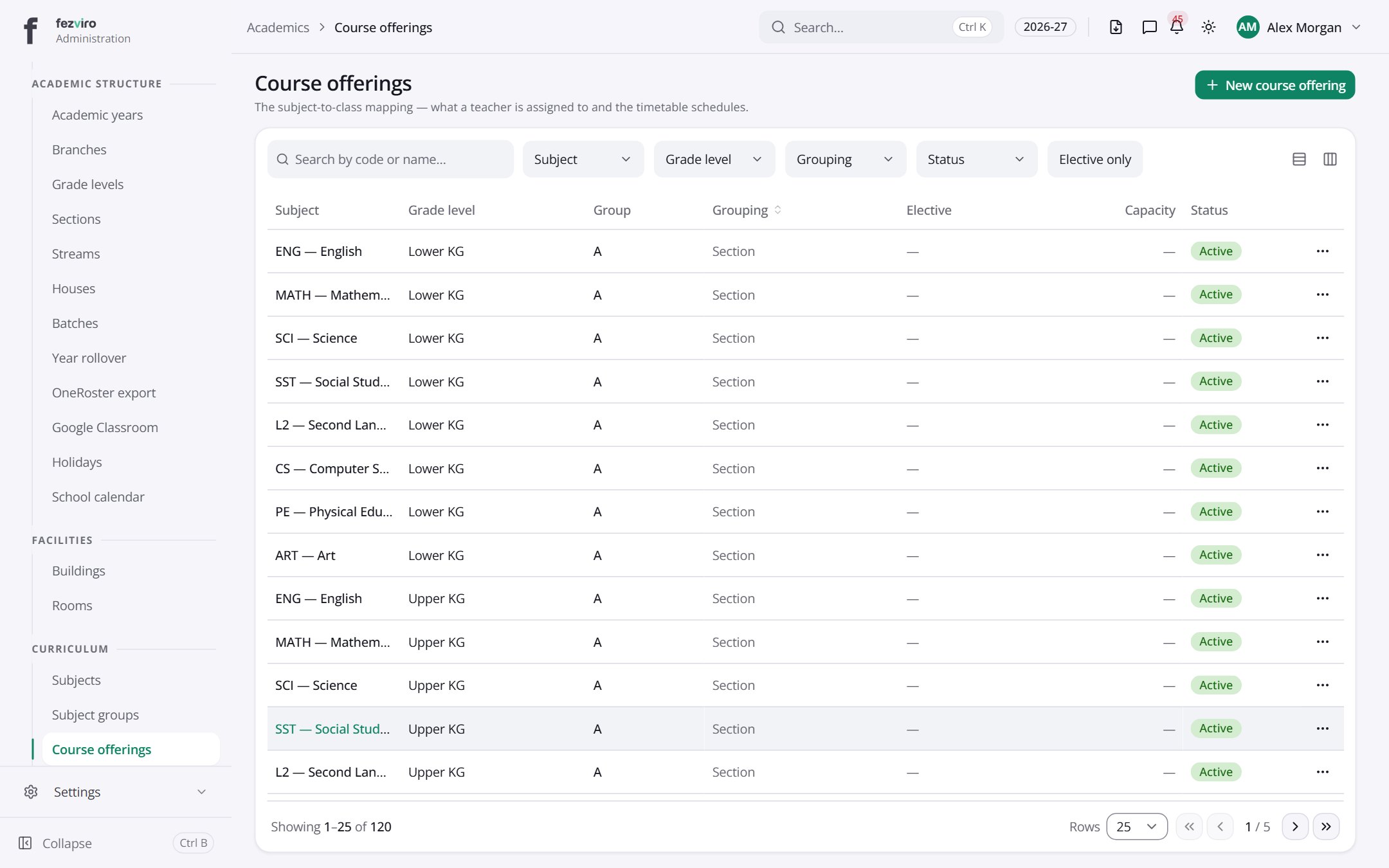
- The list has these columns: Subject, Grade level, Group, Grouping, Elective, Capacity, Status, Actions. Click a column name to sort by it.
Buttons on this screen
Section titled “Buttons on this screen”- New course offering — opens a form to add a new one. See Filling in the form below.
Filling in the form
Section titled “Filling in the form”- Click the New course offering button at the top right.
- Fill in the boxes. Boxes marked with a red * must be filled in (4 on this form).
- Click Save at the bottom. If something is missing, the box turns red and tells you what to fix.
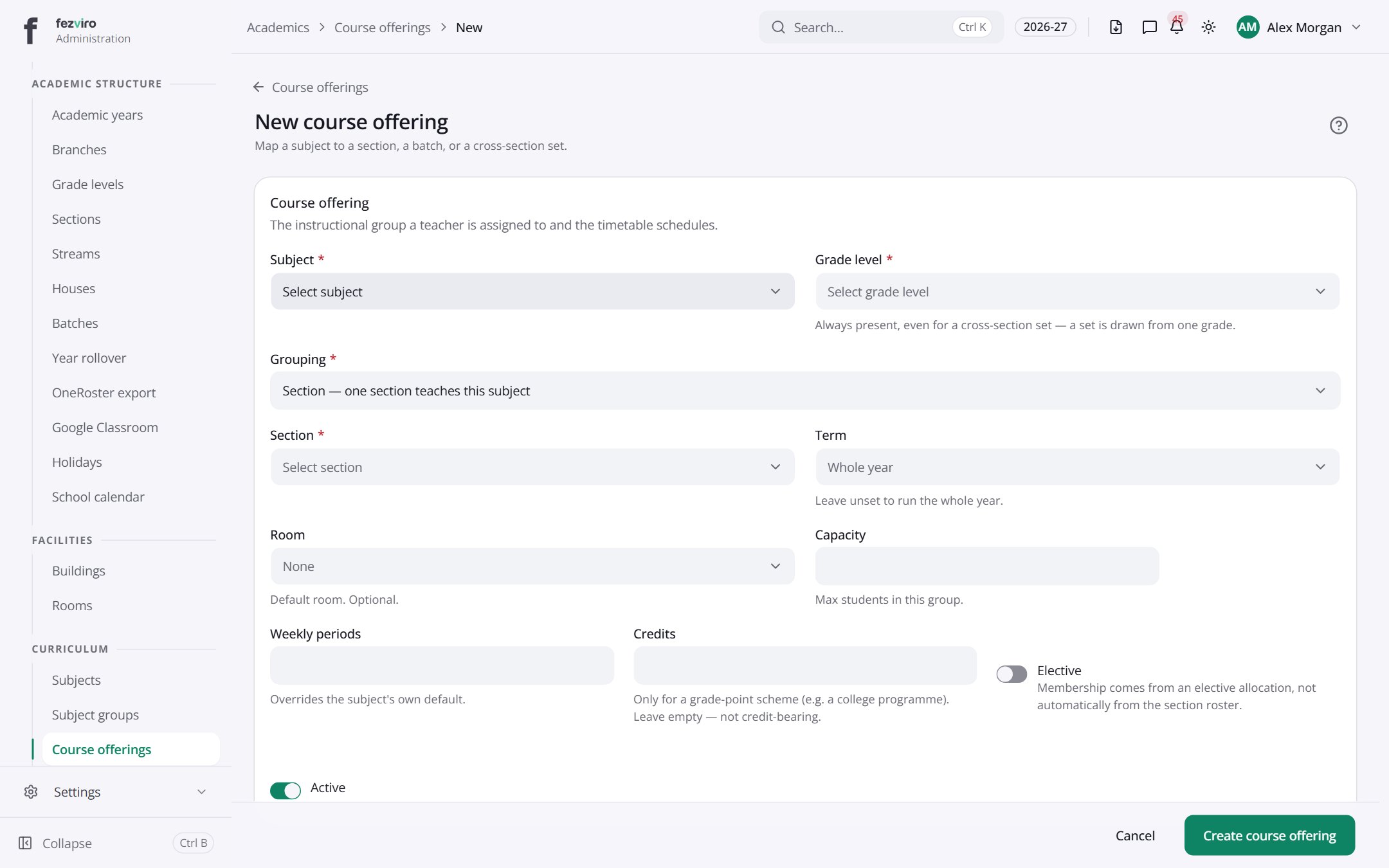
The fields
Section titled “The fields”| Field | Type | What to enter, and why |
|---|---|---|
| Subject * | choose | Choose the subject being taught. |
| Grade level * | choose | Choose the grade this course is taught in. |
| Grouping * | choose | Choose whether this is for one section, one batch, or a mixed set. |
| Section * | choose | Choose the class section that takes this course. |
| Term | choose | Optional. Choose the term this runs in. Leave empty to run the whole year. |
| Room | choose | Optional. Choose the usual room for this course. |
| Capacity | number | The most students in this group. Leave empty if there is no limit. |
| Weekly periods | number | How many lessons a week this course has. Used when building the timetable. |
| Credits | number | Optional. The credit value for this course, if your school uses credits. |
| Elective | switch | Tick if students choose this course. Leave unticked for a core course. |
| Active | switch | Tick to use this course. Untick to hide it without deleting it. |
Types: text — type it in · number — digits only · date — click and pick from the calendar · choose — click and pick one from the list · pick one — click one of the options · switch / tick box — click to turn on or off · long text — type as much as you need · file — click to attach a file from your computer.
← Back to Academics overview