

Posting queue
What it is
Every event the books were asked to record, and any waiting for action.
Why it matters
Shows at once which fee or payroll events have not reached the books.
When to use it
Finance staff clear items marked as needing attention so the books stay complete.
Who uses it
Administrator
How to get here
Section titled “How to get here”- Sign in as Administrator (see Signing in).
- In the left menu, click Accounting to open it.
- Click Posting queue.
What you see
Section titled “What you see”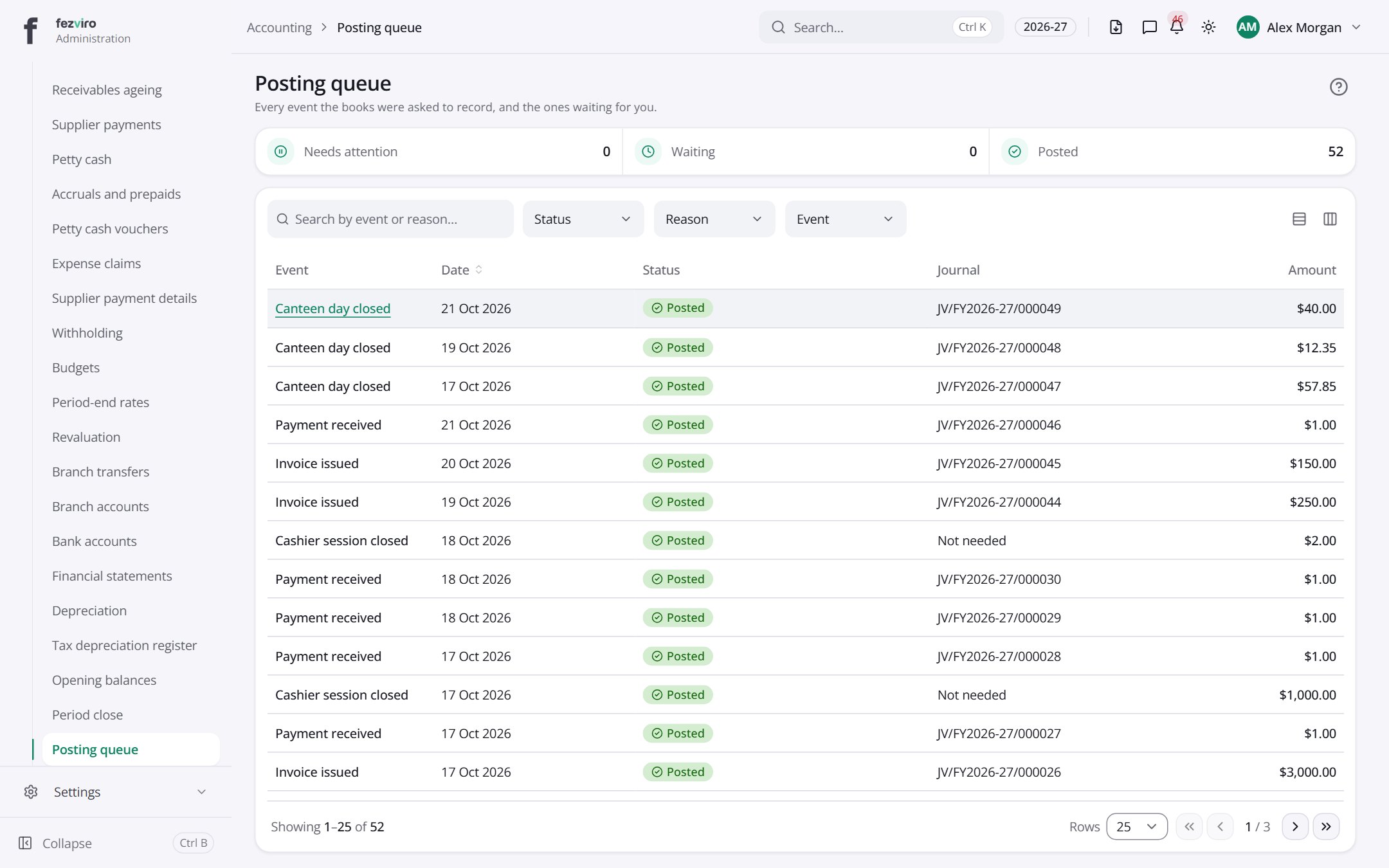
- The list has these columns: Event, Date, Status, Journal, Amount. Click a column name to sort by it.
Opening a record
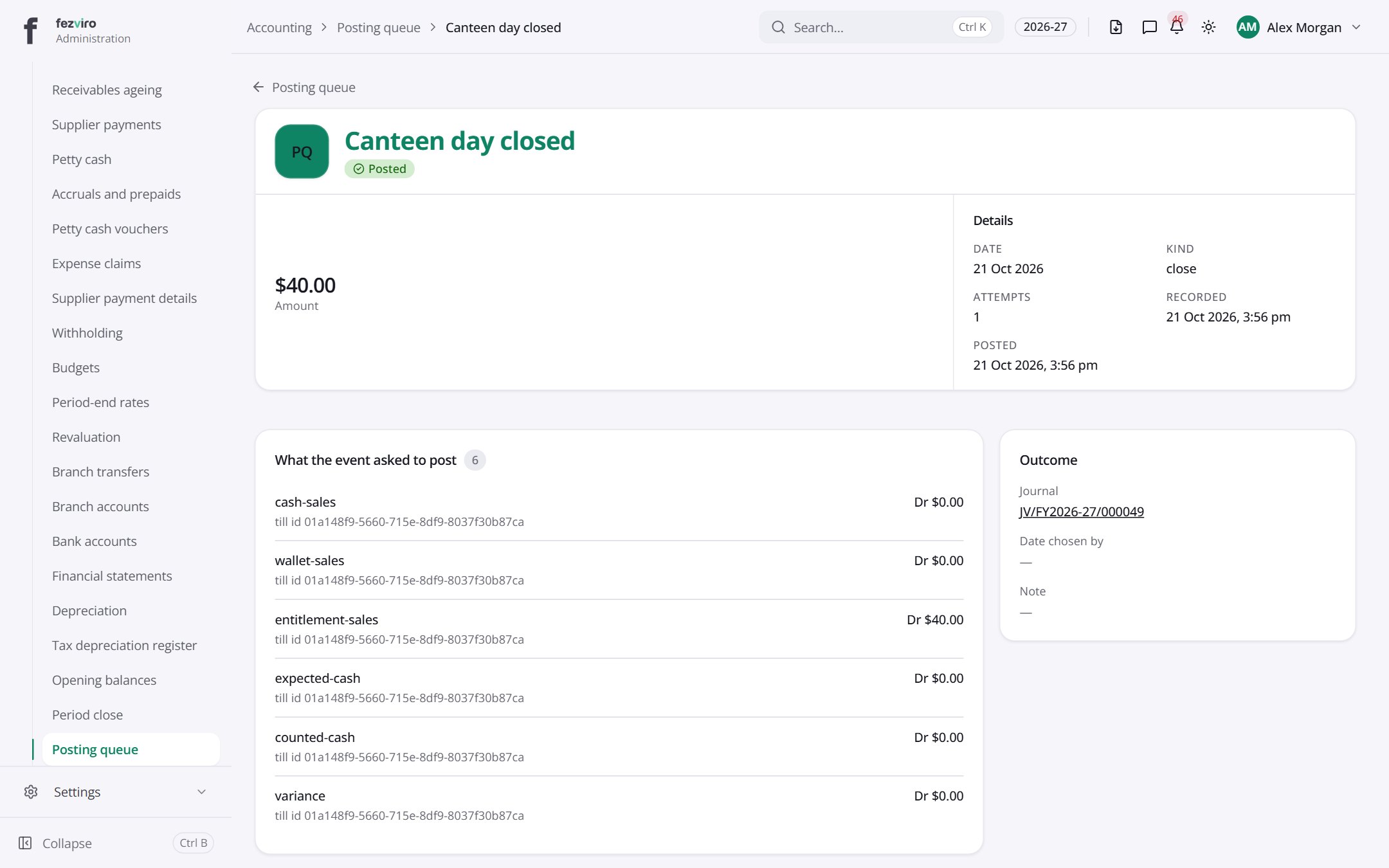
Section titled “Opening a record”Click any row in the list to see everything about it on one page.
← Back to Accounting overview