

Petty cash
What it is
A fixed cash float held by one person for small spends.
Why it matters
Keeps small cash purchases tracked instead of lost in pockets.
When to use it
The float holder records each spend; a top-up restores the agreed float.
Who uses it
Administrator
How to get here
Section titled “How to get here”- Sign in as Administrator (see Signing in).
- In the left menu, click Accounting to open it.
- Click Petty cash.
What you see
Section titled “What you see”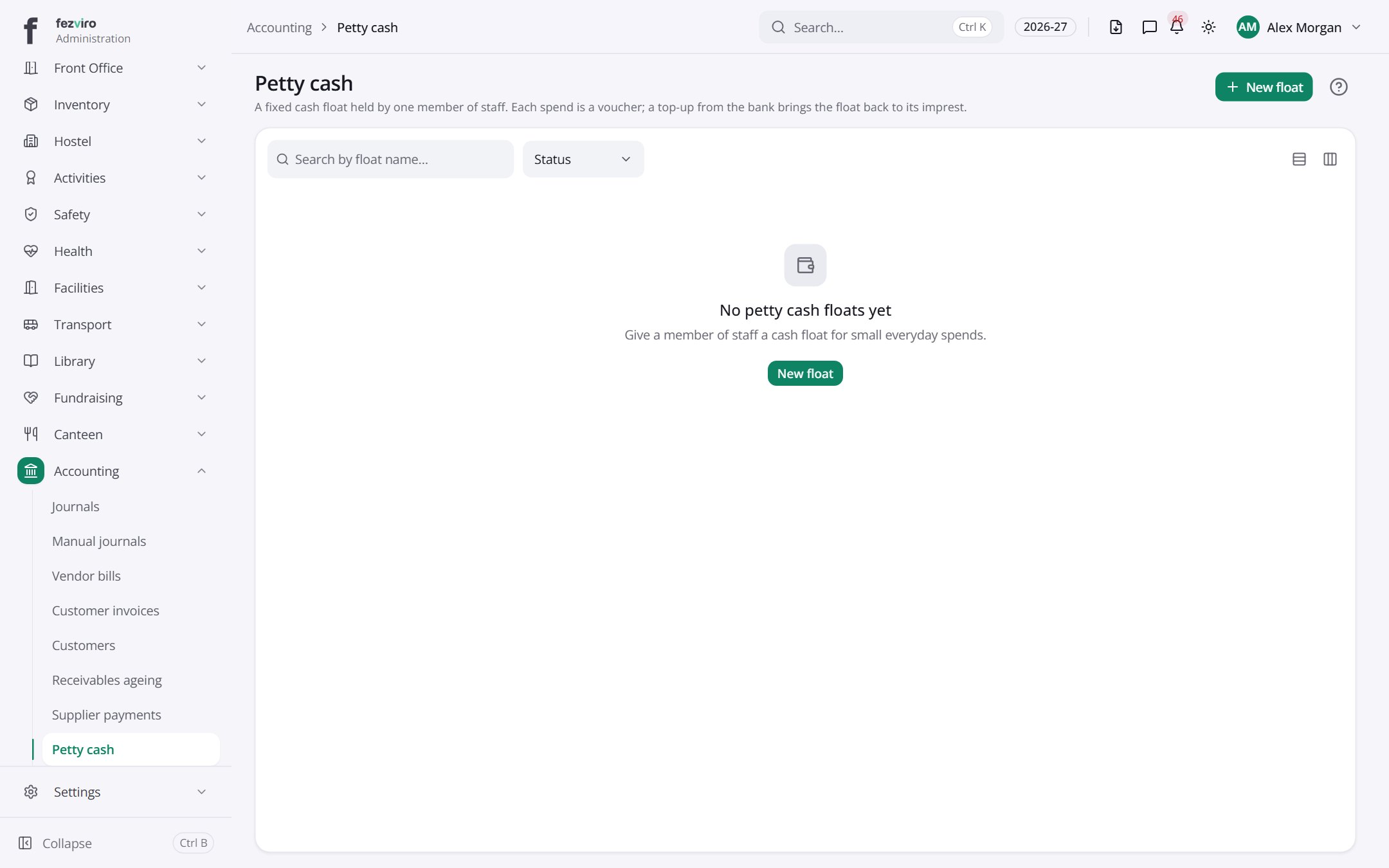
Buttons on this screen
Section titled “Buttons on this screen”- New float — opens a form to add a new one. See Filling in the form below.
Filling in the form
Section titled “Filling in the form”- Click the New float button at the top right.
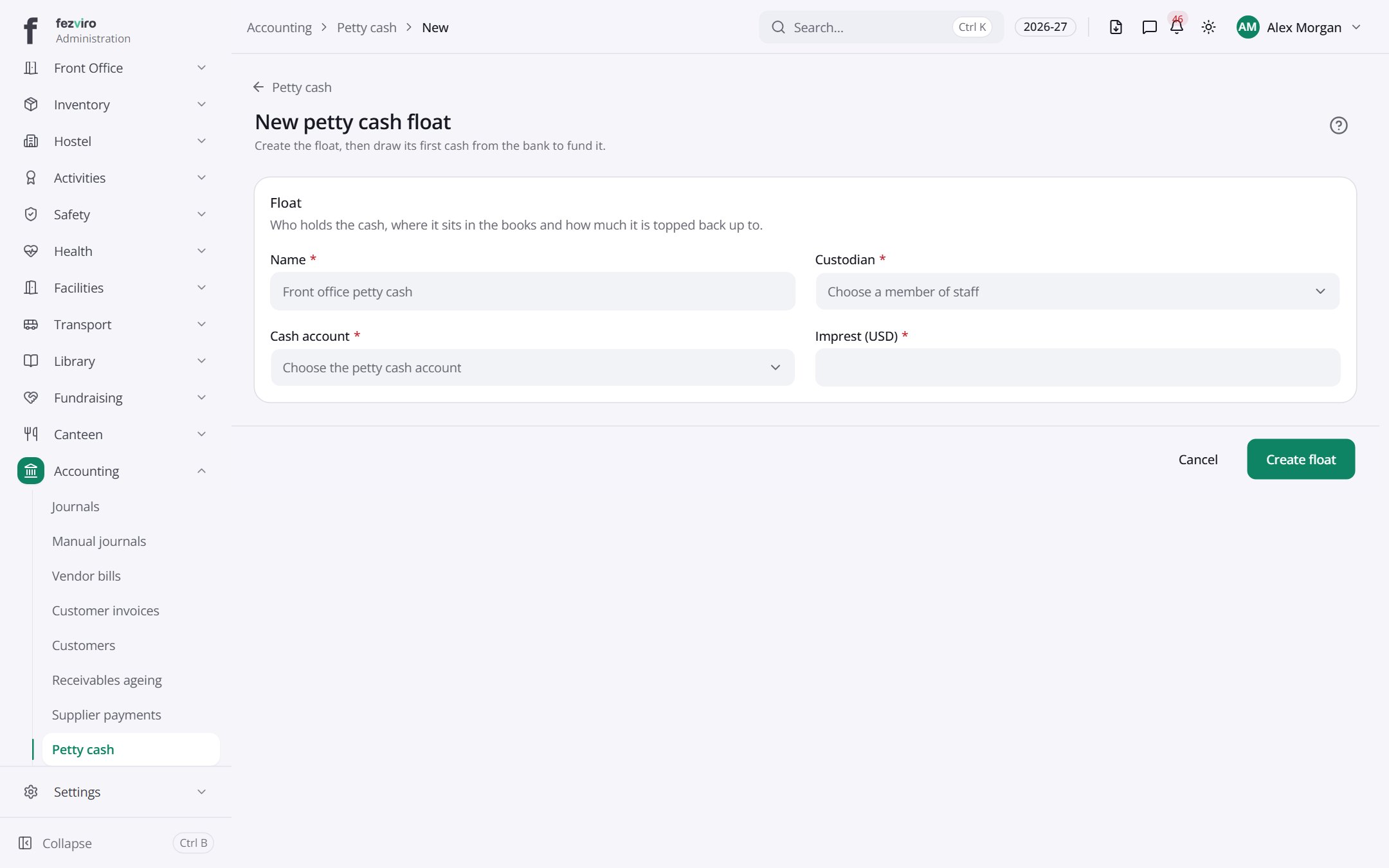
- Fill in the boxes. Boxes marked with a red * must be filled in (4 on this form).
- Click Save at the bottom. If something is missing, the box turns red and tells you what to fix.
The fields
Section titled “The fields”| Field | Type | What to enter, and why |
|---|---|---|
| Name * | text | A name for this cash float, such as Front office cash. |
| Custodian * | choose | Pick the staff member who looks after this cash. |
| Cash account * | choose | Pick the account that holds this cash in the books. |
| Imprest (USD) * | number |
Types: text — type it in · number — digits only · date — click and pick from the calendar · choose — click and pick one from the list · pick one — click one of the options · switch / tick box — click to turn on or off · long text — type as much as you need · file — click to attach a file from your computer.
← Back to Accounting overview