

Results
What it is
Result sets, one per class and exam, with pass, fail and ranks.
Why it matters
Turns marks into an official result the school can publish.
When to use it
Staff compute results, check them and send them for approval.
Who uses it
Administrator
How to get here
Section titled “How to get here”- Sign in as Administrator (see Signing in).
- In the left menu, click Exams to open it.
- Click Results.
What you see
Section titled “What you see”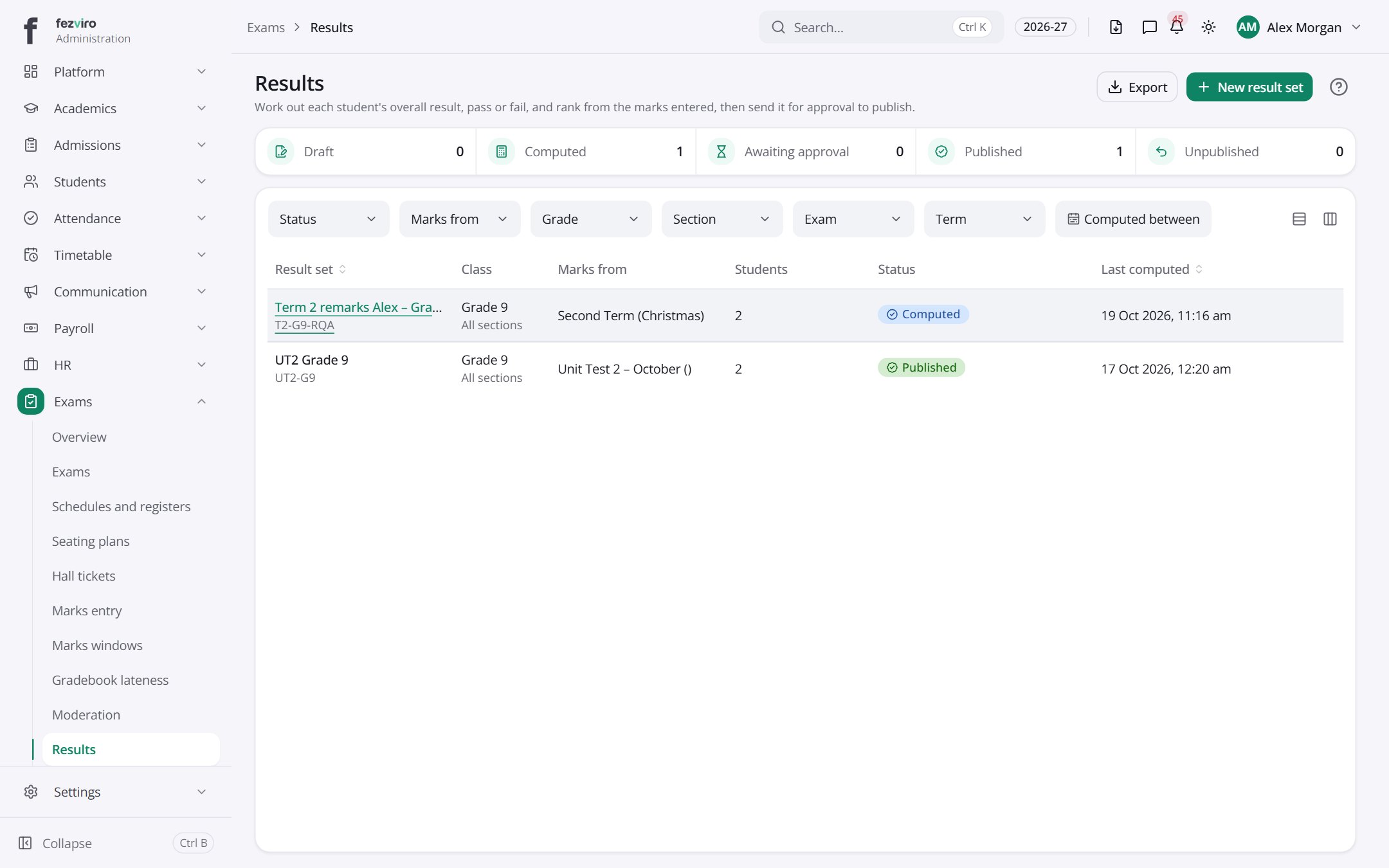
- The list has these columns: Result set, Class, Marks from, Students, Status, Last computed. Click a column name to sort by it.
Buttons on this screen
Section titled “Buttons on this screen”- Export — saves this list to a file on your computer (Excel or CSV).
- New result set — opens a form to add a new one. See Filling in the form below.
Opening a record
Section titled “Opening a record”Click any row in the list to see everything about it on one page.
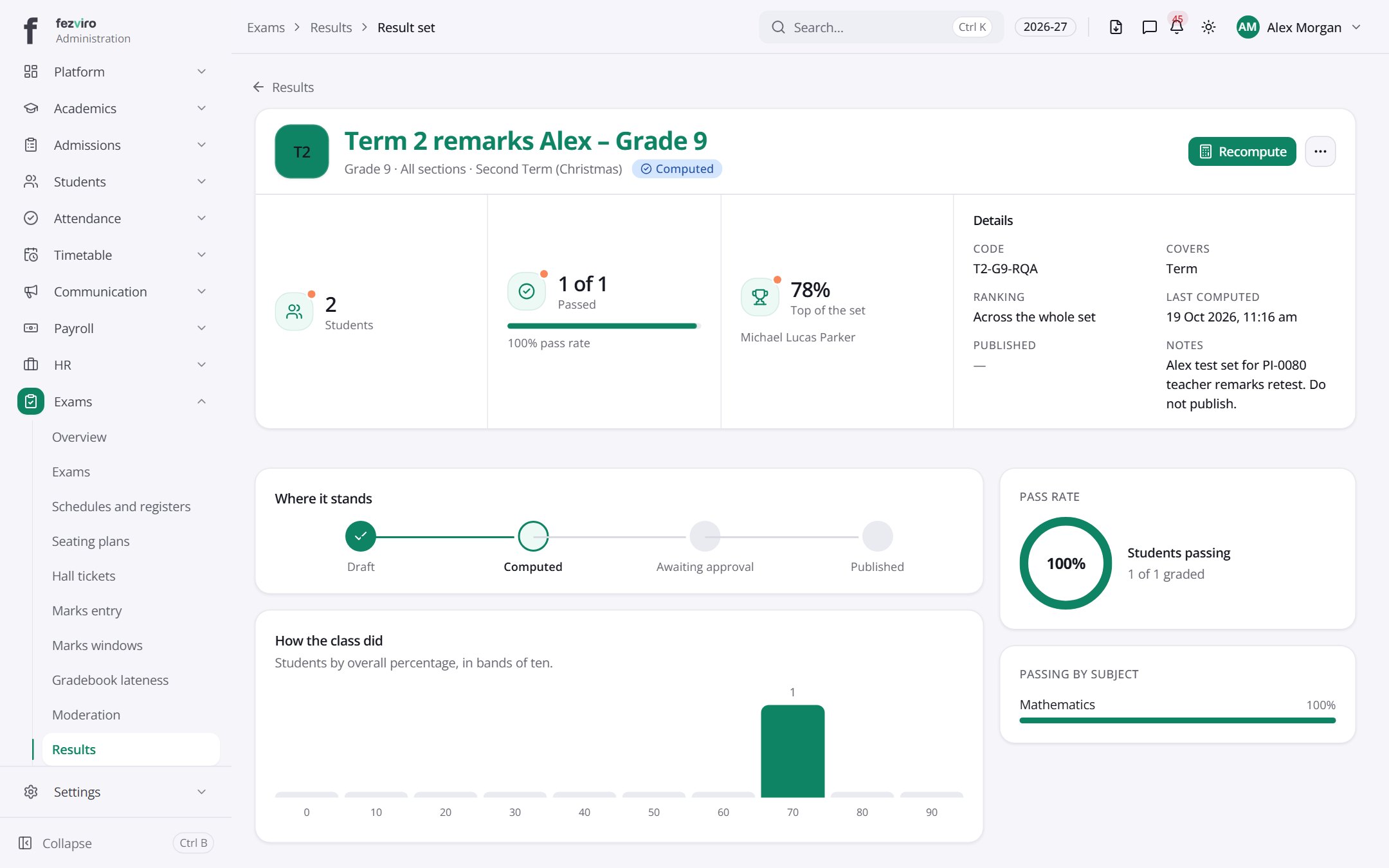
← Back to Exams & Grading overview