

My staff profile
What it is
Your own staff record, for checking and keeping your details up to date.
Why it matters
Lets staff see and check their own employment details directly.
When to use it
Staff without a linked profile view their own details from this page.
Who uses it
Teacher
How to get here
Section titled “How to get here”- Sign in as Teacher (see Signing in).
- In the left menu, click HR to open it.
- Click Profile.
What you see
Section titled “What you see”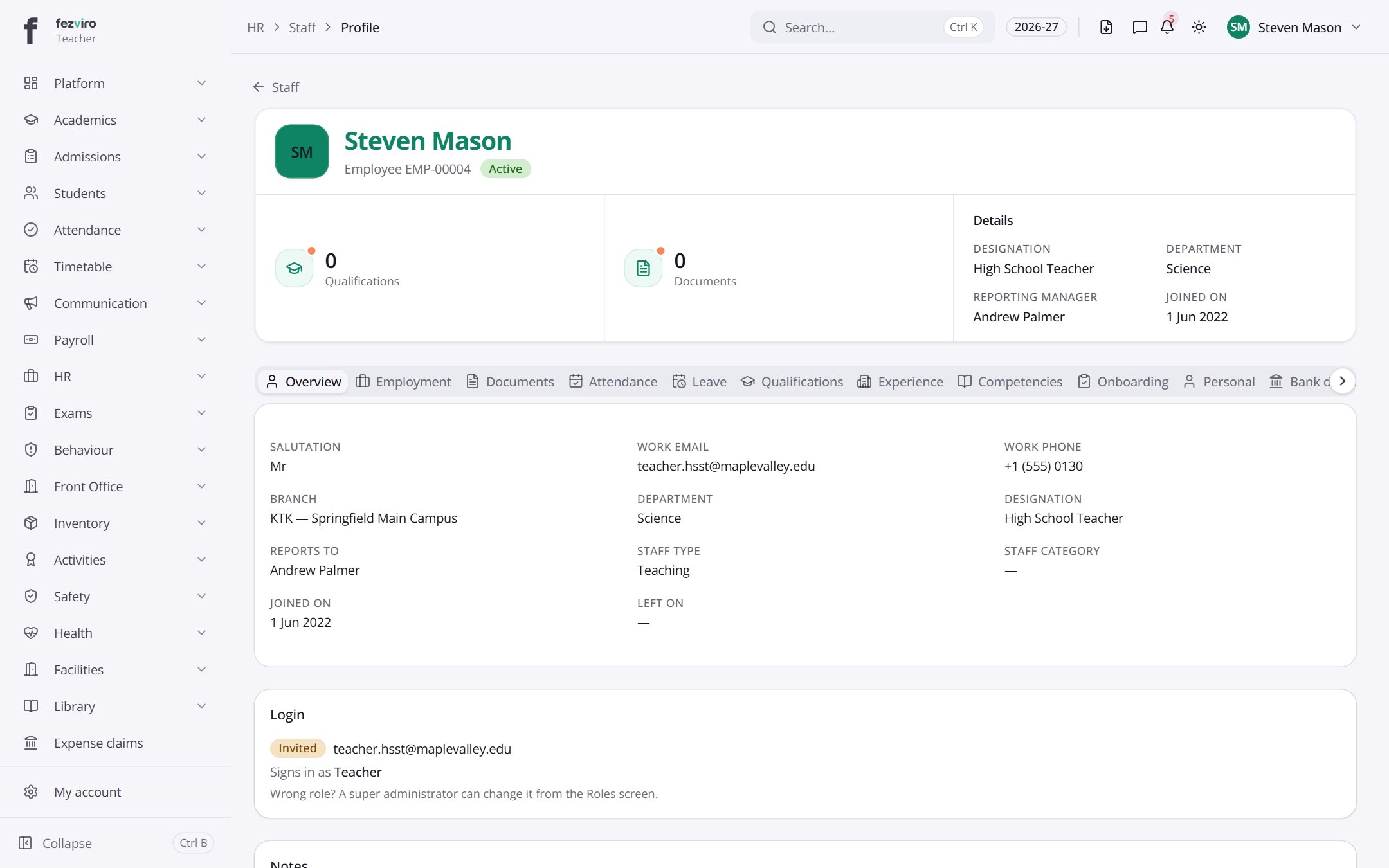
- Tabs along the top switch between views: Overview, Employment, Documents, Attendance, Leave, Qualifications, Experience, Competencies, Onboarding, Personal. Click one to change what you see.
- Sections on the page: Details, Login, Notes.
Buttons on this screen
Section titled “Buttons on this screen”- Staff — does what it says on the button.
← Back to HR & Staff overview