

Assets
What it is
Every tagged thing the school owns, who holds it and its value.
Why it matters
Shows what the school owns, where it is, and who has it.
When to use it
Office staff record new assets, assign them to people, and track their value.
Who uses it
Administrator
How to get here
Section titled “How to get here”- Sign in as Administrator (see Signing in).
- In the left menu, click Inventory to open it.
- Click Assets.
What you see
Section titled “What you see”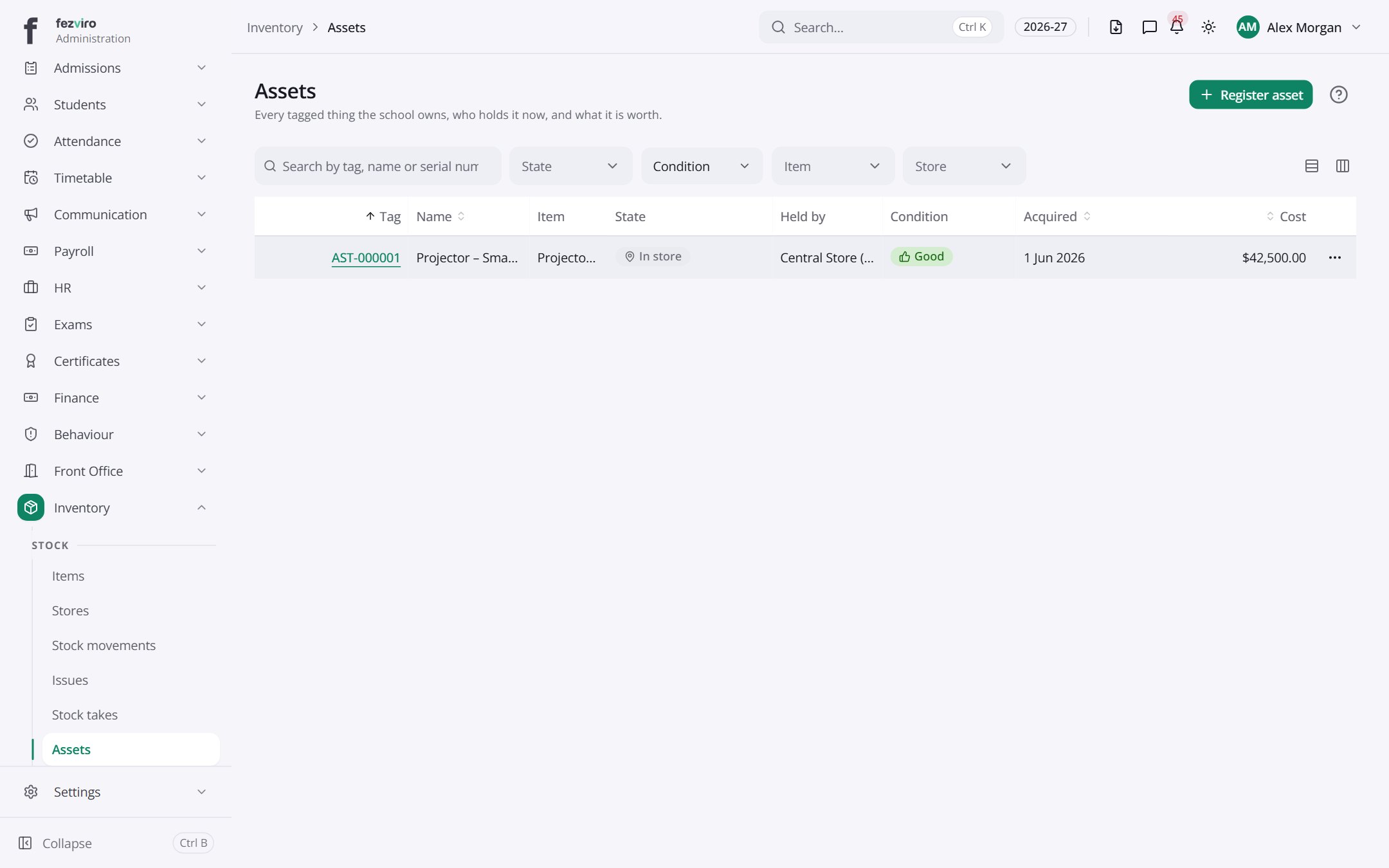
- The list has these columns: Tag, Name, Item, State, Held by, Condition, Acquired, Cost, Actions. Click a column name to sort by it.
Buttons on this screen
Section titled “Buttons on this screen”- Register asset — opens a form to add a new one. See Filling in the form below.
Opening a record
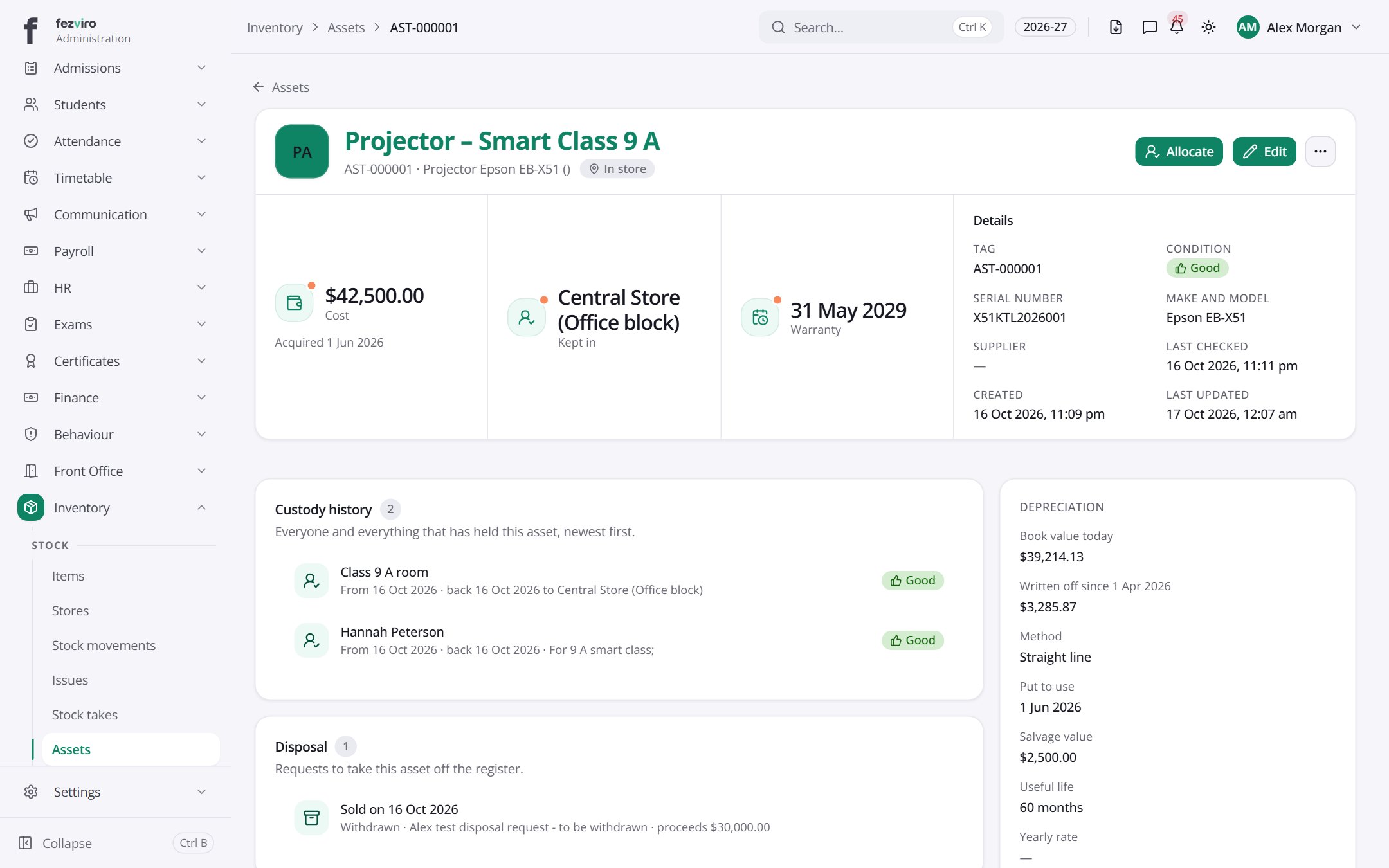
Section titled “Opening a record”Click any row in the list to see everything about it on one page.
← Back to Inventory & Assets overview