

Staff
What it is
The directory of every staff member, with search and filters.
Why it matters
Gives one trusted record for each person's role, department and status.
When to use it
HR finds, updates and exports staff records; some staff see only their own.
Who uses it
Administrator
How to get here
Section titled “How to get here”- Sign in as Administrator (see Signing in).
- In the left menu, click HR to open it.
- Click Staff.
What you see
Section titled “What you see”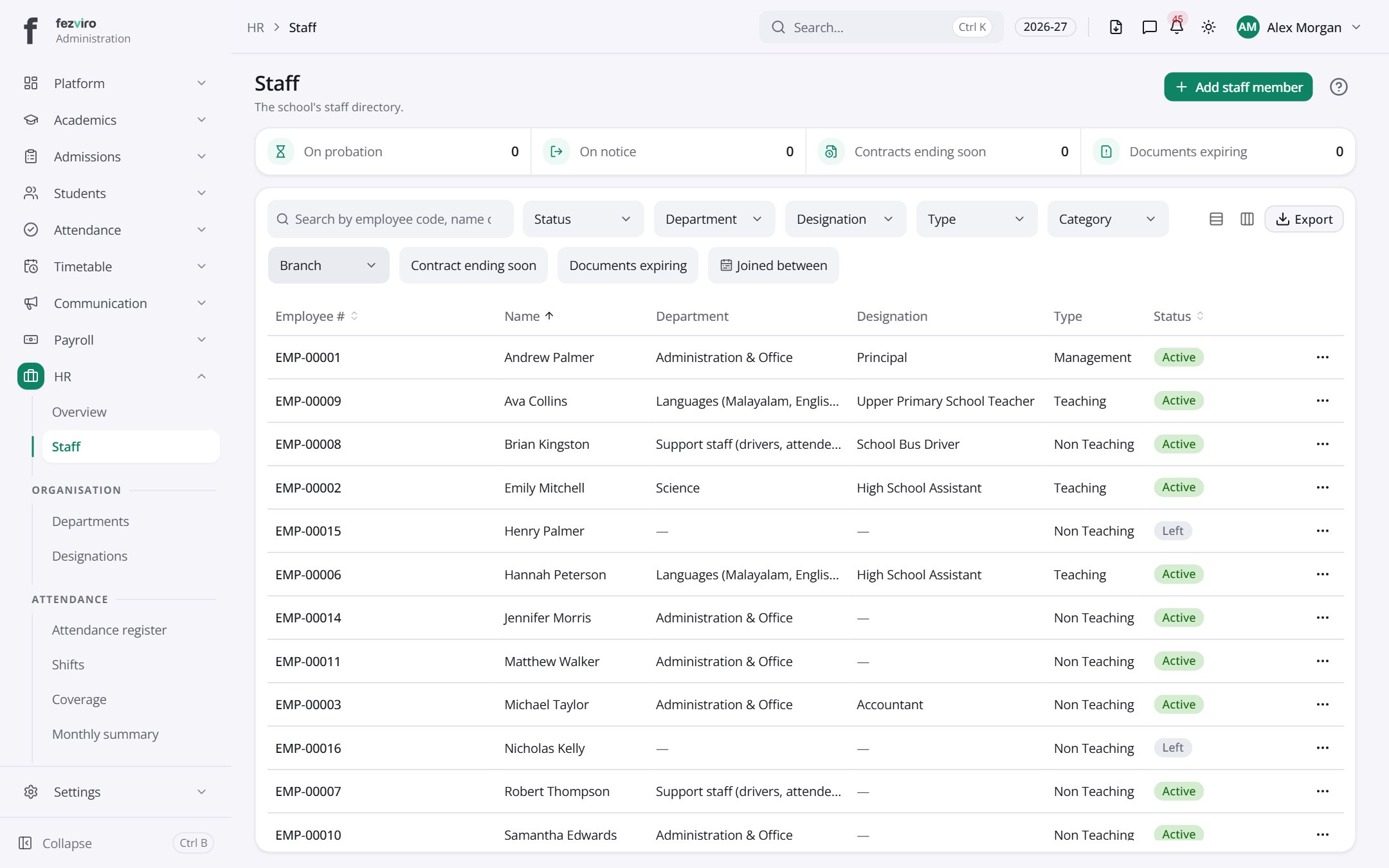
- The list has these columns: Employee, Name, Department, Designation, Type, Status, Actions. Click a column name to sort by it.
Buttons on this screen
Section titled “Buttons on this screen”- Add staff member — opens a form to add a new one. See Filling in the form below.
Filling in the form
Section titled “Filling in the form”- Click the Add staff member button at the top right.
- Fill in the boxes. Boxes marked with a red * must be filled in (4 on this form).
- Click Save at the bottom. If something is missing, the box turns red and tells you what to fix.
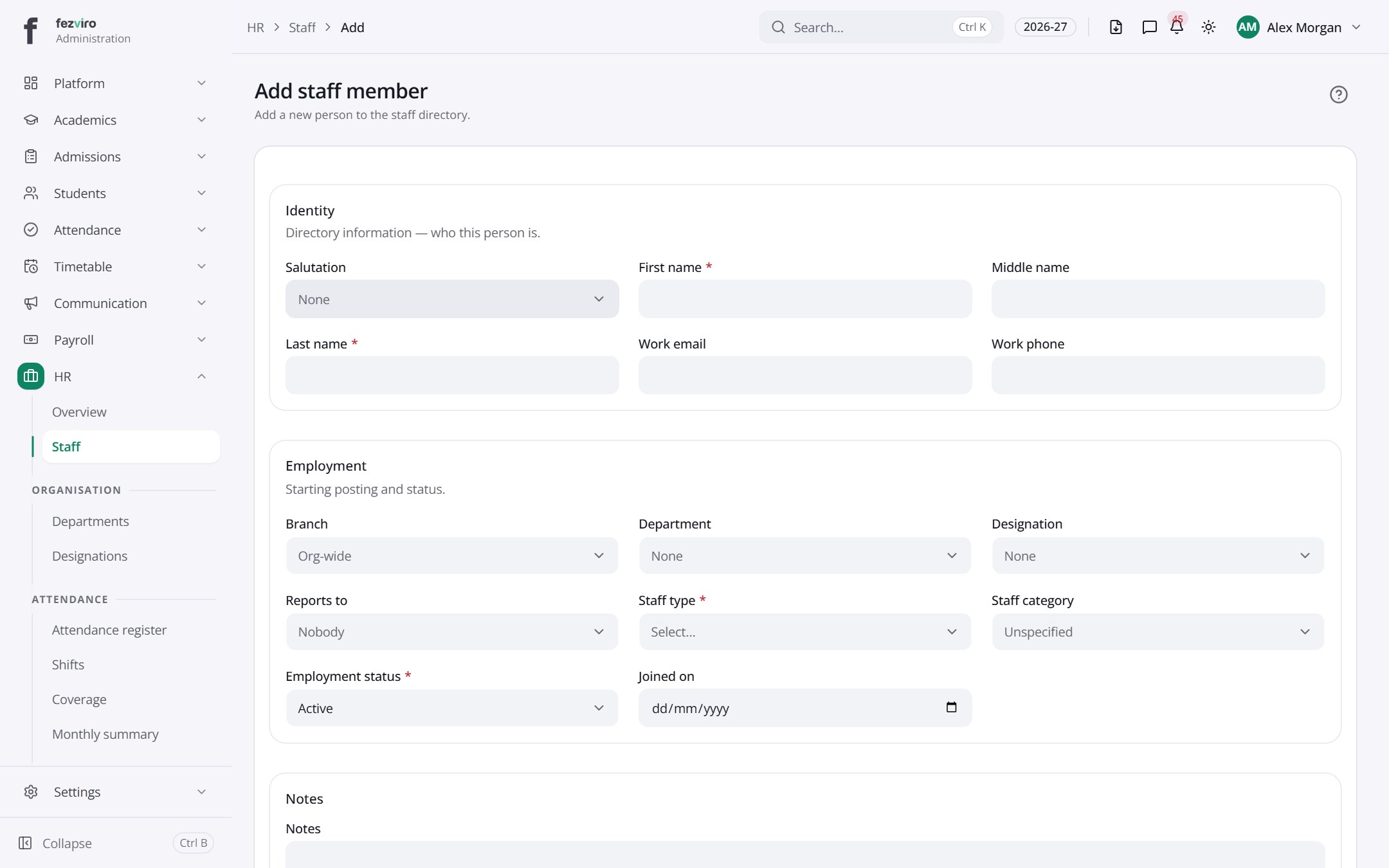
The fields
Section titled “The fields”| Field | Type | What to enter, and why |
|---|---|---|
| Salutation | choose | Choose the title to use, such as Mr, Ms or Dr. |
| First name * | text | The staff member's first name, as on their official papers. |
| Middle name | text | Optional. The middle name, as on official papers. |
| Last name * | text | The staff member's family name, as on official papers. |
| Work email | The school email address for this person. | |
| Work phone | text | Optional. The office or desk phone number for this person. |
| Branch | choose | Choose the campus where this person works. |
| Department | choose | Choose the department this person belongs to. |
| Designation | choose | Choose the job title for this person. |
| Reports to | choose | Optional. Choose the person they report to day to day. |
| Staff type * | choose | Choose the kind of staff member, such as teaching or support. |
| Staff category | choose | Choose the category the person falls under, from the list. |
| Employment status * | choose | Choose whether they are employed, on leave, or have left. |
| Joined on | date | The day this person started at the school. Pick it from the calendar. |
| Notes | long text | Optional. Anything the HR office should know about this person. |
Types: text — type it in · number — digits only · date — click and pick from the calendar · choose — click and pick one from the list · pick one — click one of the options · switch / tick box — click to turn on or off · long text — type as much as you need · file — click to attach a file from your computer.
← Back to HR & Staff overview