

Gifts
What it is
Every gift received, split across the purposes it supports.
Why it matters
Keeps a complete, accurate record of all money given to the school.
When to use it
Staff record gifts and issue receipts; a cancelled receipt is replaced, never edited.
Who uses it
Administrator
How to get here
Section titled “How to get here”- Sign in as Administrator (see Signing in).
- In the left menu, click Fundraising to open it.
- Click Gifts.
What you see
Section titled “What you see”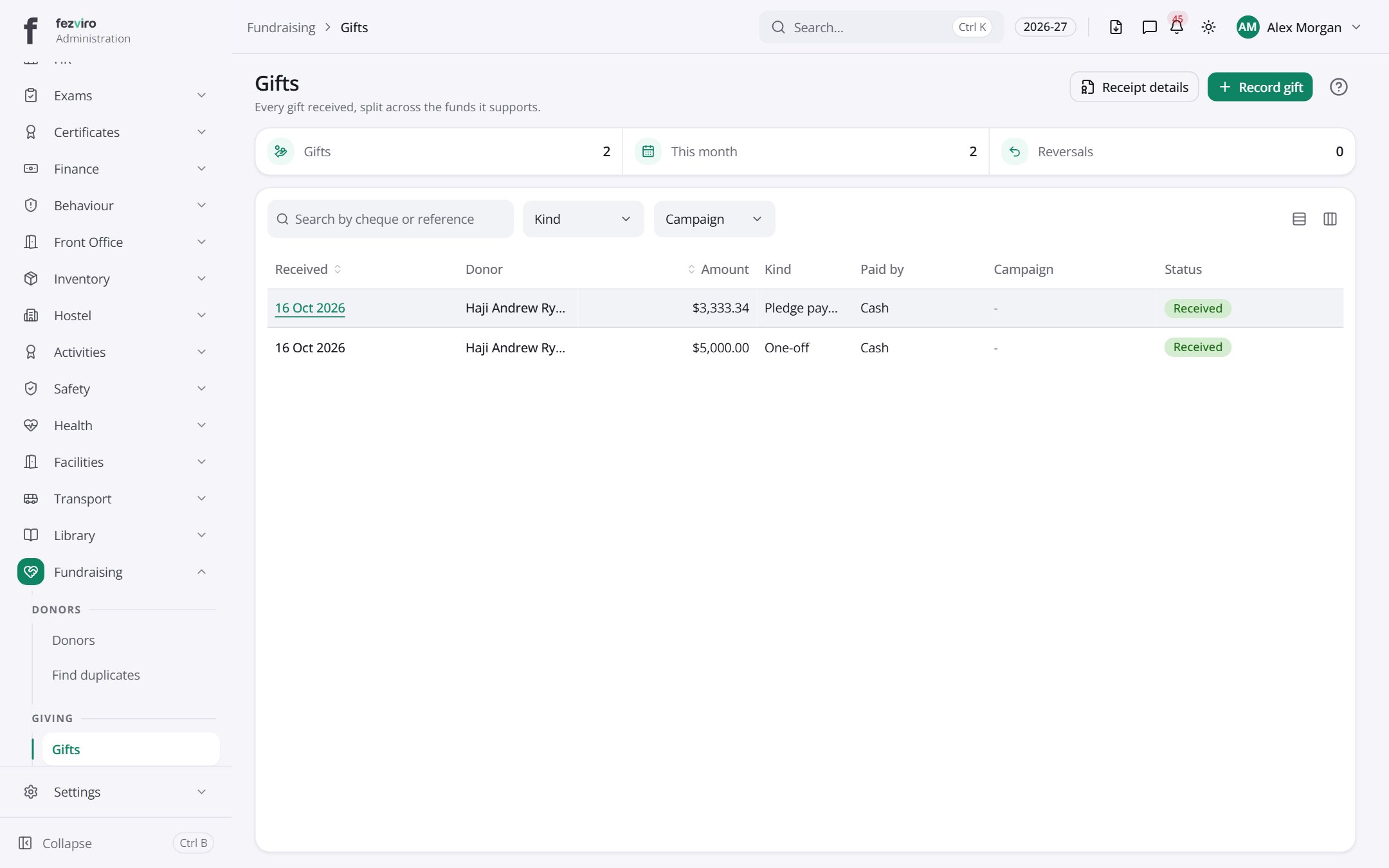
- The list has these columns: Received, Donor, Amount, Kind, Paid by, Campaign, Status. Click a column name to sort by it.
Buttons on this screen
Section titled “Buttons on this screen”- Receipt details — does what it says on the button.
- Record gift — opens a form to add a new one. See Filling in the form below.
Opening a record
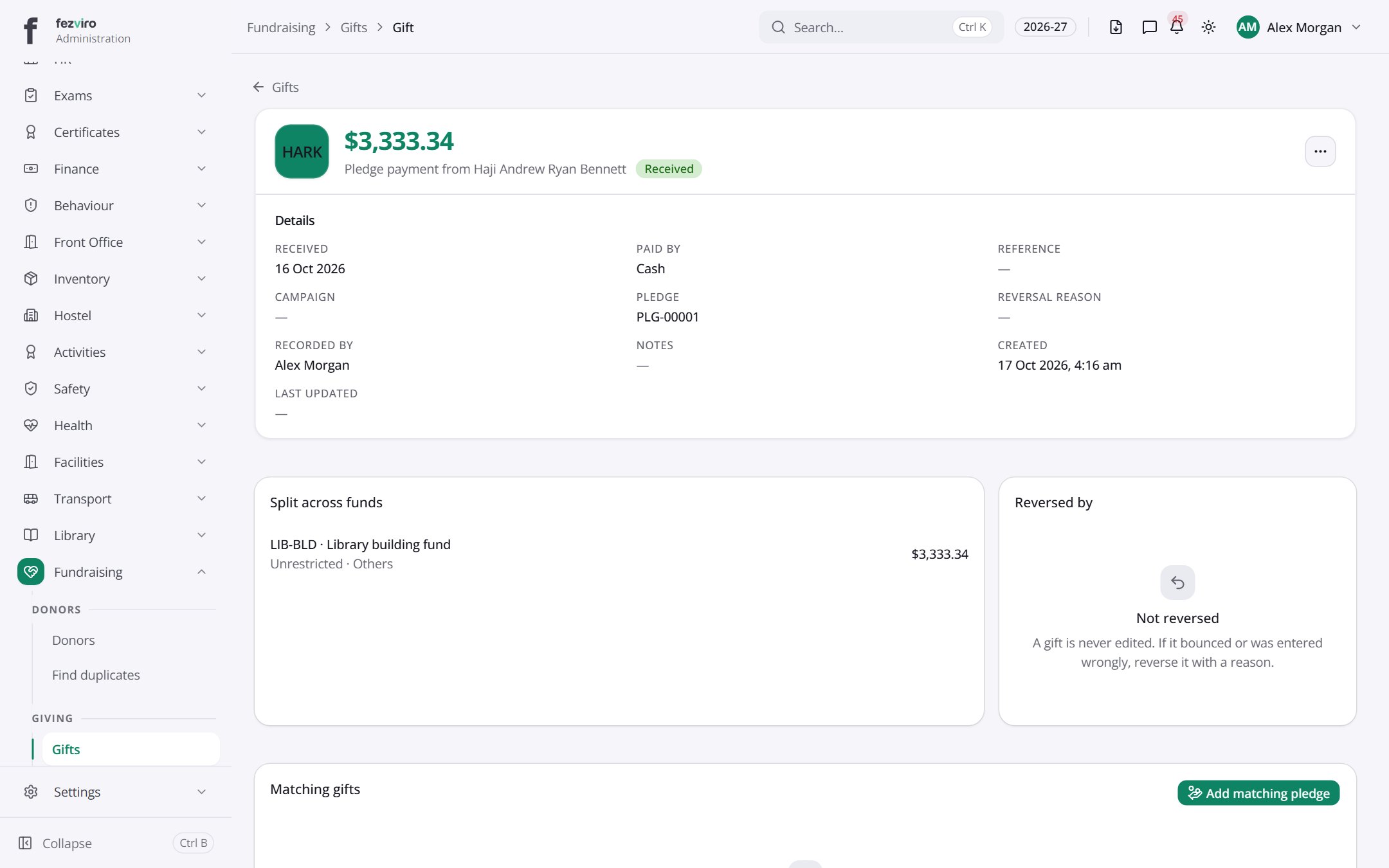
Section titled “Opening a record”Click any row in the list to see everything about it on one page.
← Back to Fundraising overview