

Injuries and accidents
What it is
Injuries and health events at school, with families alerted.
Why it matters
Gives a clear record of each event and keeps parents informed.
When to use it
Staff log an injury, then the nurse and parents follow up.
Who uses it
Administrator
How to get here
Section titled “How to get here”- Sign in as Administrator (see Signing in).
- In the left menu, click Health to open it.
- Click Incidents.
What you see
Section titled “What you see”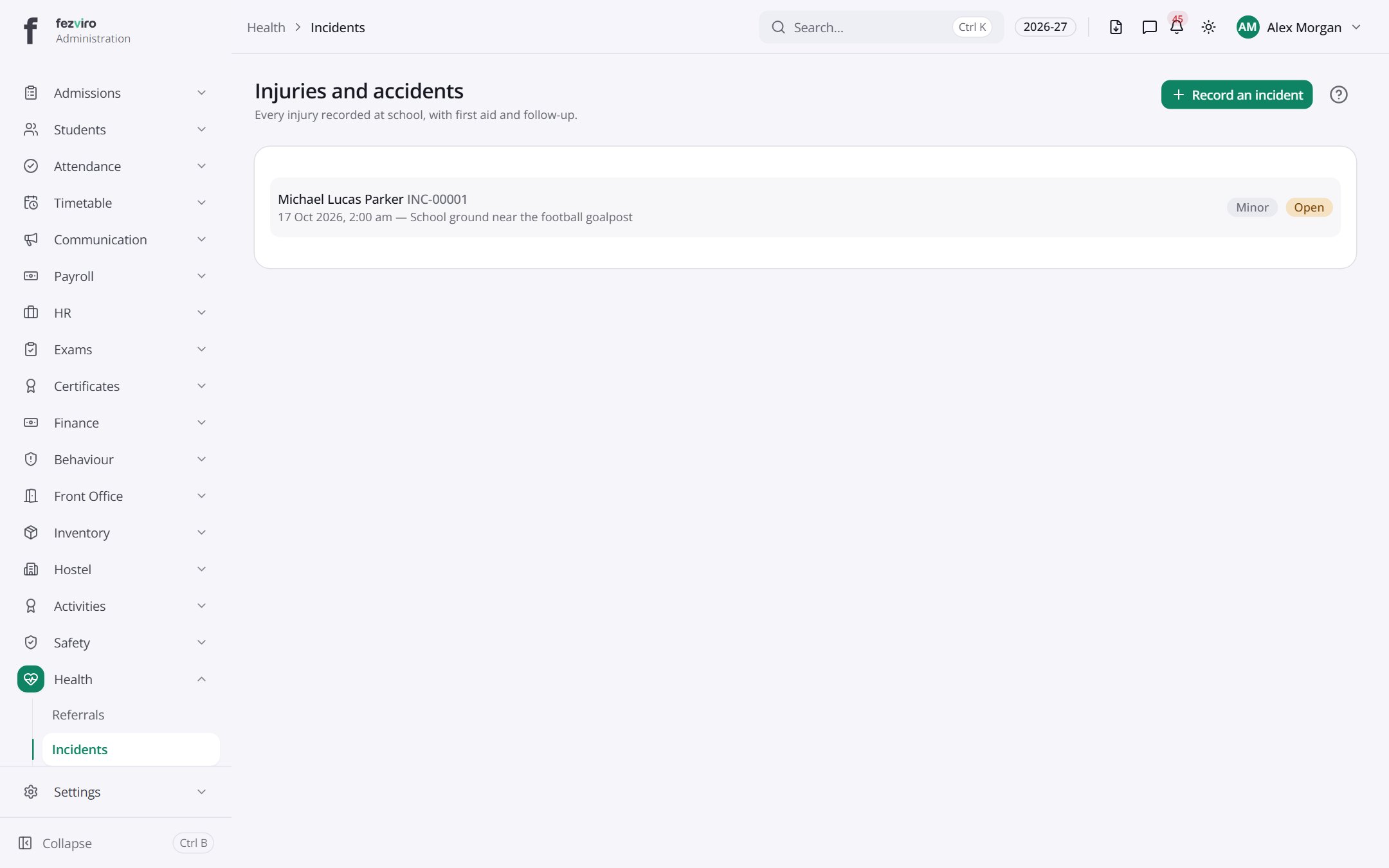
Buttons on this screen
Section titled “Buttons on this screen”- Record an incident — opens a form to add a new one. See Filling in the form below.
Filling in the form
Section titled “Filling in the form”- Click the Record an incident button at the top right.
- Fill in the boxes. Boxes marked with a red * must be filled in (8 on this form).
- Click Save at the bottom. If something is missing, the box turns red and tells you what to fix.
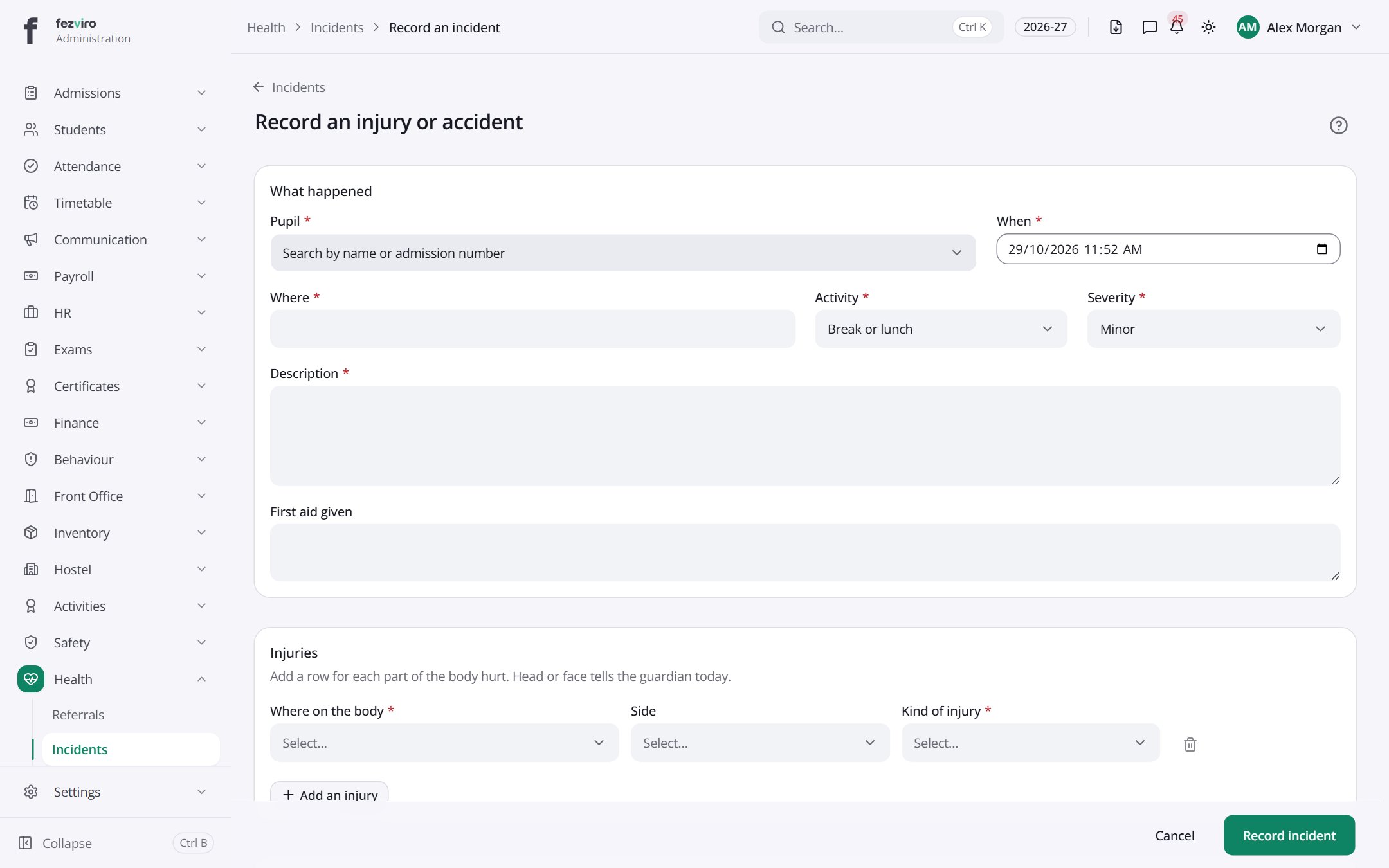
The fields
Section titled “The fields”| Field | Type | What to enter, and why |
|---|---|---|
| Pupil * | choose | Search for the pupil by name or admission number. |
| When * | text | The date and time the injury or incident happened. |
| Where * | text | The place it happened, such as the playground or gym. |
| Activity * | choose | What the pupil was doing at the time, such as running or science. |
| Severity * | choose | How serious the injury or incident was. |
| Description * | long text | Describe what happened in plain words. Stick to the facts. |
| First aid given | long text | What first aid was given, such as a plaster or an ice pack. |
| Where on the body * | choose | Which part of the body was hurt, such as the knee or head. |
| Side | choose | Which side was hurt, if the body part has a left and right. |
| Kind of injury * | choose | What sort of injury it is, such as a cut, bruise or sprain. |
Types: text — type it in · number — digits only · date — click and pick from the calendar · choose — click and pick one from the list · pick one — click one of the options · switch / tick box — click to turn on or off · long text — type as much as you need · file — click to attach a file from your computer.
← Back to Health overview