

Free meals
What it is
Free daily meal credit for pupils who qualify.
Why it matters
Gives eligible pupils a free meal discreetly, without visible stigma.
When to use it
Office staff set each pupil's free daily amount; unused credit ends each day.
Who uses it
Administrator
How to get here
Section titled “How to get here”- Sign in as Administrator (see Signing in).
- In the left menu, click Canteen to open it.
- Click Free meals.
What you see
Section titled “What you see”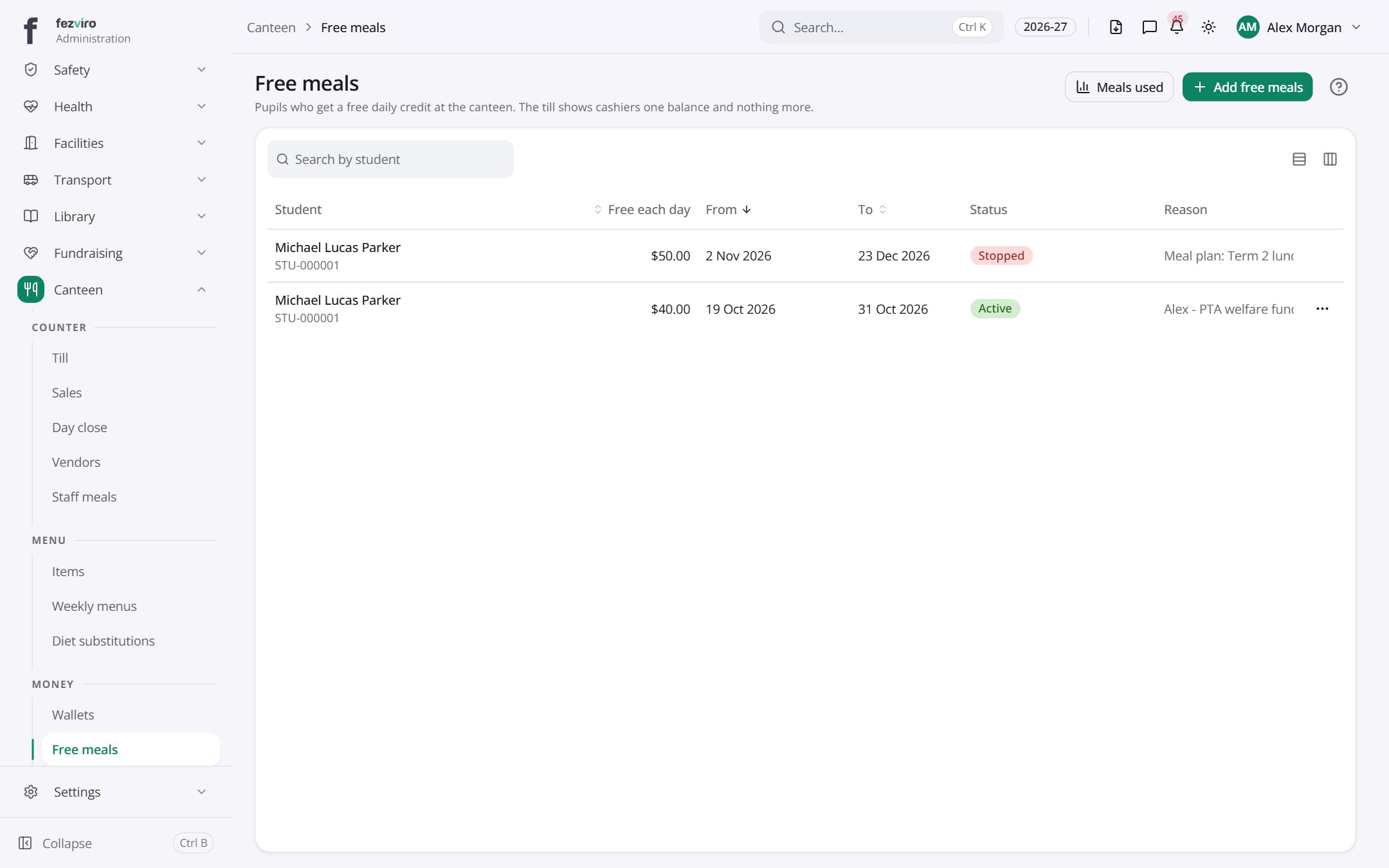
- The list has these columns: Student, Free each day, From, To, Status, Reason, Actions. Click a column name to sort by it.
Buttons on this screen
Section titled “Buttons on this screen”- Meals used — does what it says on the button.
- Add free meals — opens a form to add a new one. See Filling in the form below.
← Back to Canteen overview