

Application windows
What it is
Set periods when applications are open, with limits on seats per year group.
Why it matters
Stops applications arriving at the wrong time or beyond available places.
When to use it
Admissions staff open and close windows for each intake year.
Who uses it
Administrator
How to get here
Section titled “How to get here”- Sign in as Administrator (see Signing in).
- In the left menu, click Admissions to open it.
- Click Application windows.
What you see
Section titled “What you see”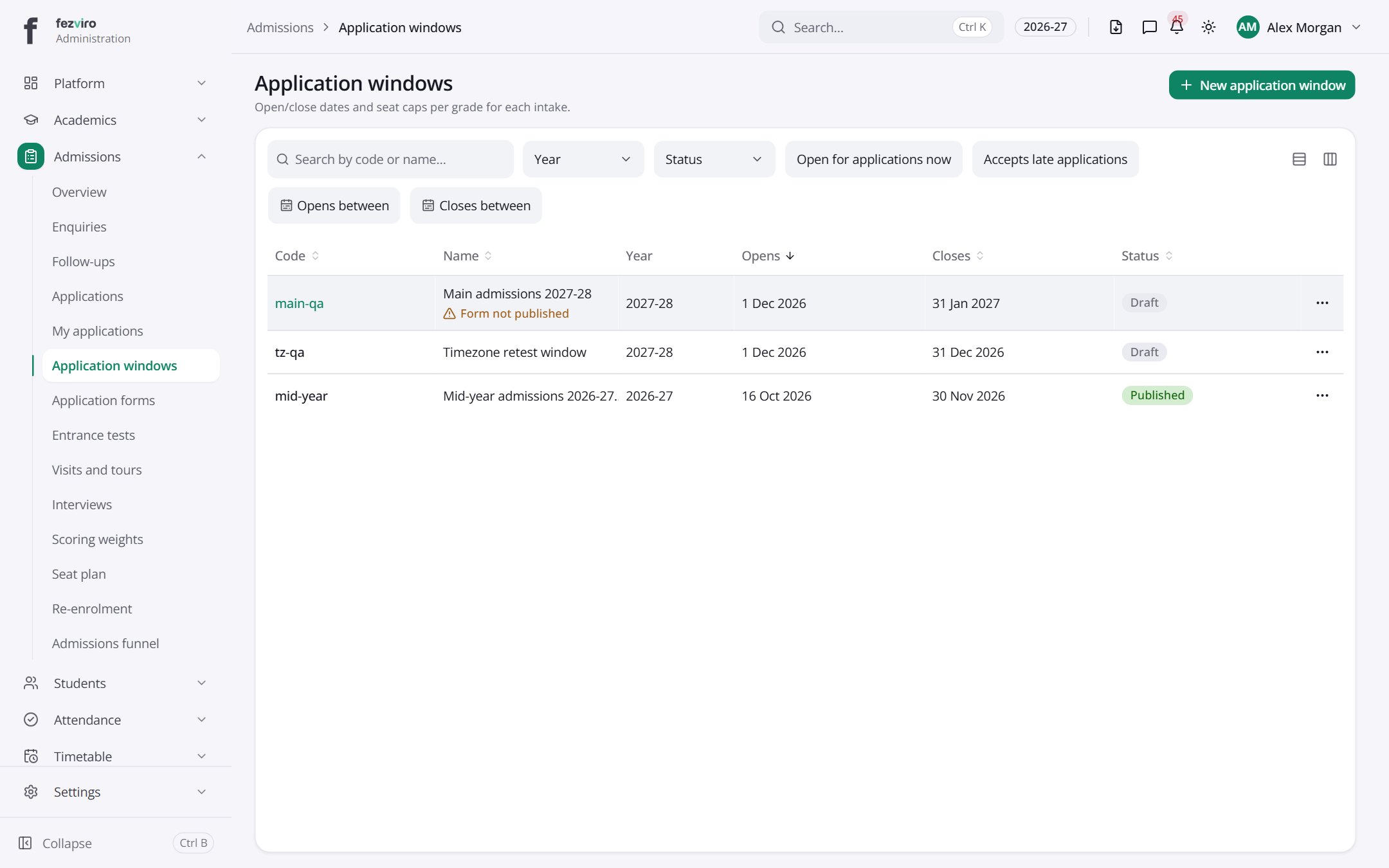
- The list has these columns: Code, Name, Year, Opens, Closes, Status, Actions. Click a column name to sort by it.
Buttons on this screen
Section titled “Buttons on this screen”- New application window — opens a form to add a new one. See Filling in the form below.
Filling in the form
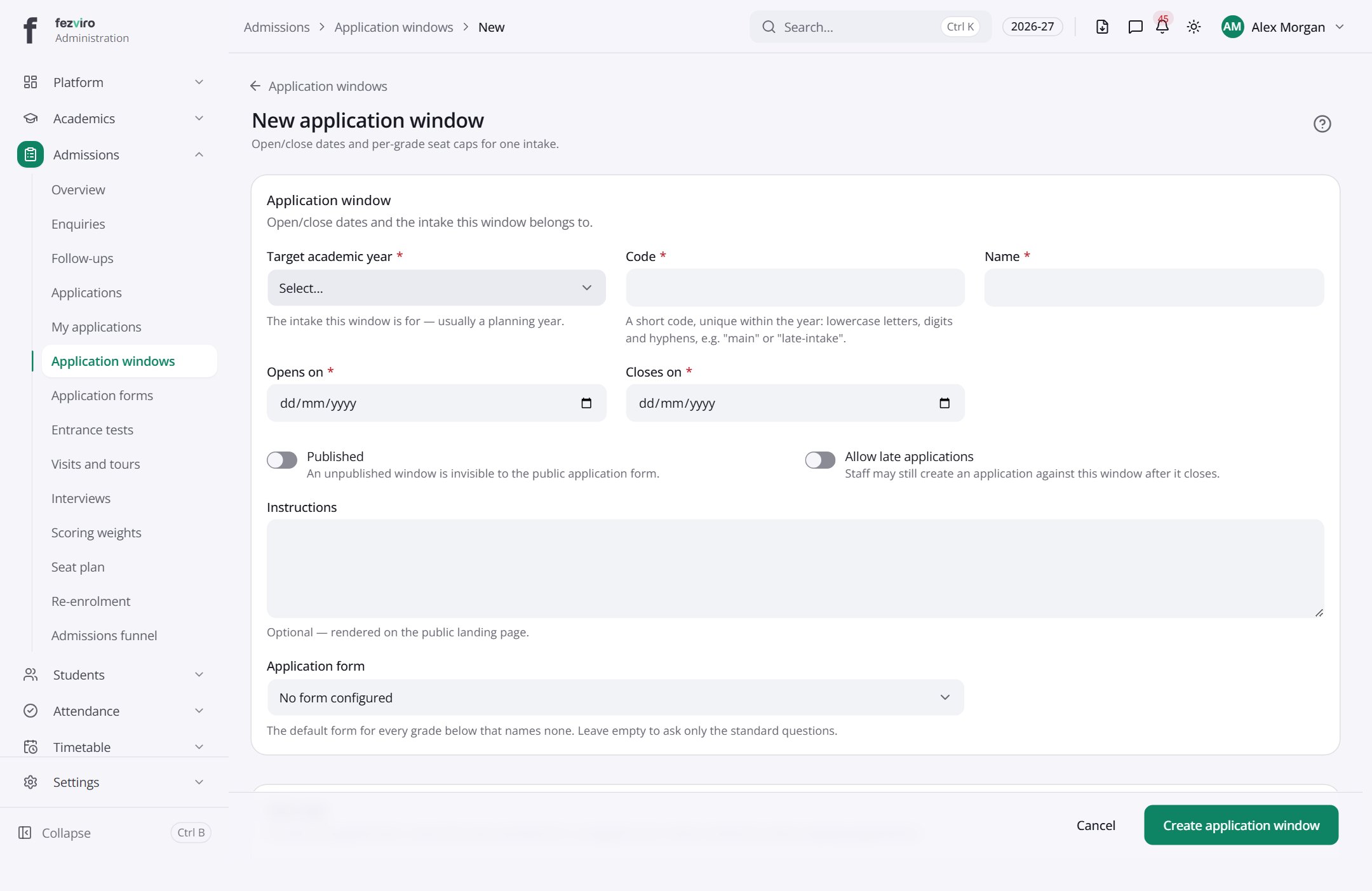
Section titled “Filling in the form”- Click the New application window button at the top right.
- Fill in the boxes. Boxes marked with a red * must be filled in (5 on this form).
- Click Save at the bottom. If something is missing, the box turns red and tells you what to fix.
The fields
Section titled “The fields”| Field | Type | What to enter, and why |
|---|---|---|
| Target academic year * | choose | Choose the school year that students in this intake will join. |
| Code * | text | A short code for this window, such as ADM-2027. It cannot be changed later. |
| Name * | text | The window's name, such as Admissions 2027 Intake. |
| Opens on * | date | The first day families can apply. Pick it from the calendar. |
| Closes on * | date | The last day families can apply. Pick it from the calendar. |
| Published | switch | Tick to show this window on the public application page. |
| Allow late applications | switch | Tick to keep taking applications after the closing date. |
| Instructions | long text | Optional. Shown to families while they apply, such as what to bring. |
| Application form | choose | Choose the form families fill in for this window. |
| Grade level | choose | Choose a grade that families can apply for in this window. |
| Seat cap | number | The most places for this grade. Leave empty for no limit. |
| Open | switch | Tick to let families apply now. Untick to keep the window closed. |
| Form override | choose | Optional. Choose a different form for one grade in this window. |
Types: text — type it in · number — digits only · date — click and pick from the calendar · choose — click and pick one from the list · pick one — click one of the options · switch / tick box — click to turn on or off · long text — type as much as you need · file — click to attach a file from your computer.
← Back to Admissions overview