

Events
What it is
School events, from concerts to sports days, with sign-up and tickets.
Why it matters
Runs events in one place, from invitations to check-in on the day.
When to use it
Staff plan the event; families register, buy tickets and check in.
Who uses it
Administrator
How to get here
Section titled “How to get here”- Sign in as Administrator (see Signing in).
- In the left menu, click Activities to open it.
- Click Events.
What you see
Section titled “What you see”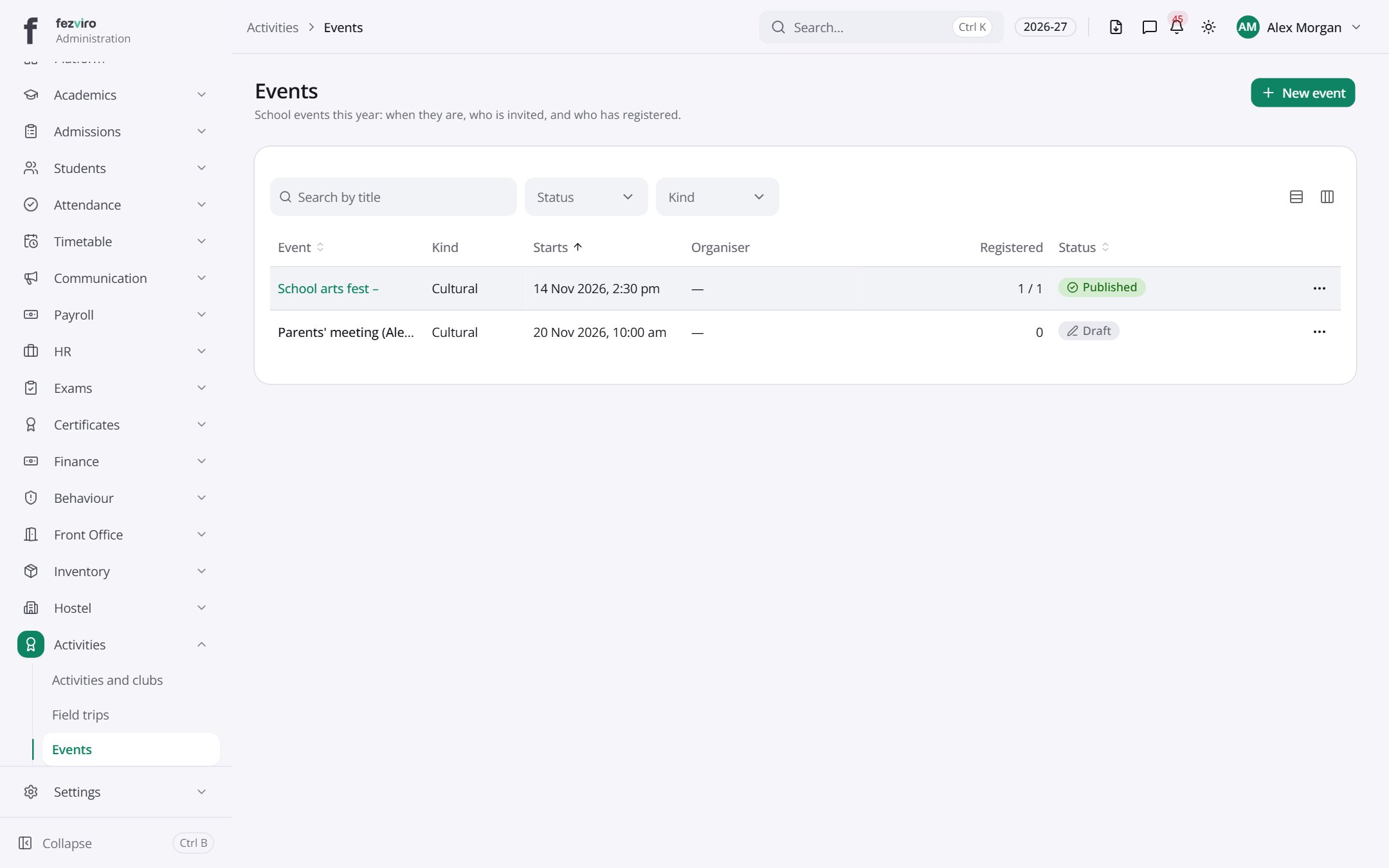
- The list has these columns: Event, Kind, Starts, Organiser, Registered, Status, Actions. Click a column name to sort by it.
Buttons on this screen
Section titled “Buttons on this screen”- New event — opens a form to add a new one. See Filling in the form below.
← Back to Activities & Events overview