

Moderation
What it is
Adjustments to marks, such as grace marks or scaling, awaiting approval.
Why it matters
Makes fair corrections to whole groups while keeping every original mark.
When to use it
Staff propose an adjustment; a senior approver accepts or rejects it.
Who uses it
Administrator
How to get here
Section titled “How to get here”- Sign in as Administrator (see Signing in).
- In the left menu, click Exams to open it.
- Click Moderation.
What you see
Section titled “What you see”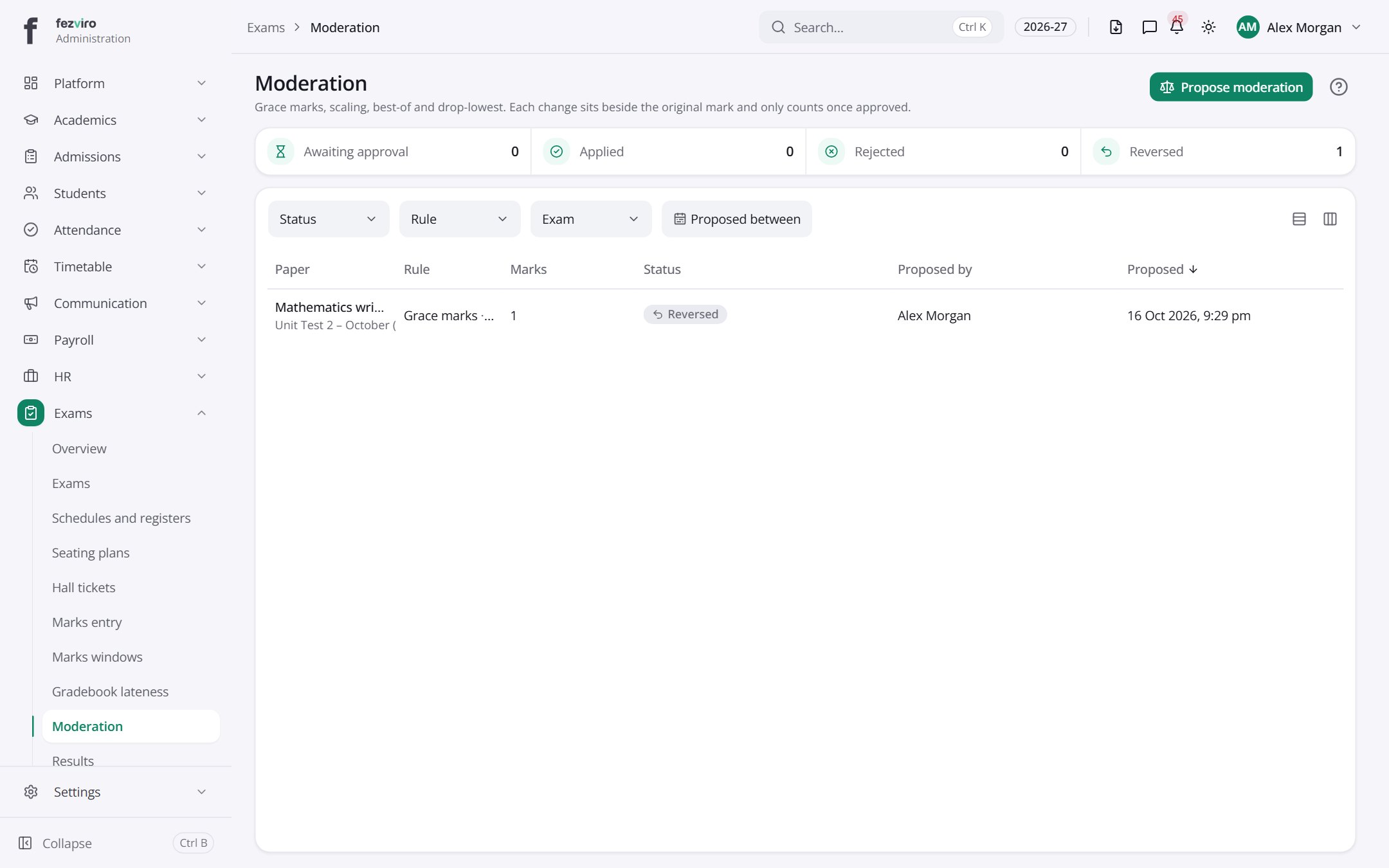
- The list has these columns: Paper, Rule, Marks, Status, Proposed by, Proposed. Click a column name to sort by it.
Buttons on this screen
Section titled “Buttons on this screen”- Propose moderation — does what it says on the button.
← Back to Exams & Grading overview