

Appraisal cycles
What it is
Review periods when staff are appraised, with dates and who takes part.
Why it matters
Runs one fair appraisal round for everyone at the same time.
When to use it
HR opens each cycle and tracks staff through its stages.
Who uses it
Administrator
How to get here
Section titled “How to get here”- Sign in as Administrator (see Signing in).
- In the left menu, click HR to open it.
- Click Appraisal cycles.
What you see
Section titled “What you see”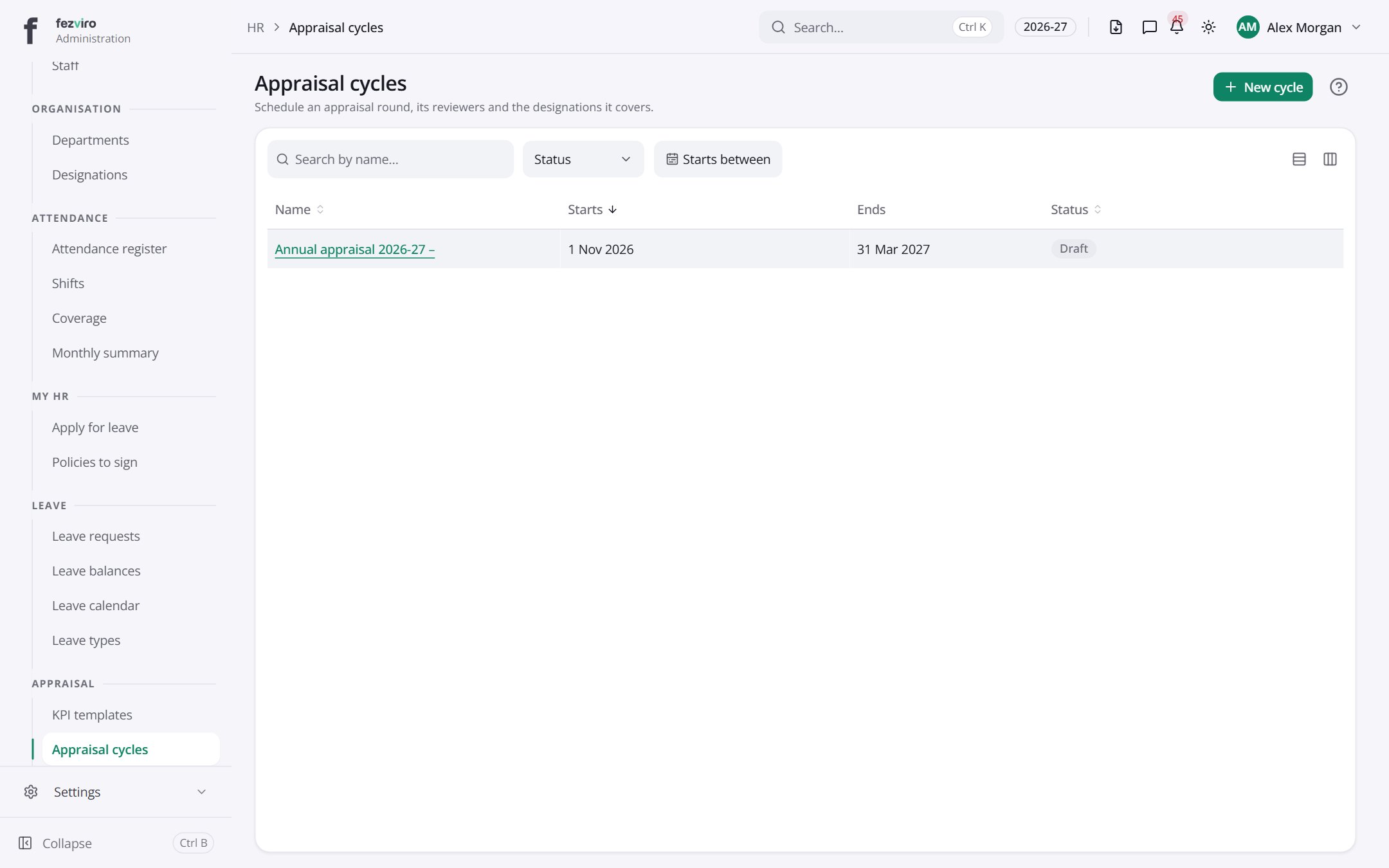
- The list has these columns: Name, Starts, Ends, Status. Click a column name to sort by it.
Buttons on this screen
Section titled “Buttons on this screen”- New cycle — opens a form to add a new one. See Filling in the form below.
Opening a record
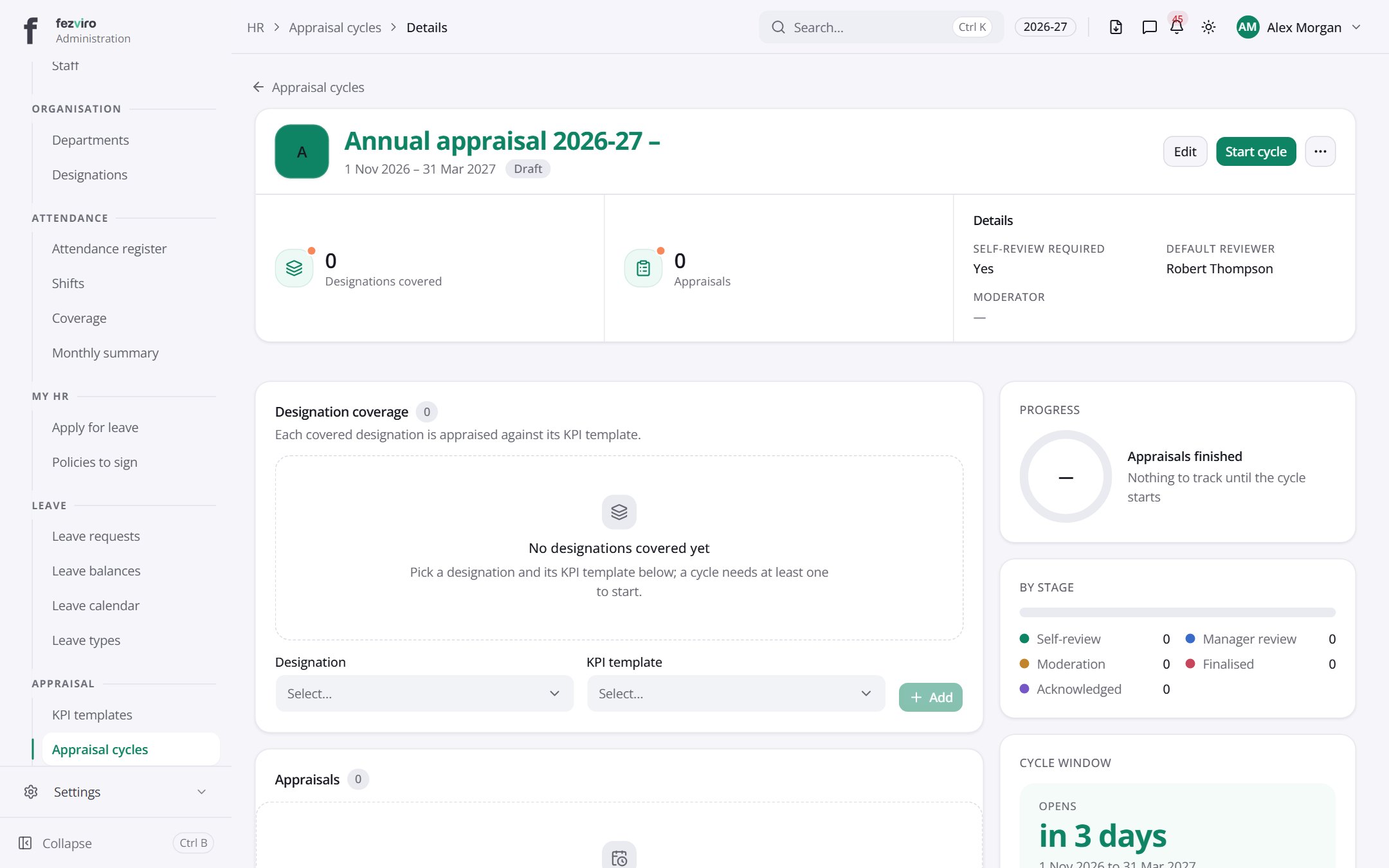
Section titled “Opening a record”Click any row in the list to see everything about it on one page.
Filling in the form
Section titled “Filling in the form”- Click the New cycle button at the top right.
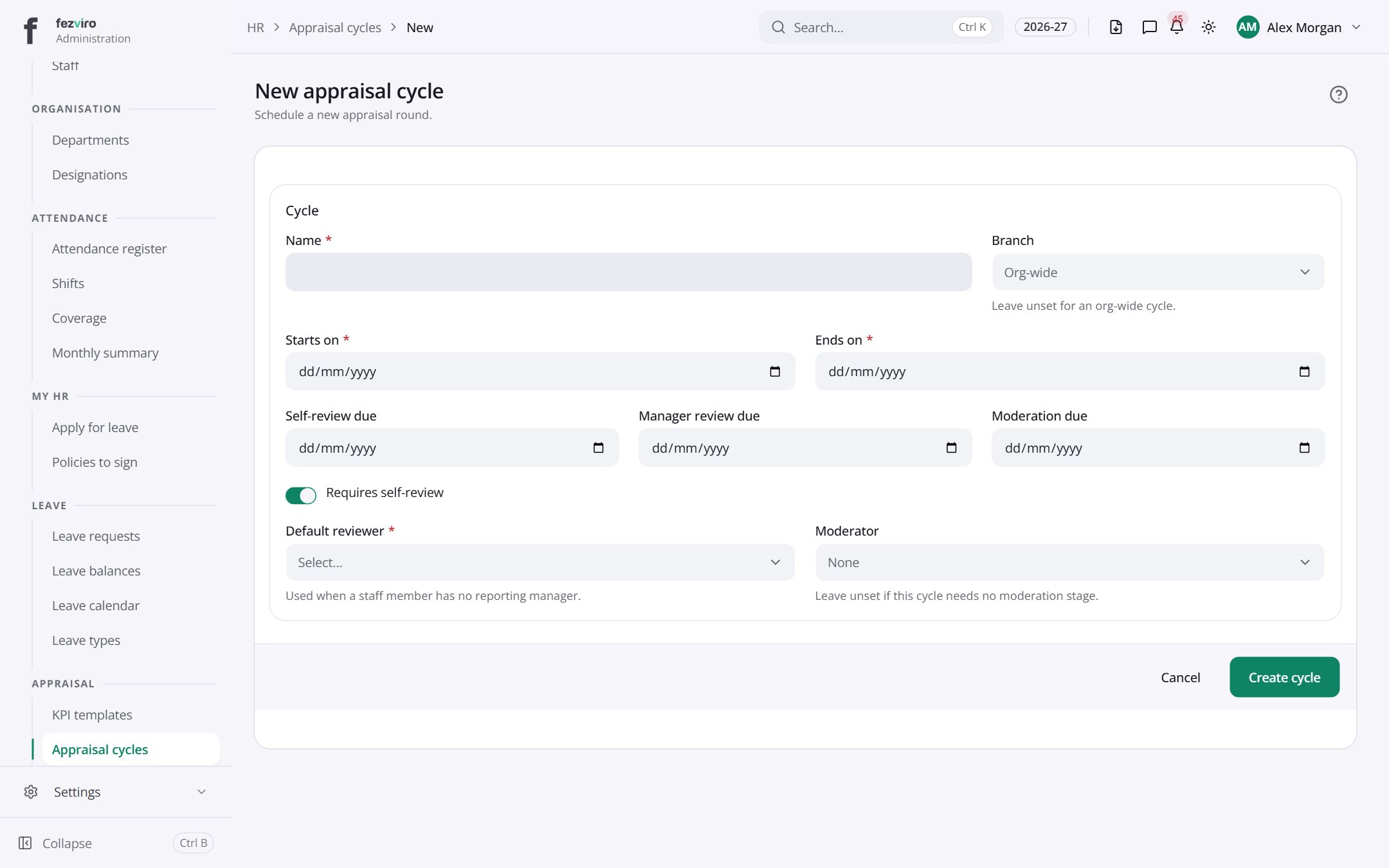
- Fill in the boxes. Boxes marked with a red * must be filled in (4 on this form).
- Click Save at the bottom. If something is missing, the box turns red and tells you what to fix.
The fields
Section titled “The fields”| Field | Type | What to enter, and why |
|---|---|---|
| Name * | text | The round's name, such as 2026-27 Annual Appraisal. |
| Branch | choose | Choose a campus for this round. Leave empty to include the whole school. |
| Starts on * | date | The first day of the round. Pick it from the calendar. |
| Ends on * | date | The last day of the round. Pick it from the calendar. |
| Self-review due | date | The date staff must finish their own review. Pick from the calendar. |
| Manager review due | date | The date managers must finish their reviews. Pick from the calendar. |
| Moderation due | date | The date the final checking must be done. Pick from the calendar. |
| Requires self-review | switch | Tick if staff must write their own review before the manager does. |
| Default reviewer * | choose | Choose who reviews staff who have no reporting manager. |
| Moderator | choose | Optional. Choose who checks the reviews. Leave empty if no check is needed. |
Types: text — type it in · number — digits only · date — click and pick from the calendar · choose — click and pick one from the list · pick one — click one of the options · switch / tick box — click to turn on or off · long text — type as much as you need · file — click to attach a file from your computer.
← Back to HR & Staff overview