

Defaulters
What it is
Families with fees overdue, sorted by how late they are.
Why it matters
Helps the office chase the largest and oldest debts first.
When to use it
Office staff use it each week to plan reminders and follow-up calls.
Who uses it
Administrator
How to get here
Section titled “How to get here”- Sign in as Administrator (see Signing in).
- In the left menu, click Fees to open it.
- Click Defaulters.
What you see
Section titled “What you see”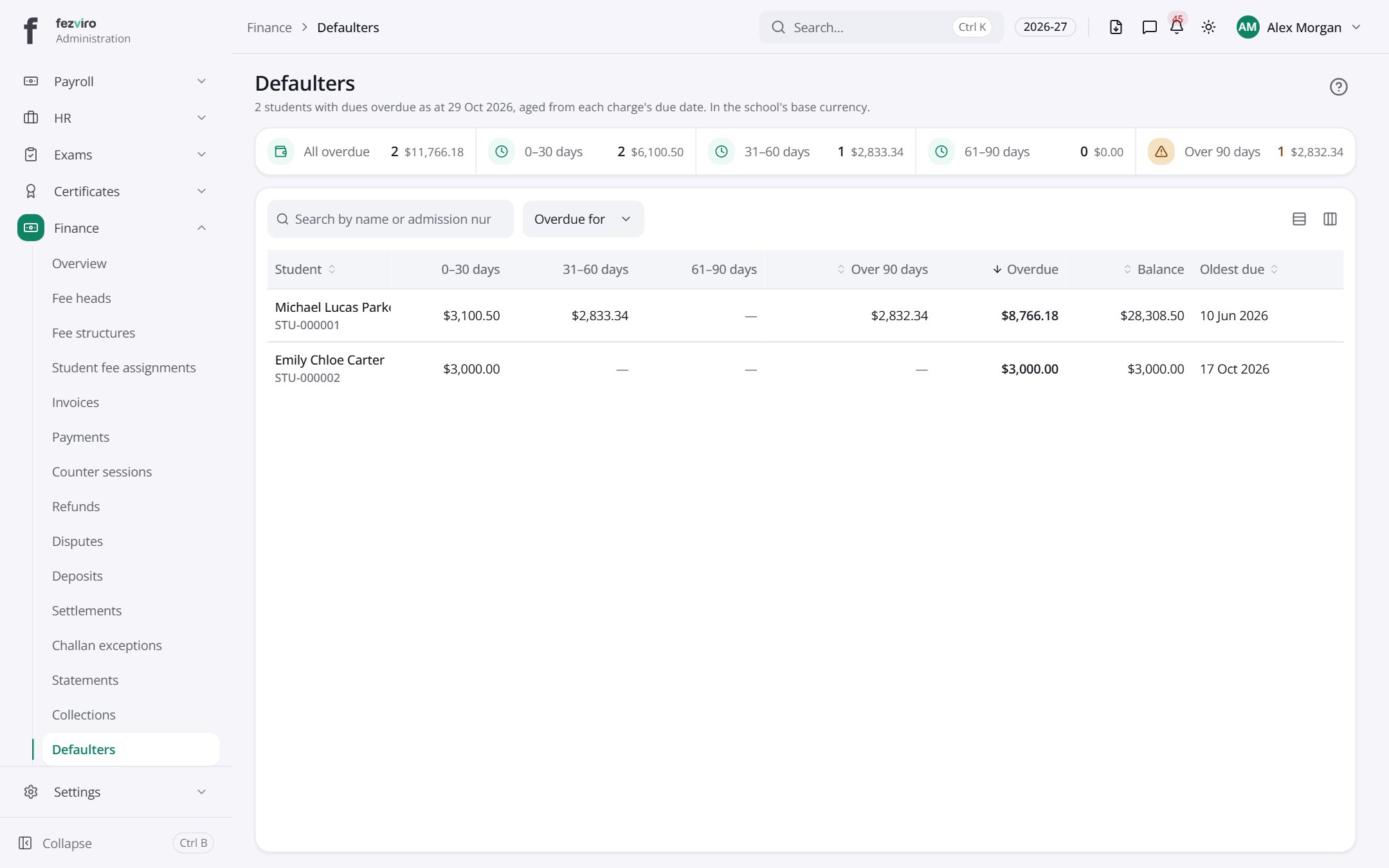
- The list has these columns: Student, 0–30 days, 31–60 days, 61–90 days, Over 90 days, Overdue, Balance, Oldest due. Click a column name to sort by it.
← Back to Fees & Finance overview